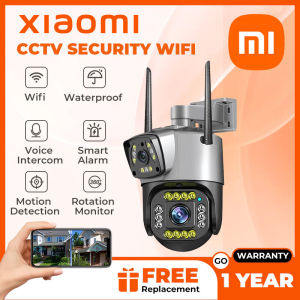
V380 PRO 8MP 4K Dual Lens Solar Surveillance Camera 12000mAh 4G SIM Card 8X Zoom PTZ IP Cam PIR Human Motion Detection Smart CCTV
V380 PRO 8MP 4K Dual Lens Solar Surveillance Camera 12000mAh 4G SIM Card 8X Zoom PTZ IP Cam PIR Human Motion Detection Smart CCTV
The V380 PRO is a top-of-the-line solar surveillance camera designed to provide unparalleled security and monitoring capabilities. This comprehensive guide will walk you through its key features, setup process, performance optimization, and troubleshooting common issues.
What is the V380 PRO?
The V380 PRO is an advanced 8MP PTZ IP Cam with PIR detection, featuring dual lenses and 4K resolution. It utilizes solar power and a 12000mAh battery, allowing for continuous operation even in remote locations. The camera is equipped with a 4G SIM card slot, enabling seamless connectivity and remote monitoring.
Key Features & Specifications
- Resolution: 8MP with 4K dual lenses
- Zoom: 8X optical zoom
- PIR Detection: Human motion detection
- Battery: 12000mAh solar-powered battery
- Connectivity: 4G SIM card slot
Package Contents
- 1 x Solar Camera
- 1 x Solar Panel
- 1 x User Manual
How to Set Up Your V380 PRO
Setting up your V380 PRO is a straightforward process that involves connecting the solar panel, configuring the 4G SIM card, and activating PIR human motion detection.
Connecting the Solar Panel
To connect the solar panel, simply attach it to the camera using the provided mounting bracket. Ensure that the solar panel is facing south for optimal sunlight exposure.
Configuring the 4G SIM Card
Insert a compatible 4G SIM card into the designated slot on the camera. Follow the instructions in the user manual to configure the network settings and establish a stable connection.
Activating PIR Human Motion Detection
Access the camera's settings menu and enable the PIR human motion detection feature. This will allow the camera to automatically detect and record any movement within its field of view.
Maximizing Your V380 PRO's Performance
To get the most out of your V380 PRO, it's essential to optimize its features and settings.
Optimizing the 8X Zoom Feature
Adjust the zoom level according to your specific needs. The 8X optical zoom allows for detailed monitoring of distant objects or areas.
Enhancing Image Quality with 4K Resolution
Ensure that the camera's resolution settings are configured to 4K for the highest possible image quality. This will provide clear and crisp video footage, even in low-light conditions.
Utilizing the 12000mAh Battery
Take advantage of the solar-powered battery by placing the camera in a location with ample sunlight exposure. This will help maintain optimal battery life and ensure continuous operation.
Troubleshooting Common Issues
Encountering issues with your V380 PRO? Here are some solutions to common problems.
Connectivity Problems
If you're experiencing connectivity issues, check the SIM card and network settings. Ensure that the SIM card is properly inserted and configured, and that the network signal is strong enough for stable communication.
Low Battery Life
If the battery life is lower than expected, verify that the solar panel is receiving adequate sunlight exposure. Adjust the camera's position if necessary, and ensure that there are no obstructions blocking the solar panel.
False Alarms with PIR Detection
If you're experiencing false alarms with the PIR detection feature, adjust the sensitivity settings in the camera's menu. This will help minimize unnecessary alerts and improve overall accuracy.

YOOSEE TECH
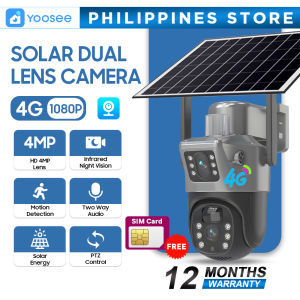
Review
You May Also Like
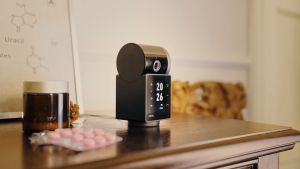
IMOU Indoor Home Security Surveillance Rex VT Pro 5MP H.265 Wi-Fi Pan & Tilt Camera Live Monitoring
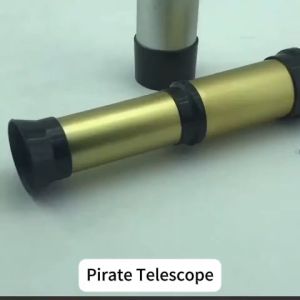
Pirate Monocular Telescope kids Toy Portable Retractable Handheld Telescopes Gold
SC002 4K Hd Motion Camera Mini Sport Camera Portable Video Recorder Support Wifi 170° Wide Angle 1050mAh Battery IP68 Waterproof
10X25 Binoculars: A Comprehensive Guide to Long Range Hunting & Concert Viewing
SJCAM SJ4000 AIR Action Camera for Vlogging Full HD 4K WIFI Sport DV 2.0 Inch Screen action camera for motorcycle
BekinTek Full Color 4K Night Vision Binoculars: A Comprehensive Guide
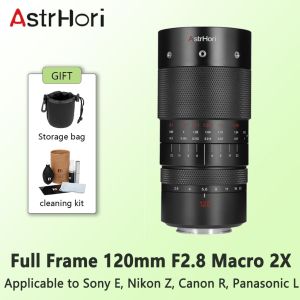
AstrHori 120mm F2.8 Macro 2x Full Frame Hundred Pico Lens For SONY E Nikon Z Canon R Panasonic L
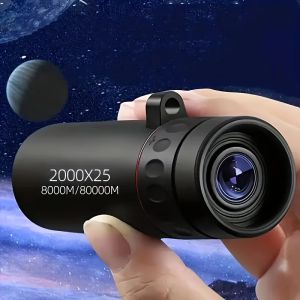
Monocular Telescope 2000X25 HD Compact Laptop Suitable for Travel Hiking Fishing Camping Star Watching and Bird Watching.

AHD DVR HS-BH-3516FE 16.0\" Digital Video Recorder
Wireless Home Network Camera Cats Eye Remote Mobile Monitoring WiFi Indoor Surveillance No Applicable Installation Required
V- MD80 Mini camera c Outdoor Professional Micro Cam High speed recording small camera