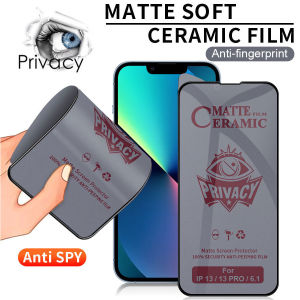
Ceramic Privacy Screen Protector For OPPO Reno 11F 5G & A Series
Ceramic Privacy Screen Protector For OPPO Reno 11F 5G & A Series
Introduction to Ceramic Privacy Screen Protector
Ceramic privacy screen protectors have become increasingly popular among smartphone users due to their unique combination of features. In this article, we will explore the benefits and advantages of ceramic privacy screen protectors, specifically designed for OPPO Reno 11F 5G and A Series devices.
Overview of Ceramic Privacy Screen Protectors
Ceramic privacy screen protectors are made from a special blend of tempered glass and ceramic particles. This innovative design offers enhanced durability, scratch resistance, and privacy protection. These screen protectors are designed to provide a seamless experience, offering clear visibility and touch sensitivity while protecting your device's display from accidental damage.
Benefits of Using Ceramic Privacy Screen Protectors
- Enhanced Durability: The combination of tempered glass and ceramic particles makes these screen protectors highly resistant to scratches, cracks, and shattering.
- Privacy Protection: The matte finish and anti-glare properties of ceramic privacy screen protectors help minimize the risk of others viewing your screen from different angles.
- Clarity and Touch Sensitivity: Despite their robust design, ceramic privacy screen protectors maintain excellent clarity and touch sensitivity, allowing you to enjoy a smooth user experience.
- Easy Installation: With proper preparation and a step-by-step installation guide, you can easily apply ceramic privacy screen protectors to your OPPO device.
Comparison with Other Types of Screen Protectors
Compared to traditional screen protectors, ceramic privacy screen protectors offer superior durability, scratch resistance, and privacy protection. They also provide better clarity and touch sensitivity than other types of screen protectors, making them an excellent choice for OPPO Reno 11F 5G and A Series devices.
Installation Guide for Ceramic Privacy Screen Protector
Before installing a ceramic privacy screen protector, it is essential to prepare your device and gather the necessary tools.
Preparation Before Installation
- Clean your OPPO device's screen thoroughly using a microfiber cloth and a cleaning solution designed for electronic devices.
- Gather the ceramic privacy screen protector, a squeegee tool, and a lint-free cloth.
- Ensure that your workspace is clean, dust-free, and well-lit.
Step-by-Step Installation Process
- Carefully remove the protective film from the ceramic privacy screen protector.
- Align the screen protector with the edges of your OPPO device's display.
- Use the squeegee tool to gently press the screen protector onto the display, starting from the center and moving outward.
- Use the lint-free cloth to remove any air bubbles or dust particles trapped under the screen protector.
Troubleshooting Common Issues
If you encounter any issues during installation, refer to the following tips:
- If the screen protector does not adhere properly, try reapplying it after cleaning the device's screen again.
- If air bubbles persist, use the squeegee tool to gently press them out from the center of the screen protector.
- If the screen protector becomes misaligned, carefully peel it off and reapply it, ensuring proper alignment.
Features & Advantages of Full Tempered Glass Screen Protector
Full tempered glass screen protectors offer several advantages that make them ideal for OPPO Reno 11F 5G and A Series devices.
Durability and Scratch Resistance
Full tempered glass screen protectors provide excellent durability and scratch resistance, protecting your device's display from accidental damage.
Clarity and Touch Sensitivity
Despite their robust design, full tempered glass screen protectors maintain excellent clarity and touch sensitivity, allowing you to enjoy a smooth user experience.
Compatibility with OPPO A Series Devices
Full tempered glass screen protectors are compatible with various OPPO A Series devices, ensuring that you can find the perfect screen protector for your device.
Choosing the Right Screen Protector for Your OPPO Device
When selecting a screen protector for your OPPO device, consider the following factors:
- Compatibility: Ensure that the screen protector is compatible with your specific OPPO model.
- Durability: Choose a screen protector that provides excellent durability and scratch resistance.
- Clarity and Touch Sensitivity: Opt for a screen protector that maintains excellent clarity and touch sensitivity.
- Privacy Protection: If privacy is a concern, consider a ceramic privacy screen protector.
Recommendations for Different OPPO Models
For OPPO Reno 11F 5G devices, we recommend the Ceramic Privacy Screen Protector. For other OPPO A Series devices, consider the Full Tempered Glass Screen Protector.
Long-Term Maintenance Tips
To ensure the longevity of your ceramic privacy screen protector, follow these maintenance tips:
- Clean your device's screen regularly using a microfiber cloth and a cleaning solution designed for electronic devices.
- Avoid using abrasive materials or harsh chemicals that may damage the screen protector.
- Store your device in a protective case or pouch when not in use.
- Replace the screen protector if it becomes damaged or shows signs of wear.
In conclusion, ceramic privacy screen protectors offer an excellent combination of durability, scratch resistance, and privacy protection for OPPO Reno 11F 5G and A Series devices. By following our installation guide and maintenance tips, you can enjoy a seamless user experience while protecting your device's display from accidental damage." }

UPDALY 3C Store
You May Also Like

**【Original+24hours delivery】IC-777 High Quality ICOOK LPG REGULATOR (ROSKAS)**
USB Male to 4 USB Female Splitter Hubs for Charging Devices Like Phones Tablets Not for Data Transfer
Cute Cartoon Liquid Silicone Phone Case for iPhone 13 pro Max Full Cover Anti-Fall Angel Eye Lens Protection for Men And Women

Universal Stylus Pen for Android Phone Tablet for I0S Touch Screen Pencil Capacitive Pen
iPhone 14/ 14 Plus/ 14 Pro/ 14 Pro Max XUNDD Axe Series full Tempered glass Screen Protector

Cute Phone Case VIVO V40 Lite V40 Pro VIVOV40 Lite Pro 4G 5G New Fashion Cartoon Doraemon Hello Kitty Luffy Pikachu Spider-Man Sauron Casing with Lanyard 2024
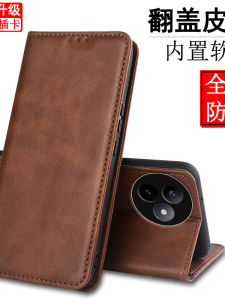
Redmi K80 Supreme Edition Phone Case Flip Cover Protective Leather Shell Full Protection Soft Insert Card Magnetic Absorption Anti-Fall for Men And Women
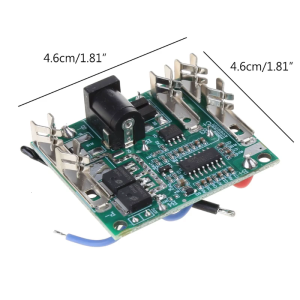
BMS Module 5 Serial 20A 18V 21V Li-ion Electric Tools Charge Board Protection Connector

4PCS/set Fridge Divider Space Separator Portable Fridge Drawer Divider for Kitchen and Cosmetic Box
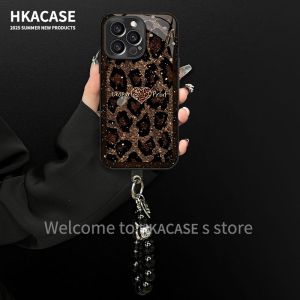
Creative Leopard Print Heart iPhone Huawei Honor VIVO Glass Phone Case Womens Cute Luxury Style Compatible with Multiple Models
9D Soft Film Case for Honor X9C 5G: Aesthetic Design & Protection