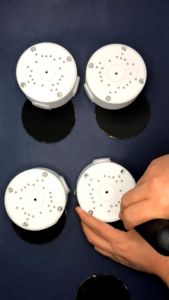
1080p Night Vision Wireless CCTV Camera: Connect Cellphone & Two-way Audio
1080p Night Vision Wireless CCTV Camera: Connect Cellphone & Two-way Audio
Introduction to Wireless Indoor Outdoor Cameras
What is a Wireless Indoor Outdoor Camera?
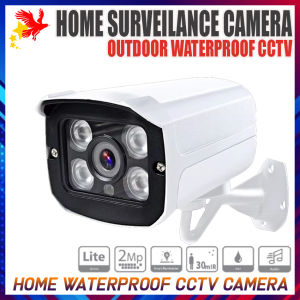
A wireless indoor outdoor camera, like the 1080p Night Vision Wireless CCTV Camera, is a surveillance device designed to provide real-time video monitoring both inside and outside your home or business. These cameras operate without the need for physical wires, making installation quick and easy.
Key Features of Wireless Indoor Outdoor Cameras
- High-resolution video quality (1080p)
- Night vision capabilities
- Two-way audio communication
- Wi-Fi connectivity
- Remote access via mobile app
Benefits of Using Wireless Indoor Outdoor Cameras
By using a wireless indoor outdoor camera, you'll enjoy enhanced security, peace of mind, and convenience. Here are some of the benefits:
- Real-time video monitoring
- Easy installation and setup
- Remote access and control from anywhere
- Improved night vision
- Clear two-way audio communication
Setting Up Your 1080p Night Vision Wireless CCTV Camera
Connecting Your Camera to Wi-Fi
To connect your 1080p Night Vision Wireless CCTV Camera to Wi-Fi, follow these steps:
- Power on the camera and ensure it is within range of your Wi-Fi network.
- Open the mobile app and select 'Add Device.'
- Follow the on-screen instructions to connect the camera to your Wi-Fi network.
Downloading & Setting Up the Mobile App
The mobile app allows you to monitor your 1080p Night Vision Wireless CCTV Camera remotely and control various settings. To download and set up the app:
- Visit the app store on your smartphone or tablet.
- Search for the app compatible with your camera model.
- Download and install the app.
- Launch the app and sign in or create an account.
- Follow the on-screen instructions to add your camera to the app.
Configuring Two-way Audio on Your Camera
To enable two-way audio on your 1080p Night Vision Wireless CCTV Camera, follow these steps:
- Open the mobile app and navigate to the camera settings.
- Locate the 'Audio' or 'Two-way Audio' option.
- Toggle the switch to enable two-way audio.
Maximizing Security with Your Wireless CCTV Camera
Setting Up Motion Detection Alerts
Motion detection alerts notify you when motion is detected within the camera's field of view. To set up motion detection alerts:
- Open the mobile app and navigate to the camera settings.
- Locate the 'Motion Detection' option.
- Toggle the switch to enable motion detection.
- Customize the sensitivity and alert settings as desired.
Recording & Storing Video Footage
Video footage can be recorded and stored locally on the camera or on a cloud-based storage service. To manage your recordings:
- Open the mobile app and navigate to the camera settings.
- Locate the 'Recording' or 'Storage' option.
- Choose your preferred recording method and adjust settings as needed.
Sharing Access with Family Members or Security Personnel
Sharing access to your 1080p Night Vision Wireless CCTV Camera allows others to view and control the camera. To share access:
- Open the mobile app and navigate to the camera settings.
- Locate the 'Share' or 'Access Control' option.
- Enter the email address or phone number of the person you want to share access with.
- Select the appropriate permissions and send the invitation.

Star Force
Review

You May Also Like
A9 Mini Camera WiFi Wireless Monitoring Security Protection Remote Monitor Camcorders Video Surveillance Smart Home
PEGATAH 8MP Home Security Camera Indoor WiFi Pet Camera & Baby Monitor with Human Tracking IR Night Vision O-Kam Pro App
EKLEVA Hd Action Camera 180 Rotatable Vlog Wifi Mini Sports Anti Shake Built-in Fill Light One Click Recording Pocket Camera

Dome Camera Bracket: Free-Punch Acrylic Camera Bracket & CCTV Projector Holder
BESDER 4MP PTZ Wifi Camera Video Call with 2.8 Inch IPS Screen Baby Cry Sound Detection Security IP Camera Baby Monitor iCSee
Original SJCAM SJ8 Air SJ8 Dual Action Camera Wifi Remote Control Helmet Camera Ultra HD Resolution Sports Camera

MeeGoo Indoor Camera | 4 Million Pixels | 4K 2560*1440P | Night Vision | AI Human Shape Detection | Sound and Light Alarm | Tow-way Voice
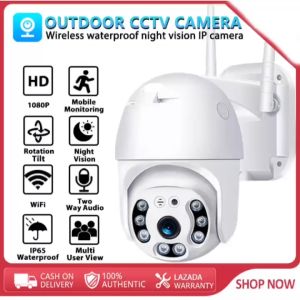
Original V380 Pro CCTV camera A8-1 outdoor wireless WIFI two-way audio IP camera connected to mobile phone 1080p high-definition night vision outdoor IP65 waterproof CCTV high-definition dome ip camera CCTV security camera
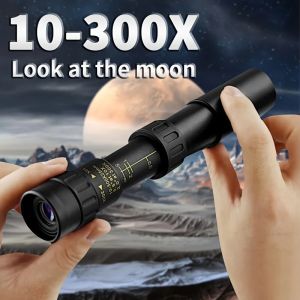
10-300x40 Zoom Telescope HD Portable Strong Binoculars Long Range Professional Monocular Low Night Vision For Hunting

Alston A12 PRO 6K HD Action Camera: Features & Benefits
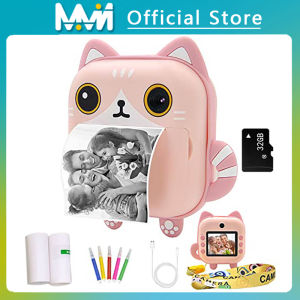
Instant Printed Camera Thermal Camera Printer Kids Camera Digital Photo Camera Girl Toy Child Camera Video girl Christmas Gift