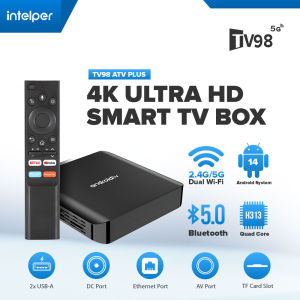
Intelper MXQ Pro TV98 ATV Plus Ultra HD 8K Smart TV Box
Intelper MXQ Pro TV98 ATV Plus Ultra HD 8K Smart TV Box
Intelper's MXQ Pro TV98 ATV Plus is a cutting-edge 8K Smart TV Box that delivers a seamless and immersive viewing experience. This powerful device supports Dual WiFi (2.4G / 5G) and Bluetooth 5.0, making it compatible with a wide range of devices and applications. With Android 13, 8GB RAM, and 128GB eMMC storage, the Intelper MXQ Pro TV98 ATV Plus is a top-tier media player that is perfect for anyone looking to enhance their entertainment experience.
Introduction to Intelper MXQ Pro TV98 ATV Plus
The Intelper MXQ Pro TV98 ATV Plus is an ultra-high-definition smart TV box powered by the Allwinner H313 Quad Core ARM Cortex A53 processor. It boasts a G31 OpenGL3.2 GPU and supports various streaming services, including DLNA, AirPlay, and Miracast. The device has an impressive 8GB DDR3 memory and 128GB eMMC storage, making it capable of handling even the most demanding multimedia tasks.
Key Features & Specifications
- CPU: Allwinner H313 Quad Core ARM Cortex A53
- GPU: G31 OpenGL3.2
- Memory: 8GB DDR3
- Storage: 128GB eMMC
- WiFi: 802.11 b/g/n 2.4G + 5G WIFI + Bluetooth 5.0
- Bluetooth: BT5.0
- I/O Ports:
- 1x HDMI: 4K x 2K UHD Output, HDMI 2.0A
- 1x AV OUT: 480i/576i standard definition output
- 2x USB: 1x USB Host Port, 1x USB Device
- 1x IR Receiver: Remote Receiver Connect
- 1x RJ45: Ethernet Interface
- 1x TF CARD: Supports 4GB/8GB/16GB/32GB/64GB
- Power: DC 5V/2A; LED indicator, Working: Blue; Standby: Red
- OS: Android 10.0, upgradable to 14.0
Comparison with Other Devices
Compared to other devices in the market, the Intelper MXQ Pro TV98 ATV Plus stands out due to its powerful hardware, support for dual WiFi, and Bluetooth 5.0. Additionally, its large storage capacity and ability to handle high-resolution videos make it a top choice for users looking for a versatile media player.
Setting Up Your New 8K Smart TV Box
Setting up your new Intelper MXQ Pro TV98 ATV Plus is easy and straightforward. Follow these steps to get started:
Connecting to Wi-Fi & Bluetooth
- Connect the power adapter to the TV Box and plug it into a power outlet.
- Connect the HDMI cable to the TV Box and your TV.
- Turn on your TV and select the appropriate input source.
- Follow the on-screen instructions to connect to Wi-Fi and Bluetooth.
Connecting to TV & Other Devices
- Connect the HDMI cable to the TV Box and your TV.
- Connect any additional devices, such as game controllers or USB drives, to the appropriate ports.
- Turn on your TV and select the appropriate input source.
Using Your New 8K Smart TV Box
The Intelper MXQ Pro TV98 ATV Plus offers a wide range of features that can enhance your entertainment experience. Here are some tips on how to make the most out of your new device:
Accessing Streaming Services
The Intelper MXQ Pro TV98 ATV Plus supports various streaming services, including Netflix, Hulu, Amazon Prime Video, and more. Simply download the desired app from the Google Play Store and start streaming your favorite shows and movies.
Using DLNA, AirPlay, & Miracast
The Intelper MXQ Pro TV98 ATV Plus supports DLNA, AirPlay, and Miracast, allowing you to stream content from your smartphone, tablet, or computer directly to your TV. To use these features, simply connect your device to the same Wi-Fi network as your TV Box and follow the on-screen instructions.
Customizing Your Viewing Experience
The Intelper MXQ Pro TV98 ATV Plus allows you to customize your viewing experience by adjusting settings such as picture quality, sound output, and more. Simply navigate to the settings menu and make the desired changes.
Maintaining & Troubleshooting Your New 8K Smart TV Box
Keeping your Intelper MXQ Pro TV98 ATV Plus running smoothly is essential to maintaining a great entertainment experience. Here are some tips on how to maintain and troubleshoot your device:
Updating the Firmware
To ensure your device is running the latest software updates, it's essential to update the firmware regularly. Follow the on-screen instructions to check for updates and install them as needed.
Resolving Common Issues
If you encounter any issues with your Intelper MXQ Pro TV98 ATV Plus, try restarting the device or checking the connections. If the problem persists, refer to the troubleshooting guide in the user manual or contact customer support for assistance.
Reaching Out to Customer Support
If you have any questions or concerns about your Intelper MXQ Pro TV98 ATV Plus, don't hesitate to reach out to customer support. They can provide guidance on setup, usage, and troubleshooting, as well as answer any other questions you may have.

Intelper V380 Store
You May Also Like
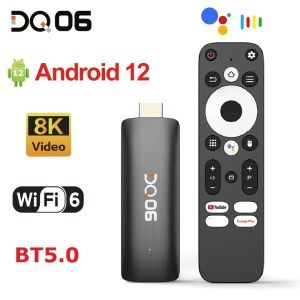
DQ06 ATV Mini TV Stick Android12 Allwinner H618 Quad Core Cortex A53 Support 8K Video 4K Wifi6 BT Voice Remote Smart TV Box
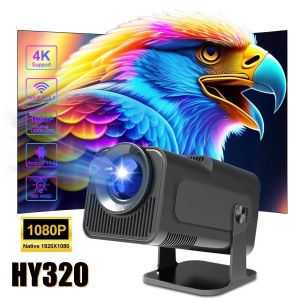
HY320 HD Projector Android 11 Dual WiFi6 BT5.0 400ANSI 1080P180 rotation Immersive Cinema Outdoor Home Mini Projection
EXPOSE Projector Smart Mini Portable 4K Projector For Laptop WiFi And Bluetooth 8500 Lumens Support Android
HDMI CarlinKit TV Box 8GB+128GB Android 13 CarPlay AI Box Video Output Qualcomm SM6225 Android Auto Wireless CarPlay For Netflix
EVA Hard Outdoor Travel Carrying Case for Play6 Portable Video Projectors Storage Bag Protections Box
MEGAPRO DOREMI D-781 WITH 17K SONGS MIDI KARAOKE DVD PLAYER

Fiberglass Tripod Projector Screen with free tripod and Portable Fiberglass Projector Screen 16:9 HD Projector Screen
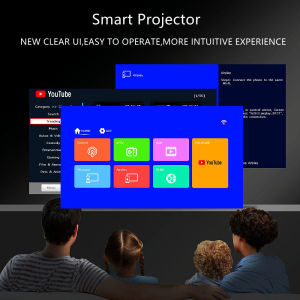
Fintex T5 Wifi Projector: A Comprehensive Guide
Q3 PRO Portable Smart Mini 4K Full HD Projector IOS / Android WiFi Bluetooth HDMI Projector
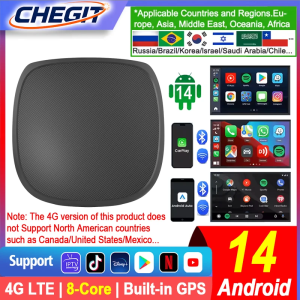
CHEGIT 8-Core Android 14 TV Box 5-In-1 Wireless CarPlay Wireless Android Auto AI BOX For For Netflix Youtube Car Accessories
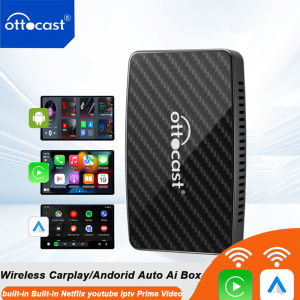
OTTOCAST Play2Video Pro Ai Box Built in YouTube Netflix IPTV Video Box Wireless CarPlay Android Auto Adapter for 98% of Cars