



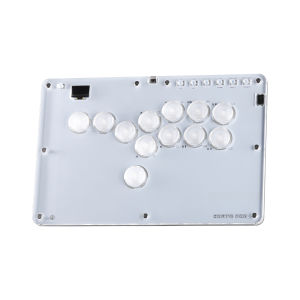
⭐⭐⭐Haute42 T12 Pro/T16 Pro Mini Hitbox Leverless Controller Games For PC/PS3/ PS4/PS5 Switch Arcade Joystick Fighting Stick Controller
Product DescriptionWorking voltage: 5VLink method: USB Type-CProduct size: 296mm * 196mm * 128mmSupported Platforms : pc /ps3/ps4/switch/ Android/SteamProduct Specifications:1Mini Keyboard,1Data Cable Type-C,1Keycap Puller,6 Anti Slip PadsHautePad T Series-CTen years of gaming peripheral experienceCarefully crafted portable HitboxTake you back to the arcade erThe heart of combat never stops!This is a leverless controller made of crystal switches, which is completely white and flawless, making it irresistible. The RGB lighting effect has better transparency, allowing you to immerse yourself in the game.Characteristic:Dual core ARM Cortex-M0+@ 133MHZSupported by dedicated QSPI bus, up to 16MB off chip flash memoryFully connected AHB crossover switchIntegrated 264kB on-chip SRAM in six independent groups40nm process node manufacturing, low dynamic power consumption, and low leakage1ms delay, no frame leakage rate above 95%Supports firmware updatesmore functions and compatibility coming soon01 CompatibilityB — Xinput mode (Windows/Steam)A — SWITCH modeX — PS3 / Dinput mode (Raspberry Pi / Android)Y — PS4 mode (Compatible with PS4 games on PS5 console)RT — KEYBOARD modeInput ModeTo change the input mode, hold one of the buttons(as shown above) as the controller is plugged in.Tips:This product defaults to Xinput mode,Input mode is saved across power cycles.If there are games that do not compatible the above input modes , you can enter the Web Configurator to modify them for normal use.Web ConfiguratorThis product contains a built-in web-based configuration application which can be started up by holding START when plugging your controller into a PC. Then access http://192.168.7.1 in a web browser to begin configuration.TURBOHold TURBO,then press the button which you need to be set for turbo function,then this button will be continuous sending while you press it,to cancel this turbo key,just repeat the privious step.The turbo key that set will be cleard when power off.These keys can be set as a Turbo key: A / B / X / Y / LB / RB / LT / RT04 RGB LED Setting●BACK + START + X Next Animation●BACK + START + A Previous Animation●BACK + START + Y Brightness Up●BACK + START + B Brightness Down●BACK + START + RB LED Parameter Up●BACK + START + RT LED Parameter Down●BACK + START + LB Pressed Parameter Up●BACK + START + LT Pressed Parameter Down

Yisunder.sun
You May Also Like

Sikai | 240W Fast Charging Portable Type-C Cable Keychain Organizer
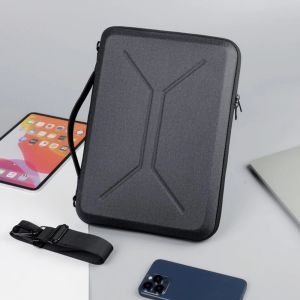
MELODI 13/14/15/16inch Laptop Sleeve EVA Hard Shell Computer Protective Case Portable Shock-absorbing Pad Single-Shoulder Bag for Apple/Huawei/Lenovo Storage Bag

Logitech | Logitech G102 USB Wired RGB Mouse High‑Speed Response For Valorant CS2 PUBG Shooting Games LOL MOBA and Office Work

Epson Projector Remote Control for Projectors Cinema EB EMP EX VS H BrightLink Powerlite Series
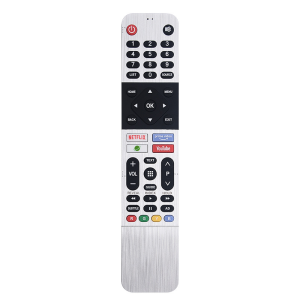
New Infrared Skyworth Remote Control Replacement for 55UB7500 65UB7500 TB5000 UB5100 UB5500 Series

Logitech | Custom Mechanical Keyboard
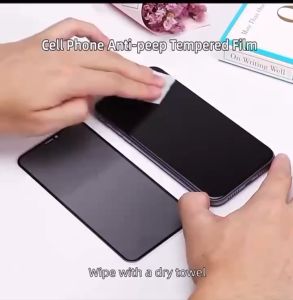
VIVO Y19S 4G / Y04 Privacy Protection CERAMIC Screen Protector
Battery Adapter with LED Light for 18V Li-ion Battery Dual USB Output Converter for Makita

Cute and Textured Stripe Penguin iPhone Case
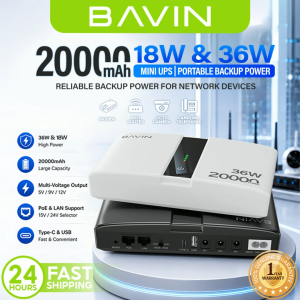
BAVIN PC1238 18W/36W 20000mAh Portable Mini UPS Powerbank Uninterrupted Backup Battery Supply for PoE SensorRouterCCTV
Black Technology Mobile Phone Battery Repair Device No Radiation No Heat Repair Device Smart Phone Battery Repair Device电池修复器