


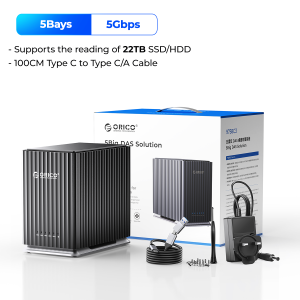
ORICO 5 Bay 2.5"/3.5"inch SATA HDD SSD External Case 110TB Capacity USB3.1 Type-C Data Storage Box Docking Station

ORICO 5 Bay 2.5"/3.5"inch SATA HDD SSD External Case 110TB Capacity USB3.1 Type-C Data Storage Box Docking Station
ORICO 5 Bay 2.5 3.5"inch SATA HDD SSD External Case 110TB Capacity USB3.1 Type-C Data Storage Box Docking Station

ORICO HOME
Seller ratings 98%
You May Also Like
00:30
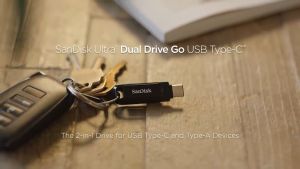
SanDisk Ultra Dual Drive Go USB Type-C (SDDDC3)
00:15
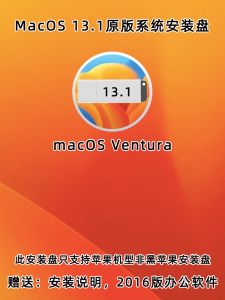
MacOS 13.7.5 Installation Disk for Apple Laptop All-In-One Smart System Universal Original Mac Storage USB Flash Drive
00:45
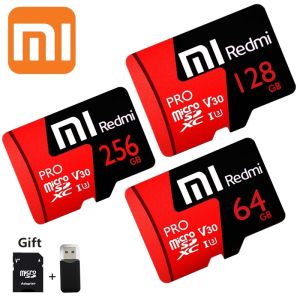
♥ Ready Stock +FREE+COD ♥100% original authentic Xiaomi Redmi Mi Pro Memory Card Class10 64GB/128GB/256GB/512GB 100MB/s Micro SD TF Card for Yoosee V380
00:20
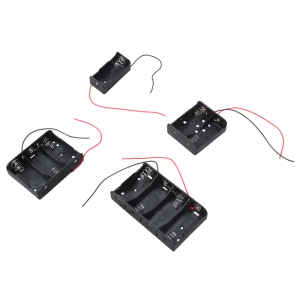
Single Cell LR14 C Enclosure Constructed With Wear Resistant Plastic Material For Extended Device Compatibility
00:44
2.5-inch Serial Port SATA 3.0 Port Mobile Hard Drive Box High-Speed USB Notebook SSD
00:36
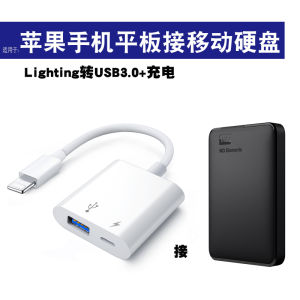
USB Port Mechanical SSD for Apple External Movable Hard Disk Converter Connecting to Mobile Phone iPhone Direct Connection Backup Extension iPad Tablet OTG Adapter USB Cable
00:47
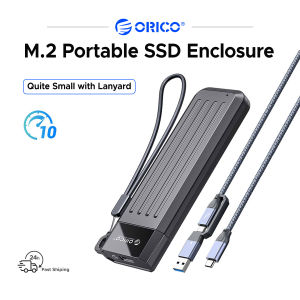
ORICO Portable Case 10Gbps M.2 NVMe Enclosure 6Gbps SATA Support USB3.2 Gen 2 Protocol
00:20
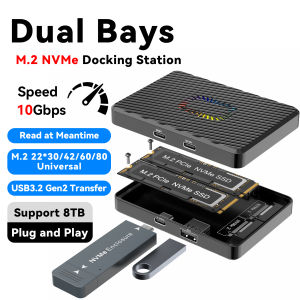
USB3.2 Gen2 10Gbps Speed M.2 NVMe SSD Adapter Dual Bays Transfer Support 8TB Plug and Play Read Meantime Docking Station 4 in 1

00:55
2025 Langke 1T Mobile SSD Z Slim Series High Speed USB3.1 Mobile Phone Computer Universal Type-C Interface\\n\\n Introduction to Slim Series Mobile SSD\\n\\nIntroducing the 2025 Langke 1T Mobile SSD Z Slim Series, a revolutionary storage solution designed specifically for mobile devices. With its sleek and lightweight design, this high-speed USB3.1 Type-C interface SSD offers unparalleled convenience and performance for both personal and professional use. \\n\\n Key Features of Slim Series Mobile SSD\\n\\nThe Slim Series Mobile SSD boasts a range of features that make it stand out in the market:\\n\\n- **High Speed USB3.1 SSD:** With transfer speeds up to 5 Gbps, this mobile SSD ensures lightning-fast data transfer, making it perfect for transferring large files, streaming media, and more.\\n- **Universal Compatibility with Mobile Phone SSD:** The Langke 1T Mobile SSD is compatible with a wide range of devices, including smartphones, tablets, laptops, and desktop computers, thanks to its USB3.1 Type-C interface.\\n- **Lightweight and Portable Design:** Weighing just a few grams, the Slim Series Mobile SSD is easy to carry around and fits seamlessly into any pocket or bag.\\n\\n Benefits of High Speed USB3.1 SSD\\n\\nThe high-speed USB3.1 SSD offers several benefits that make it an excellent choice for users who require fast data transfer and storage capabilities:\\n\\n- **Faster Data Transfer:** With transfer speeds up to 5 Gbps, the Slim Series Mobile SSD allows you to transfer large files quickly and efficiently, saving time and increasing productivity.\\n- **Increased Storage Capacity:** With a 1TB storage capacity, the Langke 1T Mobile SSD provides ample space for storing photos, videos, documents, and more.\\n- **Compatibility with Multiple Devices:** Thanks to its USB3.1 Type-C interface, the Slim Series Mobile SSD is compatible with a wide range of devices, making it a versatile storage solution for users on-the-go.\\n\\n Universal Compatibility with Mobile Phone SSD\\n\\nThe Langke 1T Mobile SSD is designed to work seamlessly with a wide range of devices, including smartphones, tablets, laptops, and desktop computers. Its USB3.1 Type-C interface ensures compatibility with the latest devices, while its compact design makes it easy to carry around.\\n\\n How to Use Langke 1T USB3.1 Type-C SSD\\n\\nUsing the Langke 1T Mobile SSD is simple and straightforward. Follow these steps to get started:\\n\\n1. Connect the Langke 1T Mobile SSD to your device using the USB3.1 Type-C interface.\\n2. Once connected, your device will automatically recognize the SSD and prompt you to format it if necessary.\\n3. Once formatted, you can start transferring files to and from the SSD using your device's file explorer or management software.\\n\\n Step-by-step Guide to Using Langke 1T Mobile SSD\\n\\nTo use the Langke 1T Mobile SSD, follow these steps:\\n\\n1. Connect the SSD to your device using the USB3.1 Type-C interface.\\n2. Format the SSD if prompted by your device.\\n3. Transfer files to and from the SSD using your device's file explorer or management software.\\n\\n Troubleshooting Common Issues with Langke 1T Mobile SSD\\n\\nIf you encounter any issues while using the Langke 1T Mobile SSD, try the following troubleshooting steps:\\n\\n- **Check Connection:** Ensure that the SSD is properly connected to your device using the USB3.1 Type-C interface.\\n- **Check Compatibility:** Make sure that your device is compatible with the Langke 1T Mobile SSD by checking its specifications.\\n- **Check for Software Updates:** Ensure that your device's operating system and software are up-to-date.\\n\\n Ordering and Delivery Information\\n\\nTo order the Langke 1T Mobile SSD, please follow these guidelines:\\n\\n- **Pre-order Guidelines and Requirements:** Before placing an order, please enter the exact phone number and address where you want the product delivered. Once ordered, we do not accept changes to the name, number, address, or item.\\n- **Order Confirmation and Delivery Process:** After placing your order, you will receive an order confirmation email. Your Langke 1T Mobile SSD will be shipped within 3-5 business days and delivered to your specified address.\\n- **Customer Service and Support for Langke 1T Mobile SSD:** If you have any questions or concerns about your Langke 1T Mobile SSD, please contact our customer service team. We strive to provide excellent support and assistance to all our customers.\\n\\nThank you for choosing the Langke 1T Mobile SSD Z Slim Series! We hope you enjoy the convenience and performance it provides.\n}
00:17
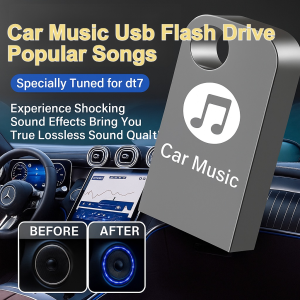
【Car Music USB Flash Drive】High Quality Popular Songs USB Flash Drive 64GB Popular Stored Songs Non-Destructive Music Flash Drive
00:15
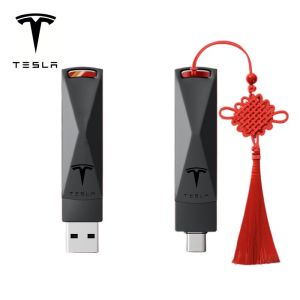
TESLA Model S3XY 2TB USB 3.2 Flash Drive: High-Speed Transfer

00:18


















