



All-in-One PCs: Compact Office Computers & Enterprise-Grade Desktops
All-in-One PCs: Compact Office Computers & Enterprise-Grade Desktops
Introduction to All-in-One PCs
What is an All-in-One PC?
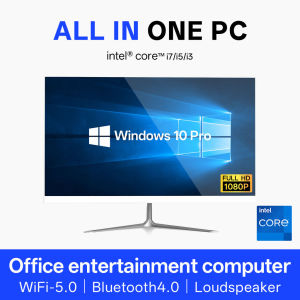
An All-in-One PC is a compact, space-saving computer that combines the display screen, processor, memory, storage, and other essential components into a single unit. This sleek design makes it an ideal choice for offices, homes, and educational settings.
Benefits of All-in-One PCs for Office Use
All-in-One PCs offer numerous advantages for office use:
- Compact design: Saves valuable desk space and minimizes clutter.
- Ease of setup: Simple installation process with just one power cord required.
- Versatility: Suitable for various office tasks, from document creation to video conferencing.
- Energy efficiency: Most All-in-One PCs consume less power than traditional desktop computers.
Features & Specifications of All-in-One PCs
All-in-One PCs come with a variety of features and specifications, including:
- Processor: Intel Core i3, i5, or i7, or AMD Ryzen processors
- Memory: 8GB, 16GB, or more RAM
- Storage: 256GB SSD, 512GB SSD, or larger hard drives
- Display: Full HD or 4K resolution, touchscreen display
- Connectivity: Wi-Fi, Bluetooth, Ethernet, USB ports, HDMI ports
Choosing the Right All-in-One PC for Your Needs
Key Considerations When Selecting an All-in-One PC
When choosing an All-in-One PC, consider the following factors:
- Processor speed: Faster processors handle complex tasks better.
- Memory: More RAM allows for smoother multitasking.
- Storage: Larger storage capacity accommodates more files and applications.
- Display quality: Choose a resolution that suits your needs, such as Full HD or 4K.
- Connectivity options: Ensure your All-in-One PC has the necessary ports for your peripherals.
Enterprise-Grade Desktop vs. Home Entertainment System: Which is Best for You?
If you're looking for a computer for your office, an enterprise-grade desktop All-in-One PC is the way to go. These systems offer robust performance, security features, and reliable support. On the other hand, if you're looking for a computer for home entertainment, a compact office computer with a high-resolution display and built-in speakers might be more suitable.
Online Learning Computer: How to Choose the Right All-in-One PC
When selecting an All-in-One PC for online learning, consider the following factors:
- Processor speed: A faster processor ensures smoother video playback and faster application loading times.
- Memory: Adequate RAM supports multiple browser tabs and applications.
- Display quality: A high-resolution display enhances the online learning experience.
- Connectivity options: USB ports and HDMI ports facilitate peripheral connections.
Setting Up & Using Your All-in-One PC
How to Set Up Your All-in-One PC
Setting up your All-in-One PC is a breeze. Simply plug in the power cord, connect any peripherals, and follow the on-screen instructions to install the operating system and set up your account.
How to Connect Peripherals to Your All-in-One PC
Connecting peripherals to your All-in-One PC is straightforward. Use the USB ports to connect keyboards, mice, printers, and other devices. For monitors or projectors, use the HDMI port.
Troubleshooting Common Issues with All-in-One PCs
If you encounter issues with your All-in-One PC, try the following troubleshooting steps:
- Restart the computer.
- Check for software updates.
- Unplug and replug peripherals.
- Contact technical support if problems persist.
Maintenance & Support for All-in-One PCs
How to Maintain Your All-in-One PC
Maintaining your All-in-One PC ensures it continues to function optimally. Follow these tips:
- Keep the computer clean and dust-free.
- Update software regularly.
- Back up important files.
- Monitor system performance and address any issues promptly.
Warranty Card & Manual: Understanding Your All-in-One PC's Coverage
The warranty card and manual provide valuable information about your All-in-One PC's coverage. Familiarize yourself with the warranty terms and conditions, as well as any limitations.
Where to Find Additional Support for Your All-in-One PC
If you need additional support for your All-in-One PC, consult the manufacturer's website for troubleshooting guides, FAQs, and contact information for technical support.

szzhixiang
Review

You May Also Like
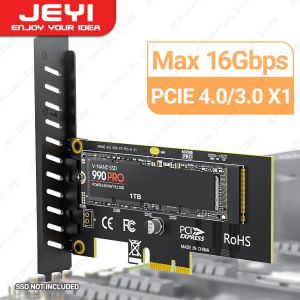
JEYI M.2 NVME SSD to PCIE X1 Adapter Card 2280 SSD PCIe 3.0 4.0 Expansion Card for Desktop PC PCI-E GEN4 16Gbps Full Speed SK1
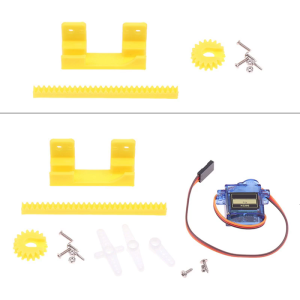
Precision 2cm 9g Servo For Linear Motion Control 3D Printing Projects Education Kits Invention Arm Protection
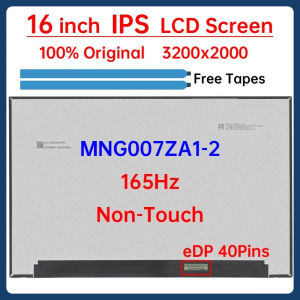
16 Inch 165Hz Laptop LCD Screen MNG007ZA1-2 Display Panel Matrix Replacement 3200x2000 100% DCI-P3 eDP 40 Pins Non-Touch
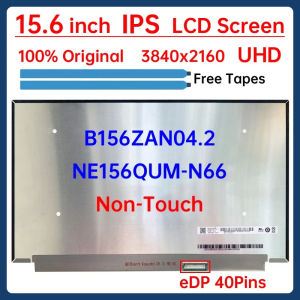
15.6" LCD Screen B156ZAN04.2 NE156QUM-N66 For Lenovo ThinkPad T590 T15 P53 P53s P1 Gen 2 Display Matrix Panel 3840x2160 No-Touch
【HOSPORT】12cm 4 Pin High Speed Desktop Chassis Fan Large Air Volume PC Case Radiator
Multiple Purpose Coolers Latches Repair Strap Featuring Wear Resistant Silicone & Fast Installation Designs for Coolers
40mm Server Fan For Sanyo Denki 109P0424H7D01 40x40x15mm 24V 0.08A 7700RPM 6.4CFM CNC Inverter Fan
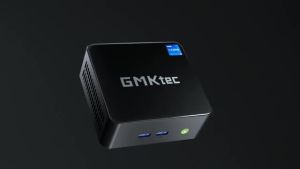
GMKtec NucBox M3 I5 12450H DDR4 32GB NVME 1TB SSD Windows 11 Pro 1 WiFi6 BT5.2 Gaming Computer PC 2.5G Lan HDMI Type-C Desktop Gamer Computer
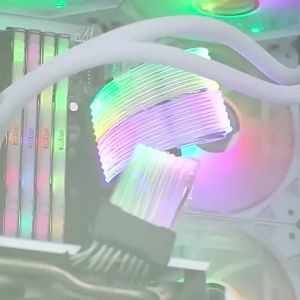
Computer 18AWG ARGB Sync PSU Power Supply Extension Cable Kit ATX 24PIN VGA GPU PCI-E 8PIN 6Pin RGB PC Module Cables Extension
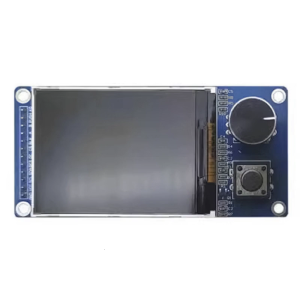
High Resolution 1.8Inch/2.4inch TFT Screen Module EC11 Encoders Module SPI Interfaces Electronic Component ST7735S
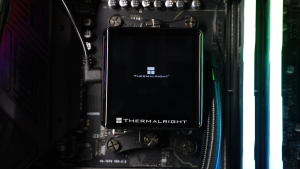
Thermalright Elite Vision 360 ARGB CPU Liquid Cooler
![[The Cici Shop] 2.5" SAS Hard Drive Caddy Tray for Thinksystem ST550 SR550 SR650 SR850 SR590](https://img.lazcdn.com/g/p/dfd097db85f1ce7bacaf7a31cd3d04e8.jpg_300x300q80.jpg)

















