18.5 Inch Portable Gaming Monitor: A Comprehensive Guide
18.5 Inch Portable Gaming Monitor: A Comprehensive Guide
Introduction to the 18.5 Inch Portable Gaming Monitor
Welcome to our comprehensive guide on the 18.5-inch portable gaming monitor, a versatile and compact device designed to elevate your gaming experience. This guide will cover everything you need to know about this monitor, including its key features, compatibility with various devices, setup instructions, and tips for maximizing your gaming performance.
Key Features of the Portable Gaming Monitor
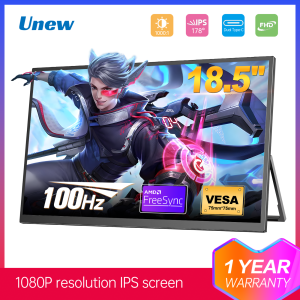
The 18.5-inch portable gaming monitor comes equipped with a 100Hz refresh rate and a 1920x1080 resolution, ensuring smooth and crisp visuals for an immersive gaming experience. It features a 75*75mm Vesa adjustable stand, allowing for easy mounting and positioning to suit your preferences. Additionally, this monitor is compatible with Xbox, Switch, and PC, making it an ideal choice for gamers who enjoy playing on multiple platforms.
Compatibility with Xbox, Switch & PC
One of the standout features of this portable gaming monitor is its compatibility with popular gaming devices such as Xbox, Switch, and PC. This means you can seamlessly switch between gaming platforms without needing to invest in separate monitors for each device.
How to Set Up Your Portable Gaming Monitor
Setting up your portable gaming monitor is simple and straightforward. First, connect the monitor to your desired device using the appropriate cable. Next, adjust the Vesa adjustable stand to find the perfect viewing angle and height. Finally, plug in the power adapter and turn on the monitor.
Connecting Your Monitor to Your Device
To connect your portable gaming monitor to your Xbox, Switch, or PC, use the HDMI cable included with the monitor. Simply plug one end of the cable into the HDMI port on your gaming device and the other end into the HDMI port on the monitor.
Adjusting the Monitor Stand
The 75*75mm Vesa adjustable stand allows you to easily adjust the height and angle of the monitor to suit your preferences. To adjust the stand, loosen the screws at the base of the monitor and move it to the desired position before tightening the screws again.
Optimal Gaming Performance with Your Portable Monitor
To ensure optimal gaming performance with your portable monitor, it's important to understand the significance of refresh rate and resolution. A higher refresh rate means smoother visuals, while a higher resolution means sharper images. To maximize your gaming experience, make sure to adjust the settings on your gaming device to match the monitor's specifications.
Understanding Refresh Rate & Resolution
Refresh rate refers to the number of times per second that the image on your screen refreshes. A higher refresh rate means smoother visuals, which is especially important for fast-paced games. Resolution, on the other hand, refers to the number of pixels displayed on your screen. A higher resolution means sharper images, which can enhance your gaming experience.
How to Maximize Your Gaming Experience
To get the most out of your portable gaming monitor, make sure to adjust the settings on your gaming device to match the monitor's specifications. For example, if your monitor has a 100Hz refresh rate, set your gaming device to match this setting. Additionally, make sure to adjust the resolution settings on your gaming device to match the monitor's 1920x1080 resolution.
Conclusion & Final Thoughts
The 18.5-inch portable gaming monitor is a versatile and compact device that offers high-quality visuals and compatibility with multiple gaming devices. Its 100Hz refresh rate and 1920x1080 resolution ensure smooth and crisp visuals, while its 75*75mm Vesa adjustable stand allows for easy mounting and positioning. With its compatibility with Xbox, Switch, and PC, this monitor is an ideal choice for gamers who enjoy playing on multiple platforms. By following the setup instructions and adjusting your gaming device settings to match the monitor's specifications, you can maximize your gaming experience and enjoy immersive visuals wherever you go.

Unew Monitor
You May Also Like
Commercial Demonstration Unit With Functional Type Dock Replicated Heat Pipe Associates For Technical Training
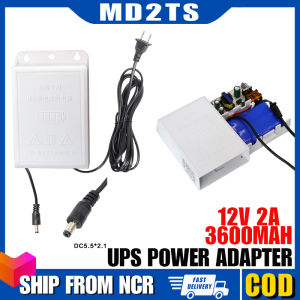
3600mAh 12V 2A UPS Power Supply Adaptor Outdoor Waterproof Rechargeable Wall-mounted Charger Universal Monitoring Power Adapter UPS Power Supply Router
Easy Installation Picoloader For Systems With Simultaneous Drive Functionality
【Three-year warranty】15.6" Ultraslim i7 Laptop intel Core i7-8500Y 16GB RAM 1TB 2TB 512GB Windows 11 Pro Fingerprint Office Laptop Notebook Computer Gaming
145cm/57.09in Stepper Motor Cables Lead Wire XH2.54 4Pin to 6Pin White Terminal Motor Wires for 3D Printer Stepper Motor
5.5inch USB Clip On Flexible Hose Fan Adjustable Angle with Speed Controls Switches For Office Car Camping
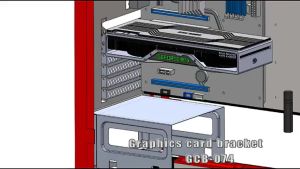
28-120mm GPU Stand Bracket Support Adjustable Graphics Card GPU Holder Support
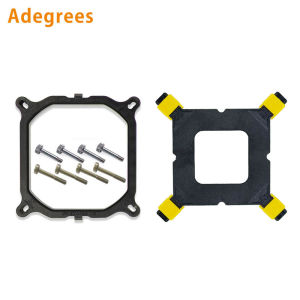
10PCS/Lot CPU Cooler Holder Tower Heatsink Bracket Base Backplane for Intel LGA 2011/1366/1700/1200 Motherboard Computer Part
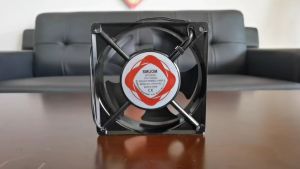
12x12cm Incubator fan AC 220V Cooling fan Heavy duty Exhaust Blower fan for DIY Incubator parts set
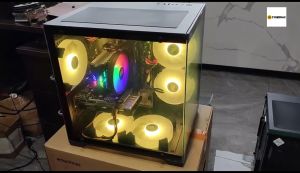
YGT N275 Gaming Case Micro ATX Pc Case With Tempered Glass Black Desktop Case

Weidmuller Switching Power Supply PRO ECO 480W 24V 20A Equal Series in Stock