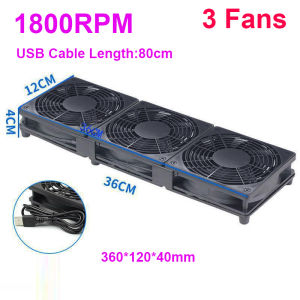
5V Quiet Router Cooling Fan Computer TV BOX Cooler with 80mm USB Cable 120mm 240mm 360mm Fan 76CFM Airflow Cooling for Network Cabinet Server Cooling Project
5V Quiet Router Cooling Fan Computer TV BOX Cooler with 80mm USB Cable 120mm 240mm 360mm Fan 76CFM Airflow Cooling for Network Cabinet Server Cooling Project
What is a 5V Quiet Router Cooling Fan?
A 5V Quiet Router Cooling Fan is a cooling device designed specifically for routers, computer TV boxes, and network cabinets. It operates at 5 volts, making it compatible with USB-powered devices. This type of fan is known for its low noise level and efficient cooling performance, which helps maintain optimal operating temperatures for your hardware.
Key Features
- Quiet Operation: The fan produces minimal noise, allowing it to run smoothly without disturbing your work environment.
- Compatibility: It is compatible with USB-powered devices, including routers, computer TV boxes, and network cabinets.
- Efficient Cooling: With a 76CFM airflow capacity, this fan effectively cools down your hardware, preventing overheating and extending its lifespan.
Benefits of Using a 5V Quiet Router Cooling Fan
- Enhanced Performance: By maintaining optimal operating temperatures, this fan helps improve the performance of your router, computer TV box, or network cabinet.
- Extended Lifespan: Reducing heat buildup can extend the lifespan of your hardware, saving you money on replacements.
- Low Noise Level: The quiet operation ensures a comfortable work environment, making it ideal for use in homes, offices, or other settings where noise levels matter.
How to Install a 5V Quiet Router Cooling Fan
Installing a 5V Quiet Router Cooling Fan is a straightforward process. Follow these steps to ensure proper installation.
Required Tools & Materials
- 5V Quiet Router Cooling Fan
- USB cable (80mm)
- Screwdriver (if necessary)
Step-by-Step Installation Guide
- Identify the location where you want to install the cooling fan, such as the back of your router, computer TV box, or network cabinet.
- Connect the USB cable to the cooling fan and plug the other end into a USB port on your device.
- If necessary, use screws to secure the cooling fan in place.
How to Maintain Your 5V Quiet Router Cooling Fan
Regular maintenance is essential to keep your cooling fan running smoothly and efficiently.
Cleaning and Maintenance Tips
- Clean the Fan Blades: Regularly clean the fan blades to remove dust and debris that may accumulate over time.
- Check the Fan Connection: Periodically check the connection between the fan and your device to ensure it remains secure.
- Monitor Fan Performance: Keep an eye on the fan's performance and replace it if you notice any issues or decreased efficiency.
Troubleshooting Common Issues
- Fan Not Running: Check the connection between the fan and your device, and ensure the USB port is functioning correctly.
- Increased Noise Level: Clean the fan blades and check for any loose components that may be causing excessive noise.
Choosing the Right Cooling Fan for Your Network Cabinet Server Cooling Project
When selecting a cooling fan for your network cabinet server cooling project, consider the following factors:
Factors to Consider When Selecting a Cooling Fan
- Airflow Capacity: Choose a fan with sufficient airflow capacity to meet your cooling needs.
- Noise Level: Opt for a fan with a low noise level to minimize disruption in your work environment.
- Compatibility: Ensure the fan is compatible with your router, computer TV box, or network cabinet.
Comparing Different Cooling Fans
| Feature | 5V Quiet Router Cooling Fan | Other Cooling Fans | | --- | --- | --- | | Airflow Capacity | 76CFM | Varies | | Noise Level | Low | Varies | | Compatibility | USB-powered devices | Varies |
Conclusion & Next Steps
A 5V Quiet Router Cooling Fan is an excellent choice for maintaining optimal operating temperatures in your router, computer TV box, or network cabinet. By following the installation and maintenance guidelines outlined in this article, you can ensure that your cooling fan operates efficiently and effectively, extending the lifespan of your hardware and improving overall performance.
To learn more about cooling fans and their benefits, visit our website or contact us today!" }

ZXW Electronic Accessories Store
You May Also Like
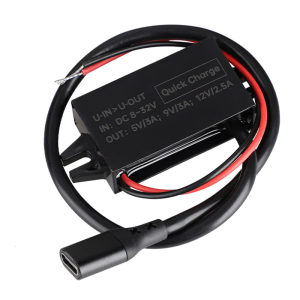
8V-32V to 5V/9V/12V PD 30W Power Supply Power Module USB C Output Power Adapter Converter for Car Automobiles
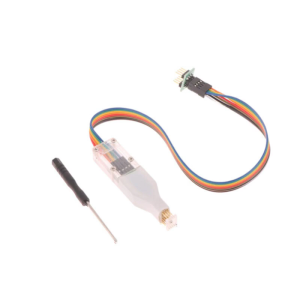
AntiStatic Probes Spring Needle Cable for Sop8 Wson Chip Programming with Various Pitches Option

GEEKOM Intel Core-i9 Ai Mini-PC 32GB RAM 512GB/1TB/2TB NVMe SSD Gigabit WiFi-6/6E Windows 11
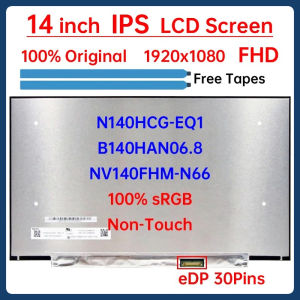
14 Inch Laptop LCD Screen N140HCG-EQ1 B140HAN06.8 NV140FHM-N66 Display Matrix Panel Replacement 1920x1080 eDP 30 Pins Non-Touch
75mmx30mm CPU Cooling Fan 12V 2pin Silent Cooling Fan CPU Cooler Chassis Radiator for Desktop Computer 2700RPM Fan

FUJIAS3 Computer Desktop Aluminum Switch Button Desktop Host External Power Supply Power Button External Extension
for RTX4080 and RTX4090 Series 8Pin Female to PCIE 16-Pin Straight/Elbow Head Cable with Combs Streamlined Cable

New G10 Wireless Earphones Live Broadcast Sound Card All-in-one Machine Neck Hanging Open Indoor Households
RP2350 One High Speed Two Core ARM RISC V Development Board with 150MHz Clock 4MB Flash PCB Integration

COMPUTER SET 1 DELL SFF I5-3RD GEN 8GB 256GB SSD

Laptop Case Laptop Sleeve with Handle Multifunctional Computer Carrying BagLaptop Sleeve Bag Computer Bag Cover Gifts