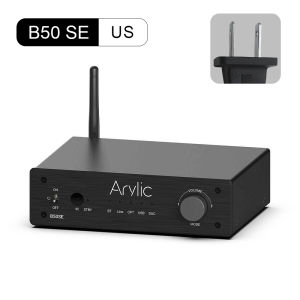
Arylic B50 SE Bluetooth Stereo 50W x 2 Audio Amplifier Receiver 2.1 Channel Mini Class D Integrated Amp for Home Speakers
Arylic B50 SE Bluetooth Stereo 50W x 2 Audio Amplifier Receiver 2.1 Channel Mini Class D Integrated Amp for Home Speakers
What is the Arylic B50 SE?
The Arylic B50 SE is a top-of-the-line 2.1 channel integrated amplifier, specifically designed to enhance the audio experience of home speakers. As a Bluetooth stereo amplifier, this device supports wireless connectivity, making it easy to stream music from your smartphone, tablet, or other Bluetooth-enabled devices. The Arylic B50 SE is a Class D mini receiver, which means it is energy-efficient and compact, making it perfect for home entertainment systems.
Key Features & Benefits
The Arylic B50 SE boasts several features that set it apart from other home speaker amplifiers. With a powerful 50W x 2 audio output, this device delivers crystal-clear sound quality that will make you feel like you're at a live concert. It also supports multiple audio inputs, including USB, AUX, and Bluetooth, allowing you to connect various audio sources effortlessly. Moreover, the Arylic B50 SE is equipped with a user-friendly interface, making it easy to adjust audio settings and optimize sound quality.
Comparison with Other Home Speaker Amplifiers
Compared to other home speaker amplifiers, the Arylic B50 SE offers superior sound quality, energy efficiency, and ease of use. Its 50W x 2 audio output is significantly higher than many competing products, ensuring that you'll enjoy rich, dynamic sound. Additionally, the Arylic B50 SE's Class D design makes it more energy-efficient, reducing your electricity bills while still delivering excellent performance. Lastly, its intuitive interface and multiple audio inputs make it a breeze to set up and use, even for those who aren't tech-savvy.
How to Set Up Your Arylic B50 SE
Setting up your Arylic B50 SE is a straightforward process that can be completed in just a few simple steps.
Connecting to Home Speakers
To connect your Arylic B50 SE to your home speakers, first, ensure that your speakers are powered on and connected to a power source. Next, plug the speaker cables into the appropriate ports on the back of the amplifier. Finally, turn on the Arylic B50 SE and adjust the volume levels to your desired setting.
Configuring Bluetooth & Other Inputs
Configuring Bluetooth and other inputs on your Arylic B50 SE is also easy. To enable Bluetooth connectivity, press the Bluetooth button on the front panel of the amplifier until the LED light turns blue, indicating that the device is in pairing mode. Then, on your Bluetooth-enabled device, select the Arylic B50 SE from the list of available devices and follow the prompts to complete the pairing process.
To connect other audio sources, such as USB or AUX, simply plug the corresponding cable into the appropriate port on the back of the amplifier.
Maximizing Sound Quality with Your Arylic B50 SE
To get the most out of your Arylic B50 SE, it's essential to optimize its settings and fine-tune the audio output.
Optimizing Volume Levels
Adjusting the volume levels on your Arylic B50 SE is crucial for achieving optimal sound quality. To do this, use the volume control knob on the front panel of the amplifier to increase or decrease the volume to your desired level. It's important to note that setting the volume too high can cause distortion, so it's best to keep it at a moderate level.
Fine-Tuning Audio Settings
The Arylic B50 SE comes equipped with several audio settings that allow you to customize the sound output to your liking. These settings include bass boost, treble adjustment, and balance control. To access these settings, press the corresponding buttons on the front panel of the amplifier and use the volume control knob to adjust the desired setting.
Troubleshooting Common Issues
If you encounter any issues while using your Arylic B50 SE, don't worry – we've got you covered!
No Sound Output
If you're not hearing any sound from your Arylic B50 SE, there are a few things you can try to resolve the issue. First, check that all connections are secure and that your speakers are powered on. Next, make sure that the volume levels are turned up and that the audio source is selected correctly. If you're still experiencing issues, try restarting the amplifier and your speakers.
Bluetooth Connection Problems
If you're having trouble connecting your Bluetooth-enabled device to the Arylic B50 SE, try resetting the Bluetooth connection by pressing and holding the Bluetooth button on the front panel of the amplifier for five seconds. Then, unpair and re-pair your device to ensure a stable connection.
Conclusion
In conclusion, the Arylic B50 SE is a powerful, energy-efficient, and user-friendly home speaker amplifier that delivers exceptional sound quality. With its 50W x 2 audio output, multiple audio inputs, and intuitive interface, the Arylic B50 SE is perfect for enhancing your home entertainment system. So why wait? Upgrade your audio experience today with the Arylic B50 SE!

Arylic Mall store
Review
You May Also Like
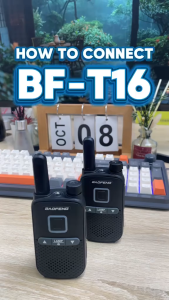
【NEW/2PCS】Baofeng T16 Walkie Talkie UHF 400-480MHz 16 Channels Two way Radio Mini Ultra Thin Portable Walkie Talkie Supports USB charging

VAORLO Ear-Clip Wireless Headset HIFI Heavy Bass 360° Panoramic Sound HIFI Heavy Bass Support TWS Mode Bluetooth Earphone DT3.0 ENS Noise Reduction With Mic Mini Earring Headphone
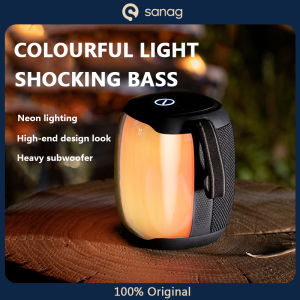
SANAG V12pro Bass Speaker: Extra Bass Sound & 1800mAh Battery Capacity
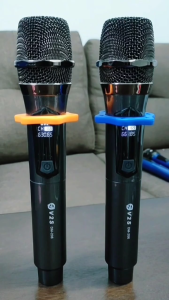
V2S DM-206 VHF 2Pcs Universal Handheld Wireless Rechargeable Microphone S/N 90dB With Receiver
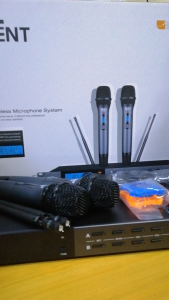
Trident TR 16 UHF Professional Double Wireless Microphone System: 30-120 Meter Effective Range
iSK Studio Monitor Headphones HP-960B Computer Recording DJ Headphones
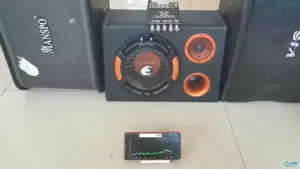
Portable ZK-TB21 2.1 Bluetooth Amplifier 160W*2+220W – Stereo & Home Subwoofer
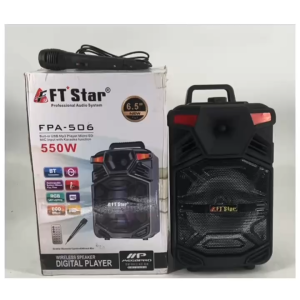
FTStar FPA-506 Portable Trolley Speaker 6.5 w/Bluetooth

Koss ksc32i v Sport clip headphones Violet
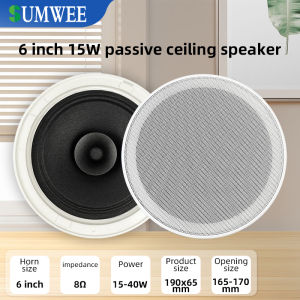
6 Inch 8 Ohm Ceiling Speaker: High Fidelity Sound Quality for Your Home

Audio Technica/ Iron Triangle ATH-SPORT10iS Ear-hook Wired Control Sports Headphones with Microphone