ORICO 2.5 Inch SATA SSD: A Comprehensive Guide
ORICO 2.5 Inch SATA SSD: A Comprehensive Guide
What is the ORICO 2.5 Inch SATA SSD?
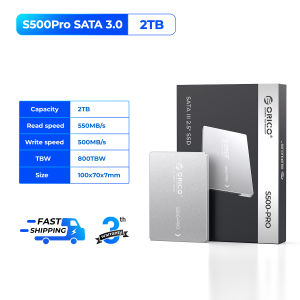
The ORICO 2.5 Inch SATA SSD is a high-performance internal solid state disk designed for optimal storage solutions. It comes in various capacities - 256GB, 512GB, 1TB, and 2TB - to cater to different storage needs. With a transfer speed of up to 550MB/s, this SATA SSD offers reliable performance and durability, making it an ideal choice for both personal and business applications.
Key Features & Specifications
- Capacity Options: 256GB, 512GB, 1TB, and 2TB
- Interface: SATA III (6Gb/s)
- Form Factor: 2.5 Inch
- Transfer Speed: Up to 550MB/s
- Compatibility: Compatible with Windows, Mac OS, and Linux operating systems
Benefits of Choosing ORICO SSD
- Fast Performance: Experience lightning-fast read/write speeds with the ORICO SATA SSD, which significantly improves system performance and enhances overall user experience.
- Reliability & Durability: ORICO SSDs are built with high-quality components, ensuring long-lasting performance and reliability.
- Compatibility: The ORICO SATA SSD is compatible with various operating systems, making it a versatile storage solution for different devices.
How to Choose the Right Capacity: 256GB, 512GB, 1TB, or 2TB?
Selecting the right capacity depends on your storage needs. Consider the amount of data you plan to store, including files, applications, and media, before making a decision.
Performance Comparison: 256GB vs. 512GB vs. 1TB vs. 2TB
The performance of the ORICO SATA SSD remains consistent across all capacities, with read/write speeds up to 550MB/s. However, larger capacities offer more storage space for your data.
Storage Needs Analysis: Which Capacity is Best for You?
- 256GB: Ideal for users with limited storage needs, such as basic documents, light multimedia, and essential applications.
- 512GB: Suitable for users who require more storage space for a larger collection of files, media, and applications.
- 1TB: Perfect for users who store large amounts of data, including high-resolution images, videos, and numerous applications.
- 2TB: Best for users who need extensive storage space for massive data collections, including large video libraries, extensive software installations, and extensive multimedia content.
How to Install the ORICO SATA SSD in Your PC
Installing the ORICO SATA SSD in your PC is a straightforward process that requires basic computer knowledge and a few tools.
Tools & Preparation Needed
- Screwdriver: For removing screws from the PC case.
- Anti-static wrist strap: To prevent static electricity damage to sensitive components.
- SATA cable: To connect the SSD to the motherboard.
Step-by-Step Installation Guide
- Power off your PC and unplug all cables.
- Remove the side panel of your PC case using a screwdriver.
- Identify an available SATA port on the motherboard and connect the SATA cable to the SSD.
- Secure the SSD to the PC case using screws.
- Reconnect all cables and power on your PC.
Maximizing the Performance of Your ORICO SSD
To ensure optimal performance from your ORICO SATA SSD, consider the following tips.
Optimize Your System Settings
- Enable TRIM: Enable TRIM support in your operating system to improve SSD performance and longevity.
- Disable unnecessary startup programs: Reduce boot time by disabling unnecessary startup programs.
Maintain SSD Health & Longevity
- Regularly check for firmware updates: Keep your SSD firmware up-to-date to ensure optimal performance and reliability.
- Avoid filling the SSD beyond 80% capacity: Maintaining free space on your SSD helps prevent performance degradation.
Conclusion: Why Choose ORICO 2.5 Inch SATA SSD?
The ORICO 2.5 Inch SATA SSD offers a reliable, high-performance storage solution for users seeking to enhance their computer's performance and efficiency. With various capacity options, fast transfer speeds, and compatibility with multiple operating systems, the ORICO SATA SSD is an excellent choice for both personal and business applications.

ORICO HOME
You May Also Like

220V Tabletop Water Cooling Dispenser Removable Water Tray Top Loading Hot Cold Water Dispenser Small for Dormitory

16" Laptop LCD Screen NV160WUM N43 NV160WUM-N43 B160UAN03.2 LP160WU1-SPF1 Display Matrix Panel 1920x1200 eDP 30 Pins Non-Touch
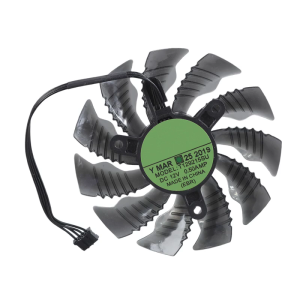
88mm 4Pin 12V GPU Coolers Fan PLA09215S12H VGA Fan Graphics Card Cooling Fan for GTX1660 RTX2070 2060 MINI ITX OC 6G
![[COD] SAjeNH SPORT 1g Thermal Grizzly Kryonaut Extreme KE Thermal Paste for CPU GPU Cooler Large Capacity Compound Cooling Silicone Grease](https://img.lazcdn.com/g/p/c004feea0baea87cf6fa0234db1f073e.jpg_300x300q80.jpg)
[COD] SAjeNH SPORT 1g Thermal Grizzly Kryonaut Extreme KE Thermal Paste for CPU GPU Cooler Large Capacity Compound Cooling Silicone Grease
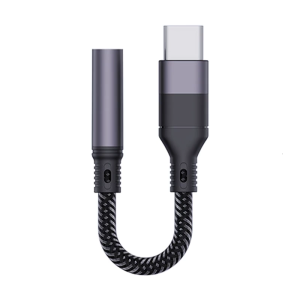
Type C to 3.5mm Auxs Adapter 3.5 Jacks Headphone Sound Cable for 3.5mm Auxs Adputer
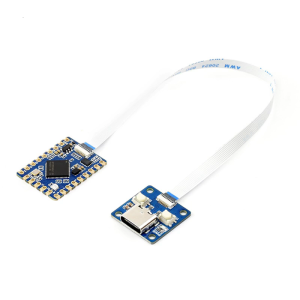
RP2350 Tiny Development Board With Double Cored Processors And 28 GPIO Pins For IoT And Robotics Projects

US Plug Kuaiqu Dc Power Supply Short Killer30V 10A Bench Power Supply with OCP Beep USB-CBench Battery Charger Power Supply for Solar BatteryLiFePO4 BatteryLead Acid Battery
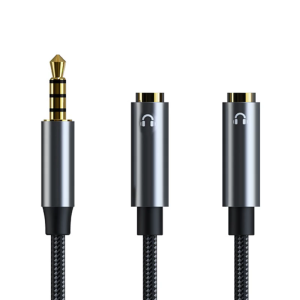
Gold Plates Connection Gaming Sound Adapter 3.5mm Female to Double Male Headphone Microphones Splitter Cable for PC & Laptop

16 Inch LCD Screen LP160UQ1 SPB1 LP160UQ1-SPB1 For Lenovo ThinkPad X1 Extreme 4th Gen Gen 5 P1 Gen 4 Gen 5 Display Matrix Panel

ADATA HV330-4TB Hard Drive 4TB Shock Resistant Design

GSE Graphics Card AMD RX 580 8GB Gaming GDDR5 256Bit PCI Express 3.0 ×16 Radeon GPU Computer Video Card for Gaming COD Gaming Work Office COD Gaming GPU With backboard no noise【Brand New】