Auto Face Tracking Tripod 360 Degrees Rotation Body Phone Camera Mount Gesture Control Gimbal Stabilizer Selfie Stick for Tiktok Desktop Ai Smart Gimbals Stabilizer for Mobile 360° Rotation Auto Face Tracking Phone Stand Tripod for Live Video and Shooting Gimbals Stabilizer for Smartphone 360° Rotation Auto Face Tracking Phone Holder Tripod for Shooting & Live Video & Online Meet
Auto Face Tracking Tripod 360 Degrees Rotation Body Phone Camera Mount Gesture Control Gimbal Stabilizer Selfie Stick for Tiktok Desktop Ai Smart Gimbals Stabilizer for Mobile 360° Rotation Auto Face Tracking Phone Stand Tripod for Live Video and Shooting Gimbals Stabilizer for Smartphone 360° Rotation Auto Face Tracking Phone Holder Tripod for Shooting & Live Video & Online Meet
Introduction to Auto Face Tracking Tripod
What is an Auto Face Tracking Tripod?
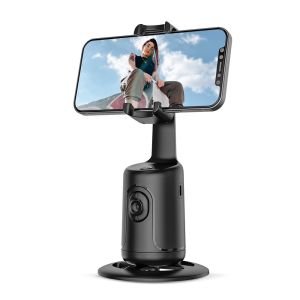
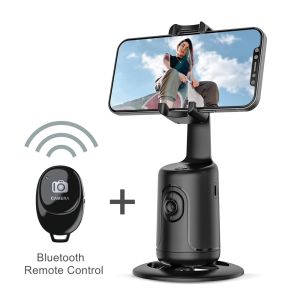
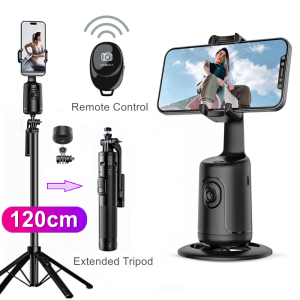
An auto face tracking tripod is a versatile device designed to enhance the quality of live video streaming, shooting, and online meetings by automatically tracking the subject's face. This smart technology helps maintain a focused view on the subject, ensuring they remain in the center of the frame. The tripod can rotate 360 degrees, making it suitable for various environments and applications.
Key Features of an Auto Face Tracking Tripod
- Auto Face Tracking: This feature allows the tripod to detect and track the subject's face, keeping them centered in the frame.
- Gesture Control: Users can control the tripod using simple gestures, making it easy to adjust the camera angle and position.
- 360 Degrees Rotation: The tripod can rotate in all directions, providing a wide range of motion and flexibility.
- Smartphone Compatibility: Designed to work with most smartphones, the auto face tracking tripod ensures seamless integration with your device.
Benefits of Using an Auto Face Tracking Tripod
Using an auto face tracking tripod offers several benefits, including improved video quality, increased convenience, and enhanced user experience. By automating the tracking process, users can focus on their content creation, live streaming, or online meetings without worrying about camera positioning.
Choosing the Right Auto Face Tracking Tripod
Factors to Consider When Selecting an Auto Face Tracking Tripod
When choosing an auto face tracking tripod, consider the following factors:
- Compatibility: Ensure the tripod is compatible with your smartphone model.
- Battery Life: Look for a tripod with a long battery life to avoid interruptions during live streaming or video shooting.
- Stability: Choose a tripod that provides a stable base to prevent shaky footage.
- Ease of Use: Opt for a tripod that is easy to set up and operate, especially if you're new to this technology.
Comparing Different Types of Auto Face Tracking Tripods
There are various types of auto face tracking tripods available on the market, including desktop models, handheld gimbals, and selfie sticks. Each type has its own advantages and disadvantages, so it's essential to choose the one that best suits your needs.
Popular Brands and Models
Some popular brands and models include:
- Zhiyun Smooth 4: A handheld gimbal stabilizer with auto face tracking and gesture control features.
- Feiyu Tech G6 Plus: A desktop AI smart gimbals stabilizer with 360-degree rotation and auto face tracking capabilities.
- Shinei Selfie Stick: A compact, portable selfie stick with auto face tracking and gesture control functions.
Setting Up Your Auto Face Tracking Tripod
How to Assemble Your Auto Face Tracking Tripod
Assembling your auto face tracking tripod is straightforward. Follow these steps:
- Unbox the device and locate all components.
- Attach the smartphone holder to the tripod base.
- Connect the power source and turn on the device.
Configuring Auto Face Tracking Settings
Configure the auto face tracking settings by following these steps:
- Open the app associated with your tripod.
- Select the auto face tracking option.
- Adjust the sensitivity and speed settings according to your preferences.
Connecting Your Smartphone to the Tripod
Connect your smartphone to the tripod by following these steps:
- Place your smartphone in the holder.
- Ensure the tripod is securely attached to the base.
- Power on the device and connect to the app.
Using Your Auto Face Tracking Tripod
Best Practices for Live Video & Shooting
To get the most out of your auto face tracking tripod, follow these best practices:
- Positioning: Place the tripod at eye level or slightly below to maintain a natural perspective.
- Lighting: Ensure proper lighting to avoid shadows and improve video quality.
- Background: Choose a clean, uncluttered background to keep the focus on the subject.
Troubleshooting Common Issues
If you encounter any issues while using your auto face tracking tripod, try these troubleshooting tips:
- Camera Not Centered: Adjust the sensitivity and speed settings in the app.
- Device Not Responding: Restart the device and reconnect to the app.
- Low Battery: Charge the device before use.
Enhancing Your Content with Additional Accessories
To further enhance your content creation experience, consider using additional accessories such as:
- Tripod Mounts: Attach the tripod to various surfaces for added stability.
- Lighting Kits: Improve video quality with proper lighting.
- Microphones: Capture clear audio for better overall content quality." }

Image Storm
Review

You May Also Like
Summer Fresh Hawaii Style Soft Silicon Protective Case for Apple 16PROMAX 15PLUS 14PRO 13 Full Edge Protection Anti-Fall TPU
1Pcs/4Pcs Real-shot SKC Large Seam Ripper Sewing Machine Accessorie Seam Ripper Sewing Kit Embroidery Thread Trimmer Scissors
3in1 For Tecno Spark Go 1 Transparent Phone Case SparkGo1 Privacy Screen Ceramic Soft Film + Lens Film Shockproof Anti-fall Soft Back Cover Full Screen Covered Tempered Glass Film
Ultimate Guide: Samsung Galaxy Z Fold 4 & Magsafe Wireless Charging Case
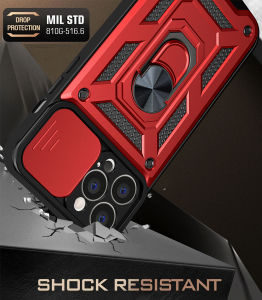
VRQR & Military Grade Armor Phone Cases: A Comprehensive Guide

Ring Light Photography Studio Light Led Fill Lamp With Mobile Phone EFR-48 Ring Light 18inch Stand Lighting Soft Light Constant Light Photography Studio Light Ring Light With Stand
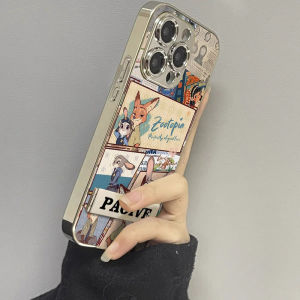
Cute Animal Fox Rabbit Phone Case for Xiaomi 15 14 Ultra/14 pro 13 pro New 12 12s X Soft 11 Youth Civi4 pro Women Max4 Glass 12s pro

Portable 30 pcs Sewing Box Set: A Comprehensive Guide
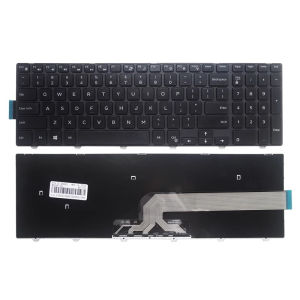
DELL Inspiron 15 3551 15-5100 3552 15-3878 7559 3558 3543 3550 5543 5548 5542 5552 5759 7557 5551 5555 5558 laptop keyboard
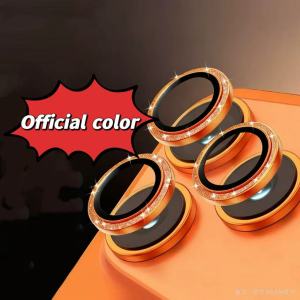
Silver Glitter Camera Lens Protector Cover For IPhone 16 15 14 Pro Max Plus For IPhone 17 Pro Max Air Protection Accessories
Pole Adapter Kit for Starlink Gen 3 Roof Wall Mount - Enhance Stability Starlink Gen 3 Adapter Roof Wall Mount Wall Installed Connect Rod Mount Roof Adapter Holder Satellite