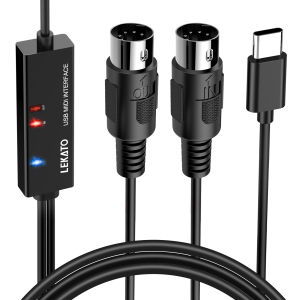
LEKATO MIDI Cable: Connecting Keyboard & Synthesizer with Input & Output
LEKATO MIDI Cable: Connecting Keyboard & Synthesizer with Input & Output
Understanding LEKATO MIDI to Type-C Cable
LEKATO MIDI to Type-C Cable is designed to connect MIDI devices with input and output capabilities, making it ideal for musicians who want to connect their keyboards and synthesizers. This cable is compatible with a wide range of devices, ensuring seamless integration with your existing setup.
Key Features of LEKATO MIDI Cable
- High-quality construction for durability and longevity
- Compatible with MIDI devices and Type-C ports
- Supports input and output functions
- Easy-to-use design for quick connections
How to Use LEKATO MIDI Cable
Using the LEKATO MIDI to Type-C Cable is simple. First, connect one end of the cable to your MIDI device, and then connect the other end to your computer or another device with a Type-C port. Once connected, you can begin using your MIDI device as intended.
Connecting Your MIDI Keyboard
MIDI keyboards are a popular choice among musicians, offering a wide range of sounds and features. To connect your MIDI keyboard using the LEKATO MIDI to Type-C Cable, follow these steps:
- Connect one end of the cable to your MIDI keyboard
- Connect the other end of the cable to your computer or another device with a Type-C port
- Power on your MIDI keyboard and ensure it is set to the correct mode
MIDI Cable for Keyboard: Connection Tips
- Make sure your MIDI keyboard is compatible with the LEKATO MIDI to Type-C Cable
- Check that all connections are secure before powering on your devices
- Consult your MIDI keyboard's manual for specific connection instructions
Troubleshooting Common Issues with MIDI Keyboard Connection
If you encounter any issues connecting your MIDI keyboard using the LEKATO MIDI to Type-C Cable, try these troubleshooting steps:
- Ensure all connections are secure and the correct ports are being used
- Restart your devices and try connecting again
- Consult your MIDI keyboard's manual for specific troubleshooting tips
Guitar Synthesizer MIDI Connection
Guitar synthesizers are another popular choice among musicians, offering a unique sound and versatility. To connect your guitar synthesizer using the LEKATO MIDI to Type-C Cable, follow these steps:
- Connect one end of the cable to your guitar synthesizer
- Connect the other end of the cable to your computer or another device with a Type-C port
- Power on your guitar synthesizer and ensure it is set to the correct mode
Input Output MIDI Cable for Guitar Synthesizer
The LEKATO MIDI to Type-C Cable supports input and output functions, making it ideal for connecting your guitar synthesizer. This allows you to control various parameters of your guitar synthesizer using external devices, such as MIDI controllers.
Tips for Using LEKATO MIDI Cable with Guitar Synthesizer
- Make sure your guitar synthesizer is compatible with the LEKATO MIDI to Type-C Cable
- Check that all connections are secure before powering on your devices
- Consult your guitar synthesizer's manual for specific connection instructions
Frequently Asked Questions About LEKATO MIDI Cable
What Is the Best Way to Connect LEKATO MIDI Cable?
To connect the LEKATO MIDI to Type-C Cable, simply connect one end to your MIDI device and the other end to your computer or another device with a Type-C port.
How Do I Troubleshoot Issues with LEKATO MIDI Cable?
If you encounter any issues connecting your MIDI device using the LEKATO MIDI to Type-C Cable, try these troubleshooting steps:
- Ensure all connections are secure and the correct ports are being used
- Restart your devices and try connecting again
- Consult your MIDI device's manual for specific troubleshooting tips
Are There Any Compatibility Issues with LEKATO MIDI Cable?
The LEKATO MIDI to Type-C Cable is compatible with a wide range of MIDI devices and Type-C ports, ensuring seamless integration with your existing setup. However, it is always recommended to check compatibility with your specific device before purchasing.

Beicai.PH
Review

You May Also Like
Clarinet Model Desk Decoration Miniature Clarinet Replicas with Stand and Case Gift for Musicians Music Scene Accessory

runtian 2Pcs Trumpet Musical Instruments Sound Change Silicone Rope Portable Musical Instrument Maintenance Professional Accessories

Plans independent human health guides multimonth health moon and human health
6Pcs Electric Guitar Strings .009-.042 Guitar Strings Replacement Musical Instrument Accessories Easy to Install
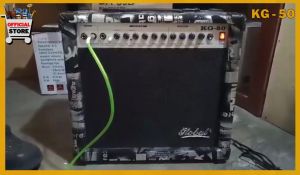
AMPLIFIER KEYBOARD GUITAR - GLOBAL KG 50
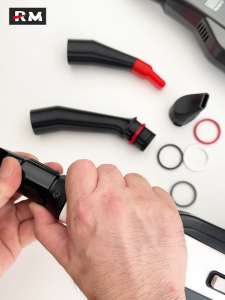
Roland Digital Wind Instrument Original Mouthpiece Extender AE20/AE30/AE05/01 Electronic Saxophone Mouthpiece Extension Accessory Plays Without Lowering Your Head Replaces A Stand

Milumilu: A Guide to 'More More More Said the Baby' by B. Williams

Anne of Green Gables (Legend Classics) - Softcover
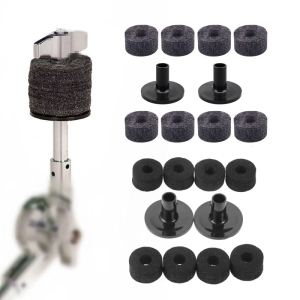
Black Gray Drum Set Replacement Parts 15mm Thick Felt Washers and Plastic Long Flanged Cymbal Sleeves Pack of 10

Spirituality in Nursing: Standing on Holy Ground - 9781284298482 - C&E Bookshop

12Pack Acoustic Panels Sound Proof Padding Bevled Edge Polyester Fiber Panels High Density Acoustic Treatment Wall Decoration for Home Office Studio 12\"X 12\"X 0.35\"inch