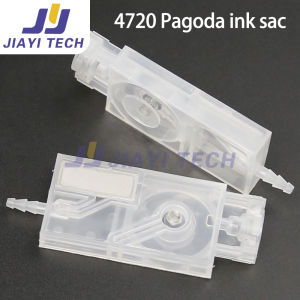
10Pcs i3200 i1600 Ink Damper DX11 Transparent Damper for 4720 XP600 DX5 Head Dumper Filter
10Pcs i3200 i1600 Ink Damper DX11 Transparent Damper for 4720 XP600 DX5 Head Dumper Filter
What is the 10Pcs i3200 i1600 Ink Damper?
The 10Pcs i3200 i1600 Ink Damper is a high-quality transparent damper filter designed specifically for inkjet printers. These dampers are compatible with popular printer models, such as the DX11, 4720, XP600, and DX5. The transparent design allows users to easily monitor the ink level and ensure optimal performance.
Key Features & Benefits
- High-quality transparent design for easy ink monitoring
- Compatible with multiple printer models, including DX11, 4720, XP600, and DX5
- Durable construction for reliable performance
- Easy installation and maintenance
- Cost-effective alternative to expensive OEM replacement parts
Compatibility with DX11 & Other Models
The 10Pcs i3200 i1600 Ink Damper is compatible with various printer models, including the DX11, 4720, XP600, and DX5. This compatibility ensures that users can easily find the right damper filter for their specific printer needs.
How to Install the Ink Damper Filter
Installing the ink damper filter is a straightforward process that can be completed in just a few steps.
Step-by-Step Guide
- Turn off the printer and unplug it from the power source.
- Open the printer's ink cartridge access door.
- Carefully remove the old damper filter.
- Insert the new i3200 i1600 Ink Damper into the designated slot.
- Close the ink cartridge access door and reconnect the power source.
- Turn on the printer and allow it to initialize.
Troubleshooting Common Issues
If you encounter any issues during installation or while using the new damper filter, refer to the troubleshooting guide below:
- Ink cartridge not recognized: Ensure the damper filter is properly installed and seated in the designated slot.
- Printer not printing: Check that the ink cartridge is correctly installed and that the damper filter is functioning properly.
- Printer error messages: Refer to the printer's user manual for specific error codes and troubleshooting steps.
Best Practices for Maintaining Your Damper Filter
Regular maintenance is essential to ensure optimal performance and extend the lifespan of your ink damper filter.
Cleaning & Replacing the Filter
To maintain the best performance, clean the damper filter every three months or as needed. If the filter becomes clogged or damaged, replace it with a new i3200 i1600 Ink Damper.
Extending the Lifespan of Your Damper Filter
To extend the lifespan of your ink damper filter, follow these tips:
- Keep the printer clean and free of dust and debris.
- Store the printer in a cool, dry location.
- Regularly clean the damper filter to prevent clogs and damage.
- Replace the damper filter when necessary to ensure optimal performance.
Choosing the Right Damper Filter for Your Needs
Selecting the appropriate damper filter for your printer is crucial for achieving the best results.
Comparing Different Damper Filters
When comparing different damper filters, consider factors such as compatibility, durability, and cost-effectiveness. The i3200 i1600 Ink Damper offers a reliable and cost-effective solution for various printer models.
Evaluating Performance & Reliability
To evaluate the performance and reliability of the i3200 i1600 Ink Damper, consider its transparent design, ease of installation, and compatibility with multiple printer models. This damper filter is designed to provide consistent performance and extend the lifespan of your printer." }

JY Printer Part Store
Review

You May Also Like
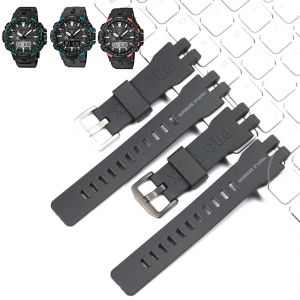
Resin Watch Accessories For Casio PRW3000 PRW6000 PRW6100 PRG300 Mens Rubber Replacement Band Strap Sports Waterproof Bracelet
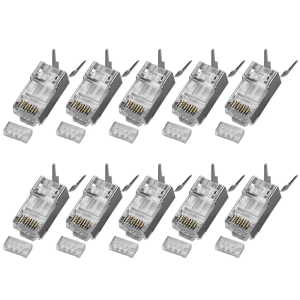
Fast Speed 10Gbps CAT6A Shieldeds Modulars Plugs 50u Gold Contacts 3Prong Design For Enhanceds Signal Stability

Full Screen Hello Kitty for Vivoy55s Phone Case Vivoy50 Womens Good-looking Cute Minimalist Internet Hot New Niche Style Phone Case Cartoon Metal Frame Silicone Protective Case

Coffee Bear Silicone Phone Case Full Cover Anti-Fall for Meizu 21 20 Pro Creative Design Protective Shell Ins Style

High Definition Pull out Mobile Phone Stand Video Watching Eye Protection Radiation Protection New Drawing Tube Desktop Lazy Magnifying Glass
Speakon Male and Speakon Female Cable Connector

Baseus M3S Silicone Cartoon Earphone Protective Case Fun Chimney Small House Style Anti-fall Soft Shell TPU Craft Digital Accessories
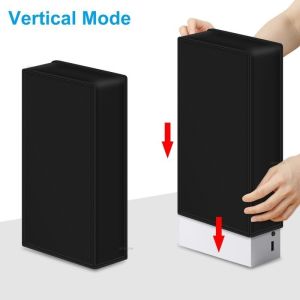
Dust-Proof Sleeve for Xbox Series S Console: Anti-Scratch & Vertical Cover
For Samsung A22 5G Phone Case Cartoon Design Silicone Soft Shell TPU Case Shockproof Casing Camera Protective Case

HDMI 2X2 KVM Switch Dual Display USB HDMI KVM Switch Dual monitors DisplayPort HDMI 2 in 2 out KVM Switch Splitter box Dual port HDMI KVM Switch with Extended&Mirror Mode for Video card supporting 2 video outs simutaneously
New Year Snake Design Ultra-Thin Soft Hard Shell Case for Huawei Mate70 pro Mobile Phone Mens Womens Protective Cover