Rocoren 200W USB C Desktop Charger: A Comprehensive Guide
Rocoren 200W USB C Desktop Charger: A Comprehensive Guide
Introduction to the Rocoren 200W USB C Desktop Charger
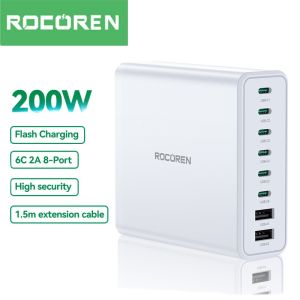
The Rocoren 200W USB C Desktop Charger is a cutting-edge PD Fast Charging Station designed to meet the power demands of multiple devices simultaneously. With its 8 Port GaN Fast Charger, this desktop USB charging station offers unparalleled convenience and efficiency, making it an essential addition to any home or office setup. In this comprehensive guide, we'll explore the features, benefits, and practical applications of the Rocoren 200W USB C Desktop Charger.
What is the Rocoren 200W USB C Desktop Charger?
The Rocoren 200W USB C Desktop Charger is a high-performance power adapter that supports PD Fast Charging for up to eight devices simultaneously. Utilizing GaN technology, this charger delivers lightning-fast charging speeds and optimal energy efficiency, all while maintaining a compact design that saves valuable desk space.
Key Features and Benefits
- High Power Output: With a maximum output of 200W, the Rocoren 200W USB C Desktop Charger can power multiple devices simultaneously, including laptops, smartphones, tablets, and other USB-C compatible gadgets.
- 8 Port GaN Fast Charger: Featuring eight USB-C ports, this charger supports PD Fast Charging, ensuring your devices charge quickly and efficiently.
- Compact Design: Despite its powerful capabilities, the Rocoren 200W USB C Desktop Charger has a sleek, compact design that won't clutter your workspace.
- Safety Features: This charger includes built-in safety features such as overvoltage protection, short-circuit protection, and temperature control, ensuring safe and reliable charging for all your devices.
Setting Up Your PD Fast Charging Station
Setting up your Rocoren 200W USB C Desktop Charger is simple and straightforward. Follow these steps to get started:
How to Install the 200W USB C Charger
- Unbox the Rocoren 200W USB C Desktop Charger and locate the power adapter and USB-C cables included in the package.
- Connect the power adapter to a suitable electrical outlet.
- Plug the USB-C cables into the charger's ports and connect them to your devices.
Configuring the 8 Port GaN Fast Charger
To optimize the performance of your Rocoren 200W USB C Desktop Charger, follow these guidelines:
- Charge Multiple Devices Simultaneously: Connect up to eight USB-C compatible devices to the charger's ports for fast and efficient charging.
- Prioritize High-Power Devices: When charging multiple devices, prioritize high-power devices such as laptops and gaming consoles to ensure they receive the necessary power.
- Monitor Charging Status: Keep an eye on the charging status of your devices to ensure they're charging properly.
Optimizing Your Laptop Power Adapter Experience
Laptops are among the most power-hungry devices, and the Rocoren 200W USB C Desktop Charger is designed to meet their demanding needs. Here's how to get the most out of your laptop power adapter experience:
Connecting Your Laptop to the Desktop USB Charging Station
- Select the Appropriate Port: Identify the USB-C port on your laptop and connect it to one of the Rocoren 200W USB C Desktop Charger's ports.
- Monitor Charging Status: Keep an eye on your laptop's charging status to ensure it's receiving the necessary power.
- Use the Right Cables: Ensure you're using high-quality USB-C cables that can handle the power output of the charger.
Maximizing Battery Life with the Rocoren 200W GaN Fast Charger
To get the most out of your laptop's battery life, follow these tips:
- Charge During Breaks: Charge your laptop during breaks or when it's not in use to ensure it remains fully charged.
- Avoid Overcharging: Disconnect your laptop from the charger once it reaches 100% to avoid overcharging.
- Use Battery-Saving Settings: Adjust your laptop's power settings to conserve battery life when running on battery power.
Troubleshooting Common Issues
Despite its reliability, the Rocoren 200W USB C Desktop Charger may occasionally encounter issues. Here's how to address common problems:
Addressing Connectivity Problems
If you're experiencing connectivity issues, try these troubleshooting steps:
- Check Connections: Ensure all cables are securely connected to the charger and your devices.
- Restart Devices: Restart your devices to reset their connections.
- Use Different Cables: Try using different USB-C cables to rule out any cable-related issues.
Solving Power Supply Issues
If you're experiencing power supply issues, try these troubleshooting steps:
- Check Power Adapter: Ensure the power adapter is properly connected to the electrical outlet.
- Restart Charger: Unplug the charger from the electrical outlet, wait for a few seconds, and plug it back in.
- Check for Obstructions: Ensure there are no obstructions blocking the charger's vents, which could affect its performance.
Conclusion
The Rocoren 200W USB C Desktop Charger is a powerful and versatile PD Fast Charging Station that offers numerous benefits for users in America. With its high power output, 8 Port GaN Fast Charger, and compact design, this desktop USB charging station is an excellent choice for anyone looking to streamline their device charging experience. Whether you're a busy professional or a tech-savvy individual, the Rocoren 200W USB C Desktop Charger is sure to meet your needs.

Rocoren Official Store
Review
You May Also Like
Huawei P60 P70 Pura70 P60art Full Cover Anti-Fall Diamond Embedded Sandflow Female Model Phone Case with Stand Protective Shell

19V 2.1A 5.5*2.5MM AC Adapter For AOC monitor Power Adapter charger
Motor Speed Controller PWM DC Motor Governor 12V 24V 48V 20A High Power Controller Waterproof Controller Regulator
Case for SAMSUNG a11 phone casing Softcase Silicone shockproof Cover new design aesthetic SJLBB02
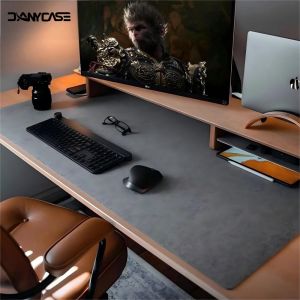
Large Size Gaming Mouse Pad Non-slip Wool Felt Mousepad Office Desk Mat Protector Table Laptop Cushion Keyboard Mat Premium

Microwave Oven Glass Turntable Tray Diameter 24.5cm Flat chassis Plate Fittings
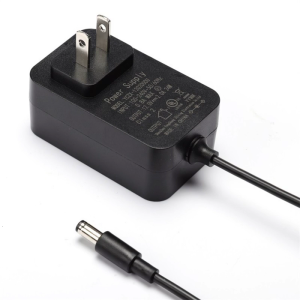
12V2A/24V1A Power Supply Adapter US Plug Fireproof Housing Stable Voltages Output for LED Lights Tool Networking Device
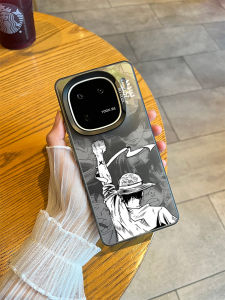
One Piece Themed Phone Case for iQOO15/13 Black And White Manga Design Anti-Fall Laser Cutout Silicone Cover for Men

Sticker Skin for MECHREVO 15Pro A-7FC5U /16 Pro HD-7BB6D 16HDS-7BB6U 2022 16" Laptop Carbon fiber Vinyl Protection
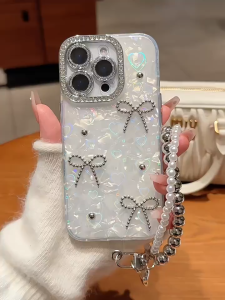
3D Paste Pearl Bow Gradient Heart IMD Hard Case for iPhone 11 12 13 14 15 16 17 Pro Max Plus Air Casing Personalized Phone Case for iPhone 16 Case Cover
CoAce Foldable Laptop Stand: A Comprehensive Guide