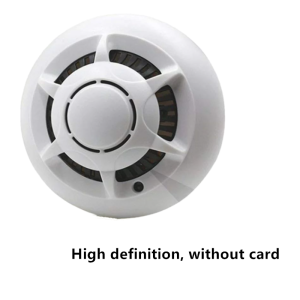
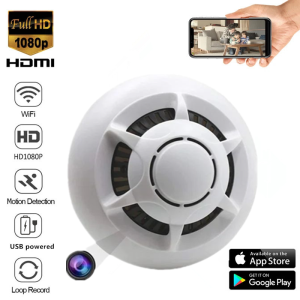
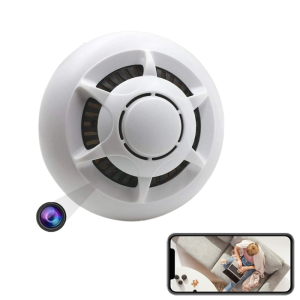
Ceiling installation of 1080P wireless network camera smoke alarm design home hotel Ceilling mini WiFi camera home security monitoring
Ceiling installation of 1080P wireless network camera smoke alarm design home hotel Ceilling mini WiFi camera home security monitoring
What is a 1080P Wireless Network Camera Smoke Alarm Design?
A 1080P wireless network camera smoke alarm design is a cutting-edge home security solution that combines the benefits of a high-definition IP camera with a smoke alarm. This device allows users to monitor their homes remotely, detect potential fire hazards, and maintain a secure environment.
Key Features of 1080P Wireless Network Camera Smoke Alarms
- High-resolution video: With a resolution of 1080P, these cameras provide crystal-clear images for optimal visibility.
- Wireless connectivity: These cameras can be easily installed without the need for complex wiring, making them ideal for various settings.
- Smoke detection: Integrated smoke sensors ensure early detection of potential fire hazards, providing peace of mind for homeowners.
- Remote access: Users can view live footage and receive alerts via smartphone apps, allowing them to stay connected to their homes at all times.
Benefits of Using a 1080P Wireless Network Camera Smoke Alarm Design
- Enhanced security: Monitor your home from anywhere using your smartphone, tablet, or computer.
- Early fire detection: Smoke sensors alert users to potential fire hazards before they become serious threats.
- Ease of installation: Wireless connectivity eliminates the need for complex wiring, making installation simple and straightforward.
Steps to Install a Ceiling Mini WiFi Camera
Installing a ceiling mini WiFi camera is a straightforward process that requires minimal effort. Follow these steps to ensure a successful installation.
Tools & Materials Needed for Installation
- Screwdriver: A standard screwdriver is required to mount the camera onto the ceiling.
- Drill: A drill is necessary to create holes for mounting screws.
- Mounting hardware: Mounting hardware, including screws and anchors, is needed to secure the camera to the ceiling.
Mounting the Camera on the Ceiling
- Choose a suitable location for the camera, taking into account the room's layout and desired coverage area.
- Drill holes in the ceiling at the chosen location.
- Insert mounting hardware into the drilled holes.
- Attach the camera to the mounting hardware using screws.
Connecting the Camera to Power Supply
Once the camera is mounted, connect it to a power source. The camera can be powered via USB or battery, depending on the model.
Remote Monitoring & Viewing Your High-Definition IP Camera
Remote monitoring and viewing of your high-definition IP camera is essential for maintaining a secure environment. Follow these steps to set up remote access to your home security system.
Setting Up Remote Access to Your Home Security System
- Download the manufacturer's app on your smartphone or tablet.
- Connect the camera to your Wi-Fi network.
- Follow the app's instructions to configure remote access settings.
Motion Detection & Audio/Video Recording Capabilities
These cameras offer advanced motion detection and audio/video recording capabilities. When motion is detected, the camera automatically records video footage and sends alerts to your smartphone.
Battery & USB Power Supply Options for Your High-Definition Wireless Network Camera
Choosing the right power supply option is crucial for ensuring reliable operation of your high-definition wireless network camera.
Pros & Cons of Each Power Supply Option
Battery-powered cameras:
- Pros: Portable, no need for wires, ideal for temporary installations.
- Cons: Limited battery life, requires regular replacement or recharging.
USB-powered cameras:
- Pros: Continuous power supply, no need for battery replacement.
- Cons: Requires a nearby power outlet, less portable than battery-powered models.
Tips for Extending Battery Life & Ensuring Reliable Power Supply
To extend battery life and ensure reliable power supply, consider the following tips:
- Use energy-efficient settings: Lower the camera's resolution or frame rate to conserve battery life.
- Place the camera near a power outlet: If using a USB-powered camera, place it near a power outlet to avoid the need for extension cords.
- Monitor battery levels: Regularly check the camera's battery level to avoid unexpected power loss.

spy camera
Review

You May Also Like
Meike 85mm F/1.8 AF Portrait-Length Prime Lens Full Frame Leica L Mount Fast Aperture Autofocus / Manual Focus Mode STM Stepping Motor and USB Port for Firmware Upgrades for Photography | JG Superstore
Universal CCTV Camera ABS Plastic Wall Mount Junction Bracket with Screws Sticking Hoisting Wall Hanging Bracket
TP-Link VIGI C430I 3MP IR Turret Network Camera
OneTech Otus White 2.0 Indoor Security Camera 2MP HD Camera WiFi Night Vision Motion Detection 2Way Audio Phone Control

High-definition childrens camera mini toy for taking photos and videos dual-camera digital video
A7 cctv camera connect cellphone no wifi needed 8MP Indoor and Outdoor Two-Way Audio Night Vision waterproof
M42 to EF-mount/EF-S Mount Camera Converter Adapter Ring Focus-infinity for 1300D 1200D 1100D 1000D 760D 750D 700D

BUY 1 Take 1 V380 Pro 5G 8MP CCTV Camera no need internet waterproof Full Color two-way audio and speaker night vision auto tracking 5 Antenna smart remote surveillance camera 1 YEAR WARRANTY
Panasoni C Drone Radio-controlled aircraft Drone X66 with 1080p wide-angle camera Foam aircraft Fighter
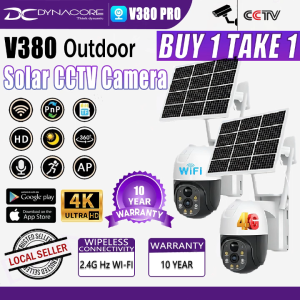
V380 PRO Solar CCTV Camera No Wifi Need Outdoor Wireless With Wifi Connect 360 Connect Cellphone 4G Waterproof Surveillance Two-Way Audio Color Night Vision IP Security Camera
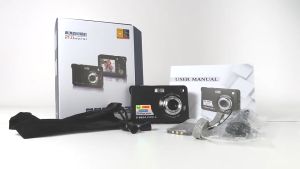
24MP 48MP Video Camera for Vlogging Student Outdoor Photography 1080P HD Card Camera with 32G Memory Card and Reader Auto Focus Digital Camera for Childrens Gifts