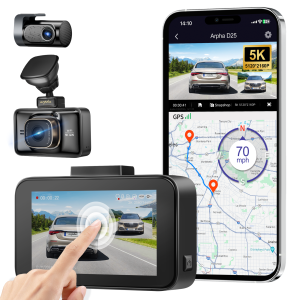
5K Dash Cam Front and Rear WiFi GPS 4K Car Camera with 3 Touch Screen Voice Control WDR Night Vision Driving Recorder Built-in 128GB eMMC Parking Mode G-Sensor
5K Dash Cam Front and Rear WiFi GPS 4K Car Camera with 3 Touch Screen Voice Control WDR Night Vision Driving Recorder Built-in 128GB eMMC Parking Mode G-Sensor
Introduction to the 5K Dash Cam & WiFi GPS Car Camera
The 5K Dash Cam Front and Rear WiFi GPS 4K Car Camera is a cutting-edge device designed to provide unparalleled security and convenience for drivers. With its built-in 128GB eMMC storage, night vision driving recorder, and touch screen voice control, this dash cam offers a wide range of features that make it stand out from the competition.
Key Features
- Front car camera x1
- Rear camera x1
- Car charger x1
- Built-in 128GB card
- USB Type-C cable (3.5M/12ft) x1
- Cable clips x5
- Pry tool x1
- Static film x2
- User manual x1
Benefits of Using This Device
The 5K Dash Cam & WiFi GPS Car Camera provides several benefits, including:
- Enhanced security and peace of mind while driving
- Clear video recordings during both day and night
- Easy-to-use touch screen voice control
- Convenient WiFi connectivity for remote access
- GPS tracking for accurate location data
Setup and Installation
Setting up the 5K Dash Cam & WiFi GPS Car Camera is straightforward and easy to follow.
Unboxing and Components
Upon unboxing, you will find the following components:
- Front car camera x1
- Rear camera x1
- Car charger x1
- Built-in 128GB card
- USB Type-C cable (3.5M/12ft) x1
- Cable clips x5
- Pry tool x1
- Static film x2
- User manual x1
Step-by-Step Installation Process
Follow these steps to install the dash cam:
- Remove the static film from the front and rear cameras.
- Attach the front camera to the windshield using the static film.
- Attach the rear camera to the rearview mirror using the static film.
- Connect the car charger to the front camera and plug it into the car's cigarette lighter socket.
- Connect the USB Type-C cable to the front camera and plug it into the rear camera.
- Secure the cables using the cable clips provided.
Tips for Successful Setup
- Ensure that the cameras are securely attached to avoid any damage during driving.
- Position the cameras to capture a clear view of the road ahead and behind the vehicle.
- Make sure the car charger is plugged into a reliable power source.
Using the 5K Dash Cam & WiFi GPS Car Camera
The 5K Dash Cam & WiFi GPS Car Camera is equipped with various features to enhance your driving experience.
Basic Functions and Features
- Record video at 5K resolution for crystal-clear footage
- Use the built-in 128GB eMMC storage to save recordings
- Connect to WiFi for remote access and monitoring
- Utilize GPS tracking for accurate location data
Advanced Features: Touch Screen Voice Control & Night Vision Driving Recorder
- Control the dash cam using voice commands through the touch screen
- Capture clear video footage during night driving with the WDR night vision feature
Connecting to WiFi & GPS
To connect the dash cam to WiFi and GPS:
- Turn on the dash cam by pressing the power button.
- Connect to the WiFi network using the touch screen.
- Enable GPS tracking by pressing the appropriate button on the touch screen.
Maintenance and Troubleshooting
To keep your 5K Dash Cam & WiFi GPS Car Camera in top condition, follow these tips:
Cleaning and Care Tips
- Clean the cameras regularly using a soft, dry cloth.
- Avoid exposing the dash cam to extreme temperatures or moisture.
Common Issues and Solutions
- If the dash cam is not recording, check the power source and storage capacity.
- If the WiFi connection is weak, move the dash cam closer to the router or restart the device.
Contacting Customer Support
If you encounter any issues or have questions about the 5K Dash Cam & WiFi GPS Car Camera, contact our customer support team for assistance.
Conclusion
The 5K Dash Cam & WiFi GPS Car Camera is a must-have device for drivers who value security and convenience. With its advanced features, easy setup, and reliable performance, this dash cam is the perfect choice for anyone looking to enhance their driving experience.
Recap of Key Points
- Key features include front and rear cameras, built-in 128GB eMMC storage, WiFi connectivity, GPS tracking, and touch screen voice control.
- Benefits include enhanced security, clear video recordings, easy-to-use controls, and convenient WiFi access.
- Follow the step-by-step installation process and tips for successful setup.
- Explore the basic functions and advanced features of the dash cam.
- Keep the dash cam in good condition by following cleaning and care tips.
- Contact customer support for assistance with common issues.
Final Thoughts on the 5K Dash Cam & WiFi GPS Car Camera
The 5K Dash Cam & WiFi GPS Car Camera is a top-of-the-line device that provides unparalleled security and convenience for drivers. With its advanced features and easy-to-use controls, this dash cam is the perfect choice for anyone looking to enhance their driving experience.

AZDOME
You May Also Like

High Pressure Washer Adapter Tube Universal Connector for Car Washing Machine Washer Hose Auto Accessories
0433271588 Dlla134s1199 Diesel Pump Fuel Injector Nozzle For Truck
NEOGLOW APOLLO MAX 300W 50000LM 6500K CarLEDHeadlight H4 H11super bright 3 years warranty lP68

Car Auto Carbon Steel 3-jaw Inner Bearing Puller & Heavy Duty Automotive Machine Tool Kit

Specialized Benelli 552X Motorcycle Rear License Plate Frame 502X/502C/752S Modification Accessories Number Plate Frame

quietness For Alphard/Vellfire USB Fast Charger with LED Ambient Light Middle Row Passengers Dual Ports Safe Installation Accessories 1D5F9J

Isuzu S4S STARTER ASSEMBLY 10TEETH 12V BD-3219A KHYBRID BRAND
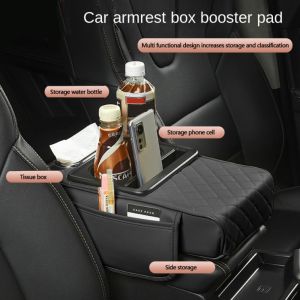
5211JEW Portable Center Console Armrest Cushion PU Leather Multifunctional Armrest Pad Convenient Height Increasing Storage Box Car
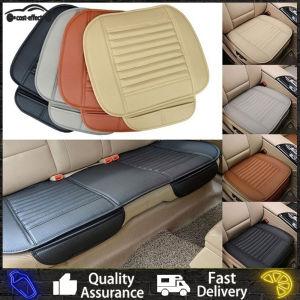
Car Seat Cover PU Leather Interior Protector Mats Cushion 5 Seaters Chair Seatcover Pad for SUV Sedan Hatchback

WECAST Yamaha Mio Soul GT-125 Decals Sticker: High-Quality Motorcycle Accessories & Free Stickers
10mm Thick PVC Coil Matting for Mitsubishi L300 (Front Row) Perfect Fit Slip-Resistant