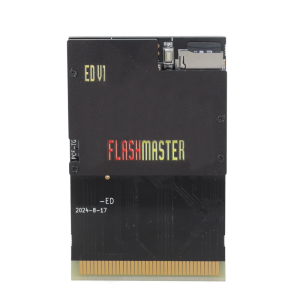
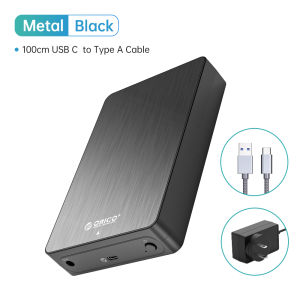
ORICO 3.5\" 6Gbps Hard Drive Enclosure Type-C Heat Dissipation External HDD Case Aluminum Alloy ABS with 12V2A Power Adapter
ORICO 3.5" 6Gbps Hard Drive Enclosure Type-C Heat Dissipation External HDD Case Aluminum Alloy ABS with 12V2A Power Adapter
Overview of the ORICO 3.5" 6Gbps Hard Drive Enclosure
The ORICO 3.5" 6Gbps Hard Drive Enclosure is a versatile and reliable external hard drive case designed to provide optimal performance and durability. With its sleek aluminum alloy and ABS construction, this enclosure offers excellent heat dissipation, ensuring your hard drive runs smoothly even during extended usage. In addition, the Type-C power adapter with a 12V2A power supply guarantees stable operation and fast data transfer speeds.
Key Features
- 6Gbps External HDD Case: Supports SATA III interface for ultra-fast data transfer speeds.
- Type-C Power Adapter: Provides a stable and reliable power source for uninterrupted operation.
- Heat Dissipation: Aluminum alloy construction ensures efficient heat dissipation, keeping your hard drive cool.
Benefits of Using This Enclosure
By choosing the ORICO 3.5" 6Gbps Hard Drive Enclosure, you'll enjoy the following benefits:
- Enhanced Durability: The aluminum alloy and ABS construction ensures a long-lasting and reliable enclosure.
- Improved Performance: With its 6Gbps data transfer speed, you'll experience faster file transfers and reduced wait times.
- Optimal Heat Management: The enclosure's heat dissipation design keeps your hard drive running smoothly, even during extended usage.
Setting Up Your ORICO 3.5" Hard Drive Enclosure
To get started with your ORICO 3.5" Hard Drive Enclosure, follow these steps:
Connecting the Type-C Power Adapter
- Locate the Type-C power adapter included with your enclosure.
- Connect the adapter to the designated port on the enclosure.
- Plug the other end of the adapter into a power outlet.
Installing Your Hard Drive
- Open the enclosure by unscrewing the screws located on the bottom.
- Carefully slide your 3.5" hard drive into the designated slot.
- Close the enclosure by reattaching the screws.
Configuring the Enclosure Settings
After installing your hard drive, you may need to configure the settings to optimize performance. Consult the user manual for detailed instructions.
Maximizing Performance with ORICO 3.5" Hard Drive Enclosure
To ensure your ORICO 3.5" Hard Drive Enclosure operates at its best, consider the following tips:
Enhancing Heat Dissipation
- Positioning: Place the enclosure on a flat surface to allow for proper air circulation.
- Environment: Avoid placing the enclosure near heat sources or in direct sunlight.
Utilizing the 6Gbps External HDD Case
- Data Transfer: Take advantage of the 6Gbps data transfer speed by using compatible cables and devices.
- File Management: Organize your files efficiently to minimize wait times during file transfers.
Optimizing Data Transfer Speeds
- Cable Length: Keep cables short to reduce signal loss and maintain optimal data transfer speeds.
- Compatibility: Ensure that your devices support SATA III interface for maximum performance.
Troubleshooting Common Issues with ORICO 3.5" Hard Drive Enclosure
If you encounter problems with your ORICO 3.5" Hard Drive Enclosure, refer to the following troubleshooting tips:
Addressing Power Supply Problems
- Check Connection: Verify that the Type-C power adapter is securely connected to both the enclosure and the power outlet.
- Adapter Issues: If the problem persists, try using a different power adapter to rule out any issues with the original adapter.
Solving Heat Dissipation Concerns
- Positioning: Ensure that the enclosure is placed on a flat surface to allow for proper air circulation.
- Environment: Keep the enclosure away from heat sources and direct sunlight to prevent overheating.
Resolving Connectivity Issues
- Cable Compatibility: Verify that your cables support SATA III interface for optimal performance.
- Device Compatibility: Check that both your computer and hard drive support SATA III interface.

ORICO HOME
Review
You May Also Like
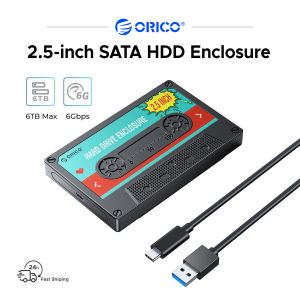
ORICO 2.5 HDD Enclosure SATA to USB3.0 External Hard Drive Case 5Gbps / 6Gbps Type-C HDD Case With DIY Sticker
Toshiba External Hard Drive Storage: Canvio Basics HDD 1TB & 2TB USB 3.0 Portable
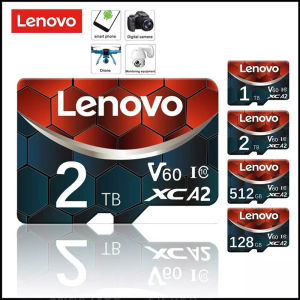
♥100%Original Product+Free Send adapter+card reader♥Lenovo high speed 2TB 1TB 512GB 256GB 128GB Micro SD SDHC card 10 UHS-1 TF memory card + card reader tf card
SanDisk Ultra Flair USB Flash Drive 16GB/32GB/64GB/128GB SDCZ73 High Speed Flash Drive Laptop U Disk Mini
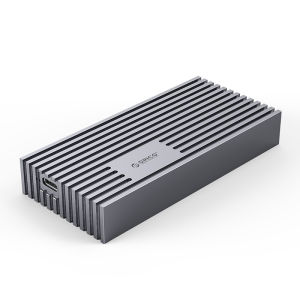
ORICO USB4.0 M.2 SSD Case 40Gbps M2 NVMe Case Compatible with Thunderbolt 3 4 USB3.2 USB 3.1 3.0 Type-C Multiple Protocols
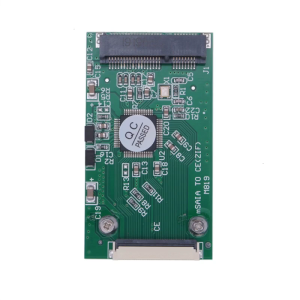
1.8inches Mini PCIE mSATA SSD to 40Pin 1.8" CE ZIF Converter Adapter for Computer HDDs
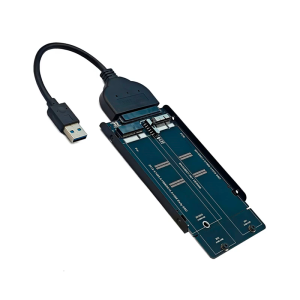
Adapter and USB Cable Converter Supports Serial ATA Interfaces for 2010-2011 A1369/1370 Replacement
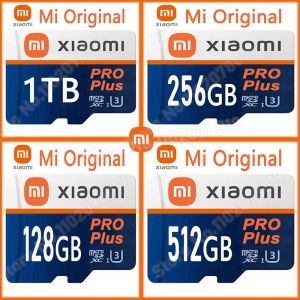
♥100%Original Product+Free Send adapter+card reader♥Original Xiaomi Micro SD Card 2TB 1TB 512G 128GB 32GB 64GB 256GB Memory Card TF Flash Card 32 64 128 256 512 GB 1 TB For Phone
OTG USB Flash Drive & Type C Micro USB Stick: A Comprehensive Guide
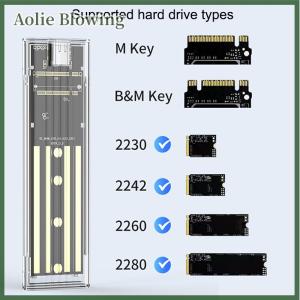
Aolie M.2 NVME PCIe NGFF SATA Protocol Case Clear USB Type C 10Gbps PCI-E Transparent External Hard Disk Box Case For Laptop Phone
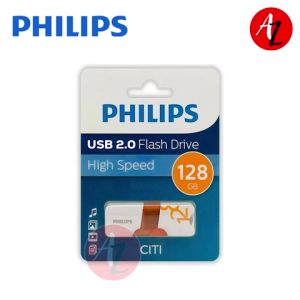
PHILIPS USB Flash Drive 128GB: A Reliable & High-Speed Portable Storage Solution