Japanese Cute Cartoon Phone Case: Free Shipping & Compatible with iPhone 16 15 14 13 12 Pro Max
Japanese Cute Cartoon Phone Case: Free Shipping & Compatible with iPhone 16 15 14 13 12 Pro Max
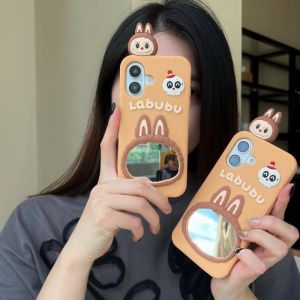
Introduction to the 3D Labubu Mirror Case
The 3D Labubu Mirror Case is a unique phone case designed to provide both protection and a cute aesthetic for your iPhone. This case is compatible with various iPhone models, including the iPhone 16, 15, 14, 13, 12, and Pro Max.
What is the 3D Labubu Mirror Case?
The 3D Labubu Mirror Case is a stylish and protective case that features a mirror-like finish and a 3D design. It adds a touch of cuteness and uniqueness to your iPhone while providing excellent protection against drops and scratches.
Key Features of the 3D Labubu Mirror Case
- Compatible with iPhone 16, 15, 14, 13, 12, and Pro Max
- Mirror-like finish
- 3D design
- Protection against drops and scratches
Who is the 3D Labubu Mirror Case Suitable For?
The 3D Labubu Mirror Case is perfect for iPhone users who want a cute and protective phone case. It is especially popular among women who appreciate the charming and unique design.
Silicone Anti Drop Cover Explained
A silicone anti-drop cover is a type of phone case made from silicone material, which offers excellent protection against drops and impacts.
How Does the Silicone Material Protect Your Phone?
Silicone is a flexible and durable material that can absorb shock and impact, reducing the risk of damage to your iPhone. It also provides a non-slip grip, making it easier to hold onto your phone.
Advantages of Using a Silicone Anti Drop Cover
- Excellent protection against drops and impacts
- Non-slip grip
- Lightweight and comfortable to use
How to Properly Handle and Maintain the Silicone Cover
To ensure the longevity of your silicone anti-drop cover, it is important to handle and maintain it properly. Here are some tips:
- Clean the cover regularly with a soft cloth and mild soap solution
- Avoid exposing the cover to extreme temperatures or direct sunlight
- Store the cover in a cool, dry place when not in use
Women's Phone Case Options
Women often prefer cute and personalized phone cases that reflect their style and personality.
Why Choose a Cute Cartoon Phone Case for Women?
Cute cartoon phone cases are a popular choice among women because they add a touch of fun and personality to their iPhone. They also offer excellent protection against drops and scratches.
Customization and Personalization of Women's Phone Cases
Many women's phone cases offer customization options, allowing users to personalize their case with their favorite colors, designs, and even photos. This makes the case truly unique and special.
How to Select the Best Women's Phone Case for Your iPhone Model
When choosing a women's phone case, consider the following factors:
- Compatibility with your iPhone model
- Design and style
- Protection level
- Price
Conclusion: Free Shipping & Compatibility with iPhone Models
In conclusion, the Japanese cute cartoon phone case, specifically the 3D Labubu Mirror Case, is a great choice for iPhone users who want a cute and protective phone case. With its compatibility with various iPhone models, including the iPhone 16, 15, 14, 13, 12, and Pro Max, this case offers excellent protection and a unique design. Plus, free shipping is available, making it an even better deal. Don't forget to explore the wide range of women's phone case options to find the perfect match for your iPhone.

Baoyi Chuang
Review

You May Also Like
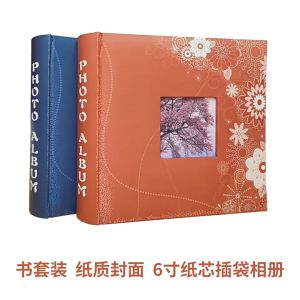
6-inch 4R Christmas Photo Album 200 Pockets
![Ibywind For Samsung Galaxy Z Fold4 5G Screen Protetorwith 2 Pcs Tempered Glass1 Pc Camera Lens Protector1 Pc Backing Carbon Fiber Film [Fingerprint ReaderEasy to install]](https://img.lazcdn.com/g/ff/kf/S62588015199a41a3955198892f6c787cv.jpg_300x300q80.jpg)
Ibywind For Samsung Galaxy Z Fold4 5G Screen Protetorwith 2 Pcs Tempered Glass1 Pc Camera Lens Protector1 Pc Backing Carbon Fiber Film [Fingerprint ReaderEasy to install]

Network Splitter for Ethernet: A Comprehensive Guide\\n\\n Introduction to Network Splitters\\n\\n What is a Network Splitter?\\n\\nA network splitter is a device that allows you to distribute a single Ethernet connection to multiple devices. This is particularly useful if you have limited ports available on your router or switch and want to extend your network coverage. In this comprehensive guide, we will explore the different types of network splitters, how they work, and how to choose the right one for your needs.\\n\\n How Does a Network Splitter Work?\\n\\nNetwork splitters function by taking a single Ethernet connection and splitting it into multiple outputs. This allows you to connect several devices to a single network port, effectively extending your network coverage. There are two main types of network splitters: passive and active. Passive splitters rely solely on the signal strength of the incoming connection, while active splitters amplify the signal to maintain optimal performance across all connected devices.\\n\\n Types of Network Splitters\\n\\nThere are several types of network splitters available, including:\\n\\n- **RJ45 Splitter 1 in 4:** This type of splitter takes a single Ethernet connection and splits it into four outputs, allowing you to connect up to four devices to a single network port.\\n- **Gigabit Ethernet Splitter:** These splitters support speeds up to 1 Gbps, making them ideal for high-speed internet connections and demanding applications such as gaming or video streaming.\\n- **100M 1000M Splitter:** This type of splitter supports both 100 Mbps and 1 Gbps connections, providing flexibility for various network environments.\\n\\n Choosing the Right Network Splitter\\n\\n Key Features to Consider\\n\\nWhen selecting a network splitter, consider the following key features:\\n\\n- **Number of Outputs:** Determine how many devices you want to connect to a single network port.\\n- **Speed:** Choose a splitter that supports the desired speed of your internet connection.\\n- **Compatibility:** Ensure the splitter is compatible with your existing network setup and devices.\\n\\n Differences Between 100M & 1000M Splitter\\n\\nThe main difference between a 100M and a 1000M splitter lies in their supported speeds. A 100M splitter supports connections up to 100 Mbps, while a 1000M splitter supports connections up to 1 Gbps. If you have a high-speed internet connection, a 1000M splitter would be the better choice to ensure optimal performance.\\n\\n Gigabit Ethernet Splitter vs. RJ45 Splitter 1 in 4\\n\\nA Gigabit Ethernet splitter and an RJ45 splitter 1 in 4 differ primarily in their supported speeds and number of outputs. A Gigabit Ethernet splitter supports connections up to 1 Gbps and can have varying numbers of outputs depending on the model. An RJ45 splitter 1 in 4, on the other hand, splits a single Ethernet connection into four outputs and typically supports speeds up to 100 Mbps or 1 Gbps, depending on the model.\\n\\n How to Use a Network Splitter\\n\\n Connecting a Network Splitter to Your PC or Laptop\\n\\nTo connect a network splitter to your PC or laptop, follow these steps:\\n\\n1. Connect one end of an Ethernet cable to the input port of the network splitter.\\n2. Connect the other end of the Ethernet cable to a network port on your router or switch.\\n3. Connect the output ports of the network splitter to your desired devices using Ethernet cables.\\n\\n Setting Up a Network Splitter for Multiple Devices\\n\\nTo set up a network splitter for multiple devices, follow these steps:\\n\\n1. Connect one end of an Ethernet cable to the input port of the network splitter.\\n2. Connect the other end of the Ethernet cable to a network port on your router or switch.\\n3. Connect the output ports of the network splitter to your desired devices using Ethernet cables.\\n\\n Troubleshooting Common Issues with Network Splitters\\n\\nIf you encounter issues with your network splitter, try the following troubleshooting steps:\\n\\n- **Check Connections:** Ensure all Ethernet cables are securely connected to the network splitter and devices.\\n- **Restart Devices:** Restart your router, switch, and connected devices to refresh their network connections.\\n- **Check Network Settings:** Verify that the network settings on your devices are configured correctly.\\n\\n Conclusion\\n\\n Recap of Key Points\\n\\nIn this comprehensive guide, we explored the different types of network splitters, how they work, and how to choose the right one for your needs. We discussed key features to consider when selecting a network splitter, differences between 100M and 1000M splitters, and the distinctions between Gigabit Ethernet splitters and RJ45 splitters 1 in 4. We also provided step-by-step instructions for connecting a network splitter to your PC or laptop, setting up a network splitter for multiple devices, and troubleshooting common issues.\\n\\n Final Thoughts on Network Splitters\\n\\nNetwork splitters are a valuable tool for extending your network coverage and connecting multiple devices to a single network port. By understanding the different types of network splitters and their capabilities, you can choose the right one for your needs and enjoy a seamless networking experience.\n}
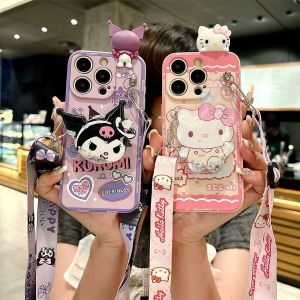
Cartoon Star Clow M for Oppo Reno 12 11 10 9 8 7 6 5 4 3 2 Z Phone Case Reno6pro All-Inclusive + Hello Kitty Reno10x Lying Drop-Resistant Protective Cover
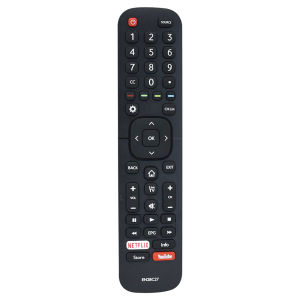
Dévant Hisense smart tv remote control Original EN2BC27 EN2BC27D For Hisense LCD TV Remote Control Fernbedienung 50K303/ 55K303V2 43A5605/ 39A5605/ 32A5605/ 32E5600/ 43E5600/ 40E5600 32LTV900 39LTV900 43LTV900 50LTV800 55LTV800 32STV101 43STV101 40STV101
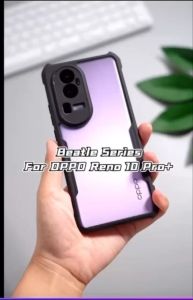
OPPO RENO 6 5G / 6Z / RENO 5 5G / RENO 5 4G / RENO 4 / RENO 2F 2Z / RENO 7 5G / RENO 7Z 5G / RENO 8Z 5G / RENO 8 5G / RENO 8T / RENO 10 / RENO 10 PRO / RENO 11 PRO Case XUNDD Beatle Series Airbag Shockproof Case
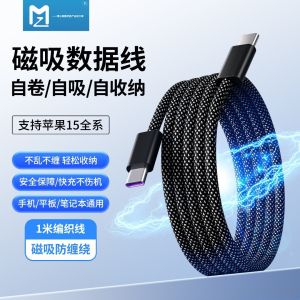
Magnetic Absorption Easy Storage PD Fast Charge Android Type-C Data Cable Mobile Phone Charging Line USB Connecting Line
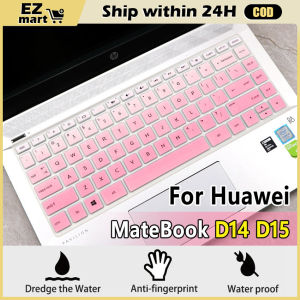
Fast Shipping Laptop Keyboard Protector: Huawei Matebook D14 D15 Keyboard Cover 2020 2021
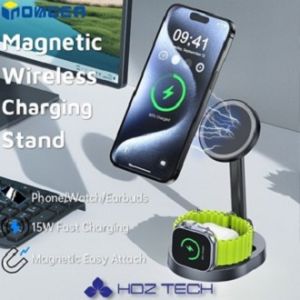
INOVAGEN Magsafe Wireless Charging Stand 15W Fast Charging StationAlloy Magsafe Attach Desk HolderPhoneSmartWatchEarbuds Desk Charging Dock

RGB Headset Earpad Replacement: A Comprehensive Guide
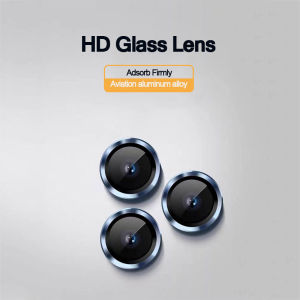
Tempered Glass Metal Ring Camera Lens Screen Protector film For iPhone 11/12/13/14/15 16 Pro Max Plus Phone Rear Lens Protective Film