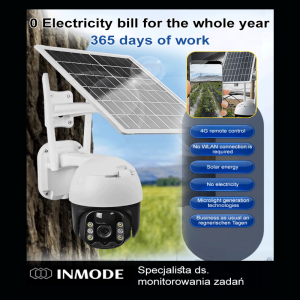
8MP HD 4G SIM CCTV Camera: A Comprehensive Guide
8MP HD 4G SIM CCTV Camera: A Comprehensive Guide
What is the 8MP HD 4G SIM CCTV Camera?
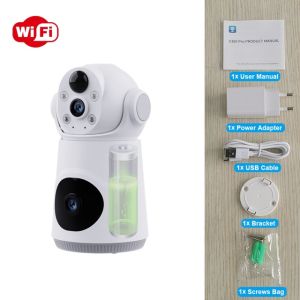
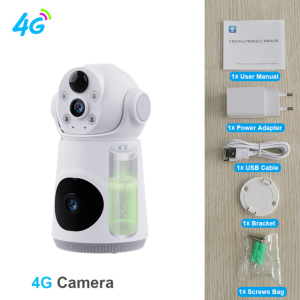
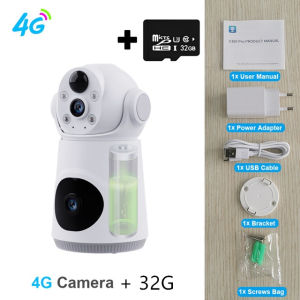
The 8MP HD 4G SIM CCTV Camera is a dual-lens security camera that offers 8 megapixels of high-definition video quality, along with infrared night vision capabilities and mobile tracking features. This wireless CCTV camera provides both Wi-Fi and 4G SIM connectivity options, making it versatile and convenient for home surveillance needs. It supports battery power and comes with a comprehensive set of accessories, including a power adapter, user manual, bracket, mounting screws, and a bag.
Key Features & Specifications
- Resolution: 8 megapixels
- Video Quality: High-definition (HD)
- Connectivity: Wi-Fi/4G SIM
- Night Vision: Infrared night vision
- Mobile Tracking: Compatible with mobile devices
- Battery Power: Battery-powered operation
- Dual Lens: Dual-lens camera system
Included Accessories
- 1* Camera
- 1* Power Adapter
- 1* User Manual
- 1* Bracket
- 1* Mounting Screws
- 1* Bag
How to Install & Set Up Your New Security Camera
Connecting to Wi-Fi/4G SIM
To connect your 8MP HD 4G SIM CCTV Camera to Wi-Fi or 4G SIM, follow these steps:
- Power on the camera using the power adapter or battery.
- Connect the camera to your Wi-Fi network by accessing the settings menu on your mobile device or computer.
- Alternatively, insert a compatible 4G SIM card into the camera and ensure that it has sufficient data and signal strength.
Positioning & Mounting the Camera
Position your camera strategically to cover the desired surveillance area. Mount the camera using the included bracket and screws, ensuring it is securely fastened and stable. Consider factors like lighting conditions, potential obstructions, and desired field of view when positioning the camera.
Maximizing Your Security Camera's Performance
Enhancing Night Vision & Low-Light Visibility
To improve night vision and low-light visibility, adjust the camera's settings to optimize its infrared capabilities. This may include increasing the sensitivity of the infrared sensors or adjusting the exposure time. Additionally, consider the placement of the camera to minimize shadows and maximize illumination.
Setting Up Motion Detection Alerts
Motion detection alerts allow you to receive notifications when movement is detected within the camera's field of view. To set up motion detection alerts:
- Access the camera's settings menu on your mobile device or computer.
- Enable motion detection and customize the sensitivity levels according to your preferences.
- Configure notification settings to receive alerts via email, SMS, or push notifications.
Recording & Playback Capabilities
Record and playback video footage using the camera's built-in storage or by connecting it to an external storage device. Manage recorded footage by organizing it into folders, setting up automatic backups, and configuring retention policies. Playback recorded video to review past events and analyze security incidents.
Troubleshooting Common Issues
Connectivity Problems
If you experience connectivity issues, try the following troubleshooting steps:
- Restart the camera and your Wi-Fi/4G network.
- Check for firmware updates and install any available updates.
- Verify that the camera is within range of the Wi-Fi/4G network and has a strong signal.
Image Quality Concerns
If you encounter image quality issues, try the following troubleshooting steps:
- Adjust the camera's settings to optimize exposure, contrast, and sharpness.
- Clean the camera lens to remove any dirt or debris.
- Check the camera's position and angle to ensure optimal lighting conditions.
System Updates & Maintenance
Regularly update the camera's firmware to ensure it remains compatible with the latest software and security features. Perform routine maintenance tasks, such as cleaning the camera lens and checking the camera's position, to maintain optimal performance.
In conclusion, the 8MP HD 4G SIM CCTV Camera offers a comprehensive solution for home surveillance needs. With its high-definition video quality, infrared night vision capabilities, and mobile tracking features, this dual-lens security camera provides reliable protection for your home. Follow the installation and setup instructions, maximize the camera's performance, and troubleshoot common issues to ensure optimal functionality.

V380 Camera Factory Store
You May Also Like
BekinTek Full Color 4K Enhanced Night Vision Goggles: A Comprehensive Guide
2025NEW 4G Solar Camera 4MP IP Camera Outdoor Waterproof Surveillance CCTV Video Home Security Solar Panel IP camera V360pro
BUY 1 TAKE 1 V380 Pro 5G 8MP Dual Lens Dual Screens Outdoor CCTV Camera
A9 Mini Camera CCTV 1080P HD Camera Webcam Wifi Wireless Surveillance Ip Camera Spy Hidden Cam
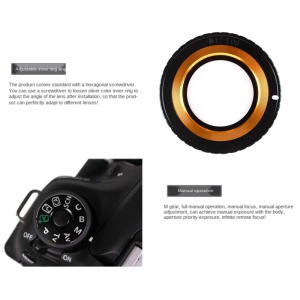
Aluminum Alloy Lens Mount Adapter for M42 Lens to Camera Such as EF 5DIII 5DII 5D 6D 7D 60D and More

tp-link Tapo C200C Pan/Tilt Home Security Wi-Fi Camera | TP-Link Tapo by EJD
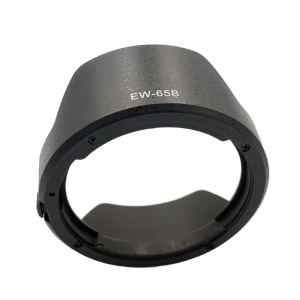
Universal Snug EW-65B Lens Shade Replacement For RF50mm With Thread Extinction Interior

80x80 Night Vision Binoculars | High-Power Long-Range Telescope | Waterproof & for Outdoor Use
Xiaomi Smart Camera C100 3MP full colour in low light Indoor Smart Camera
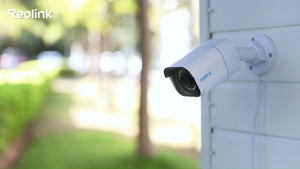
Reolink P330 4K 8MP PoE IP Bullet CCTV Security Camera Ultra HD Color Night Vision Detection
8mm Single Lens Industrial Endoscope 1080P 4.3inch IPS LCD Digital Inspection Camera With 8 LED For Car Sewer Checking