3D Printing Pen Digital DIY Drawing Pen: A Safe & Fun Gift for Kids
3D Printing Pen Digital DIY Drawing Pen: A Safe & Fun Gift for Kids
What is a 3D Printing Pen?
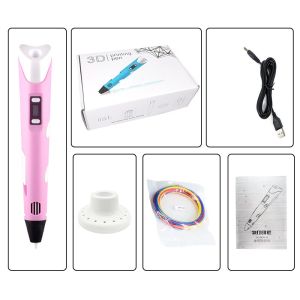
A 3D printing pen, also known as a digital DIY drawing pen, is a handheld device that enables users to draw three-dimensional objects by melting and extruding plastic filament. These pens are a fantastic gift for children interested in creative arts and technology, offering a unique and engaging way to learn and play.
Key Features of the 3D Pen
- LCD Screen: Our 3D pen comes equipped with a user-friendly LCD screen that allows you to adjust settings and monitor filament levels easily.
- Compatible Filament: Our pen supports various types of filament, making it easy to find the perfect material for your projects.
- Safety: Our pen is designed with safety in mind, featuring a low-temperature setting that ensures it remains safe for kids to use.
Benefits of Using a 3D Pen
- Creativity: 3D pens inspire creativity by allowing users to bring their ideas to life in a tangible form.
- STEM Education: 3D pens provide a hands-on learning experience that enhances critical thinking, problem-solving, and spatial awareness skills.
- Fun: 3D pens are a fun way to spend time with friends and family, fostering social interaction and collaboration.
How to Choose the Right 3D Pen for Your Child
When selecting a 3D pen for your child, consider the following factors:
- Safety: Look for a pen with a low-temperature setting and ergonomic design to ensure it remains safe for kids to use.
- Compatibility: Check that the pen supports various types of filament to offer flexibility in project creation.
- Ease of Use: Opt for a pen with an intuitive interface and user-friendly controls to make it easy for kids to use.
Safe 3D Pens for Kids
Our Digital DIY Drawing Pen is a safe and fun option for kids, featuring a low-temperature setting that ensures it remains safe for children to use.
Getting Started with Your 3D Pen
Follow these steps to set up and use your 3D pen:
Setting Up Your 3D Pen
- Unpack the pen and all included components.
- Connect the USB cable to charge the pen.
- Insert the filament into the pen, following the manufacturer's instructions.
How to Use the LCD Screen & Compatible Filament
- Adjust Settings: Use the LCD screen to adjust settings such as temperature and extrusion speed.
- Monitor Filament Levels: Keep an eye on the LCD screen to monitor filament levels and refill as needed.
- Select Filament: Choose the appropriate filament type for your project, considering factors such as color, transparency, and flexibility.
Basic Tips for Using a 3D Pen
- Start Slow: Practice drawing simple shapes before attempting more complex designs.
- Experiment: Try different techniques and materials to discover what works best for you.
- Have Fun: Remember, the most important thing is to enjoy the creative process!
Fun Projects to Try with Your 3D Pen
Get inspired by these creative ideas for kids:
- Build a Miniature City: Design and construct buildings, roads, and landmarks using different colors and materials.
- Create a Customized Phone Case: Personalize your phone case with unique designs and patterns.
- Make a Jewelry Piece: Design and create custom jewelry pieces, such as necklaces, bracelets, and earrings.
Educational Benefits of Using a 3D Pen
Using a 3D pen can help develop critical thinking, problem-solving, and spatial awareness skills, making it an excellent tool for STEM education.
Why the Digital DIY Drawing Pen is the Perfect Gift for Kids
Why Choose the Digital DIY Drawing Pen?
Our Digital DIY Drawing Pen is a safe, fun, and educational gift for kids, offering a unique and engaging way to learn and play.
Why Parents Love the Digital DIY Drawing Pen
Parents love our Digital DIY Drawing Pen because it encourages creativity, promotes STEM education, and provides a fun way for kids to spend time with friends and family.

MagicalHouse
Review

You May Also Like
![[COD] folp LTP01-245-11 LTP01-245-01 LTP01-245-08 Thermal print head for receipt printing](https://img.lazcdn.com/g/p/83ea922e0a57b47537992cb60fea24c2.jpg_300x300q80.jpg)
[COD] folp LTP01-245-11 LTP01-245-01 LTP01-245-08 Thermal print head for receipt printing
![[1 Year Warranty] 6 in1 Multifunction Heat Press Machine mini printer for T-Shirt / Mug / Plate / Capprinter for small business](https://img.lazcdn.com/g/ff/kf/S3f86d653edf34f22828bb12b7dcc6b5eT.jpg_300x300q80.jpg)
[1 Year Warranty] 6 in1 Multifunction Heat Press Machine mini printer for T-Shirt / Mug / Plate / Capprinter for small business
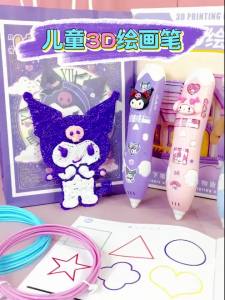
Kuromi 3D Printing Pen Set DIY Low-Temperature Brush Toy Multi-Functional Painting Pen Gifts Toy

SQUID INK RIBBON ERC-38/ERC-34/ERC-30 Epson RIbbon Ink
Sharp MX235FT Toner Cartridge for use and Compatible with AR-5618 MX235FT MX236FT AR5620 1808 2008 5623 Toner
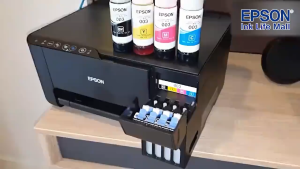
Epson 003 Ink Bottle 65ml (L1210/3200/3201/3210/3250/5290)
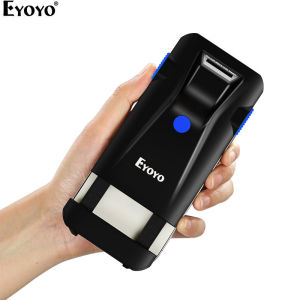
Eyoyo 2D Barcode Scanner: A Comprehensive Guide
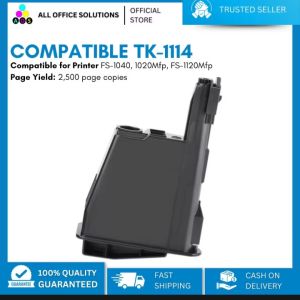
AOS Compatible Kyocera Toner TK1114 & TK1112: An In-depth Guide
Handheld Labels Printer Cartridge: Eco Solvent-Based Fast Dry Ink Cartridge
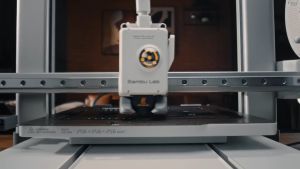
Bambu Lab AMS lite - Automatic Material System for A1 Series 3D Printer
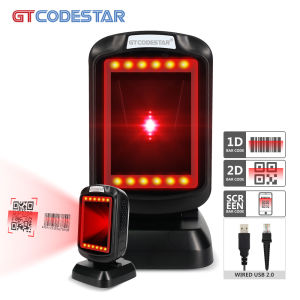
GTCODESTAR GT-9208 Wired Desktop Automatic Scan 2D Barcode Scanner Omnidirectional Qr Bar code Reader Scanners for Shop Supermarket