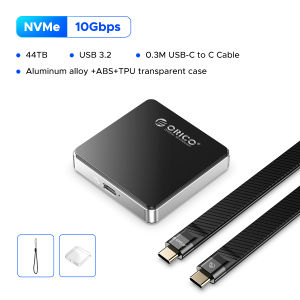
ORICO M.2 2230 NVMe SSD Enclosure With USB C 3.2 Gen2 Type-C 10Gbps to NVMe PCI-E Adapter Aluminum External SSD Case
ORICO M.2 2230 NVMe SSD Enclosure With USB C 3.2 Gen2 Type-C 10Gbps to NVMe PCI-E Adapter Aluminum External SSD Case
What is the ORICO M.2 2230 NVMe SSD Enclosure?
The ORICO M.2 2230 NVMe SSD Enclosure is a compact and high-speed solution designed to house and connect your M.2 2230 NVMe SSDs. This aluminum external SSD case comes equipped with a USB C 3.2 Gen2 Type-C adapter, offering a 10Gbps NVMe PCI-E connection. This enclosure provides a convenient way to expand storage capacity and improve data transfer speeds.
Key Features
- Compact design for easy portability
- Aluminum external SSD case for durability and heat dissipation
- USB C 3.2 Gen2 Type-C adapter with 10Gbps NVMe PCI-E connection
- Supports M.2 2230 NVMe SSDs
Compatibility & Connectivity
The ORICO M.2 2230 NVMe SSD Enclosure is compatible with M.2 2230 NVMe SSDs, offering a versatile storage solution for various devices. It connects via USB C 3.2 Gen2 Type-C port, providing a fast and reliable connection for transferring data.
How to Choose the Right ORICO M.2 2230 NVMe SSD Enclosure
When selecting the right ORICO M.2 2230 NVMe SSD Enclosure, consider the following factors:
- Considerations for Your Needs: Evaluate your specific requirements, such as storage capacity, transfer speed, and portability. This will help you choose the most suitable enclosure for your needs.
- Comparing Different Models: Compare various ORICO M.2 2230 NVMe SSD Enclosures available in the market. Pay attention to features like compatibility, connectivity, and design to find the best option for your requirements.
How to Install & Set Up Your ORICO M.2 2230 NVMe SSD Enclosure
Follow these steps to install and set up your ORICO M.2 2230 NVMe SSD Enclosure:
- Step-by-Step Guide
- Place the M.2 2230 NVMe SSD inside the aluminum external SSD case.
- Connect the USB C 3.2 Gen2 Type-C adapter to your device.
- Connect the enclosure to your computer or compatible device via the USB C port.
- Follow the on-screen instructions to initialize and format the drive if necessary.
- Troubleshooting Common Issues
- Ensure proper connections and compatibility between the enclosure and your device.
- Check for firmware updates and drivers for optimal performance.
- If experiencing issues, consult the ORICO support documentation or contact customer service for assistance.
Benefits of Using the ORICO M.2 2230 NVMe SSD Enclosure
Using the ORICO M.2 2230 NVMe SSD Enclosure offers several advantages:
- Enhanced Performance & Speed: With a 10Gbps NVMe PCI-E connection, this enclosure provides faster data transfer speeds compared to traditional storage solutions.
- Increased Portability & Convenience: The compact design and aluminum external SSD case make it easy to transport and use the enclosure with various devices.
- Cost-Effective Storage Solution: By utilizing existing M.2 2230 NVMe SSDs, this enclosure offers a cost-effective way to expand storage capacity and improve performance.

OricoCN
Review
You May Also Like

32GB USB with GRENDIZER UFO Mecha Robot Anime Series Complete 74 Episodes with English Subtitles with Free Surprise Gift & OTG Connector
Seagate Original 1TB 2TB External hard drive One Touch with Password USB3.0 Free Rescue Data Recovery With warranty service

Yoobao A-L01 USB-A Female to Lightning Male OTG Adapter High Quality with Lanyard For Apple Devices
Seagate External Hard Drive Expansion 2.5 Inch USB3.0 HDD 2TB/1TB Portable Hard Disk For Mac And Windows With Password
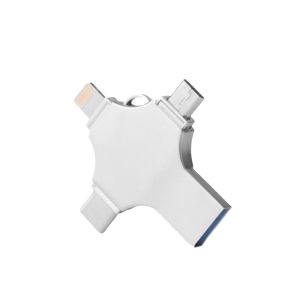
Four-In-One USB Flash Drive: A Comprehensive Guide
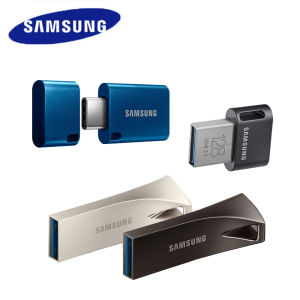
SAMSUNG BAR/FIT/Plus USB 3.1 Flash Drive 256GB 128GB 64GB USB Type-C Metal Pen Drive USB3.1 Memory Stick Storage Device U Disk
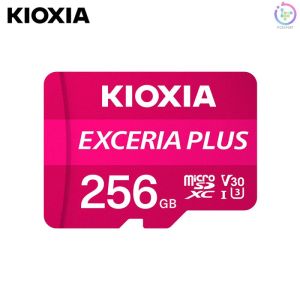
Readystock+FREE Shipping+COD KIOXIA Exceria Plus MicroSD C10 U3 Class R100/W85 w/Sd Adapter (16gb/32gb/64gb/128gb/256gb)
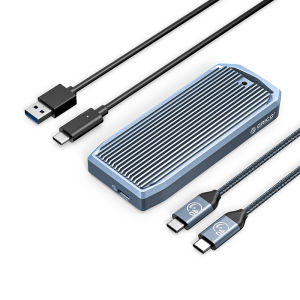
ORICO M2 SSD Case 40Gbps NVME Enclosure M.2 to USB 4.0 Type C 4.0 USB 3.0 SSD Adapter for NVME SSD Disk Box (M2V01)
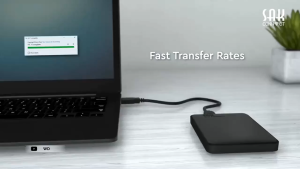
Western Digital External Hard Drive USB 3.0 HDD WD Elements Enclosure Portable 2.5" Hard Drive External Storage External Hard drive 1TB 2TB
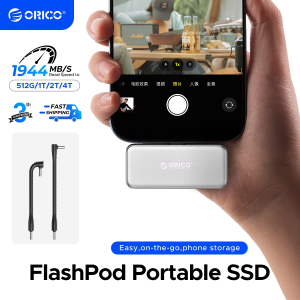
ORICO S20 FlashPod 1TB Portable SSD Up to 2000MB/s Direct Plug Design High-Speed External SSD with USB 3.2 Gen2x2 20Gbps
iPower Rotatable Wood 037J flashdrive Gift Usb 4GB AND 8GB PLAIN ONLY flash Drive Real Capacity