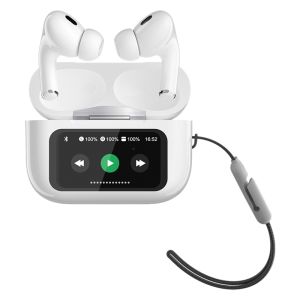
Wireless Earbuds Bluetooth Noise Cancelling Earphones With Touch Screen Earphone
Wireless Earbuds Bluetooth Noise Cancelling Earphones With Touch Screen Earphone
Introduction to Wireless Earbuds Bluetooth
Wireless earbuds Bluetooth have revolutionized the way we listen to music, podcasts, and audiobooks. These portable Bluetooth earphones offer unmatched convenience and flexibility, allowing users to enjoy their favorite audio content on the go. In this comprehensive guide, we will explore the key features of wireless earbuds Bluetooth, including noise cancelling earphones and touch screen earphones.
Key Features of Portable Bluetooth Earphones
- Bluetooth connectivity: The ability to connect wirelessly to various devices, such as smartphones, tablets, and laptops, using Bluetooth technology.
- Compact design: Small, lightweight earbuds that fit comfortably in your ears and are easy to carry around.
- Battery life: Long-lasting battery life, typically ranging from 4 to 8 hours per charge, depending on the model.
- Water resistance: Some models feature water-resistant properties, making them suitable for use during workouts or outdoor activities.
Understanding Comfortable Earbuds
Comfort is a crucial factor when choosing wireless earbuds Bluetooth. To ensure a comfortable listening experience, consider the following:
- Earbud size and shape: Choose earbuds that fit snugly in your ears, providing a secure and comfortable fit.
- Ear tips: Opt for earbuds with soft, silicone ear tips that conform to the shape of your ears, preventing discomfort and ear fatigue.
- Noise isolation: Earbuds with good noise isolation can help block out external sounds, enhancing the listening experience and reducing ear fatigue.
How to Choose the Best Touch Screen Earphone
When selecting a touch screen earphone, consider the following factors:
- Touch controls: Look for earbuds with intuitive touch controls that allow you to easily navigate audio playback, adjust volume, and access voice assistants.
- Battery life: Choose earbuds with a long-lasting battery life to minimize the need for frequent charging.
- Sound quality: Opt for earbuds with high-quality sound reproduction, including good bass response, clear midrange, and crisp treble.
Comparing Different Brands and Models
To help you choose the best touch screen earphone, compare different brands and models based on the following criteria:
- Price: Determine your budget and select earbuds within your price range.
- Features: Compare the features offered by different brands and models, such as battery life, sound quality, and touch controls.
- User reviews: Read user reviews to gain insights into the performance and reliability of different earbuds.
Setting Up Your Wireless Earbuds Bluetooth
To set up your wireless earbuds Bluetooth, follow these steps:
- Pairing your earphones with devices: Connect your earbuds to your device using Bluetooth technology. Refer to the user manual for specific instructions.
- Configuring touch controls: Customize your touch controls to suit your preferences. Consult the user manual for guidance on configuring touch controls.
Enhancing Your Listening Experience
To optimize your listening experience, consider the following tips:
- Optimizing sound quality: Adjust the equalizer settings on your device to enhance the sound quality of your earbuds. Experiment with different settings to find the best balance of bass, midrange, and treble.
- Utilizing noise cancelling technology: If your earbuds feature noise cancelling technology, activate it to block out external sounds and improve the listening experience.
Troubleshooting Common Issues
If you encounter connectivity problems or sound quality concerns, try the following solutions:
- Dealing with connectivity problems: Restart both your earbuds and device, and ensure they are within range of each other. If the problem persists, consult the user manual for troubleshooting tips.
- Addressing sound quality concerns: Adjust the equalizer settings on your device to improve sound quality. If the issue continues, refer to the user manual for further guidance.

YBH Philippines
Review

You May Also Like
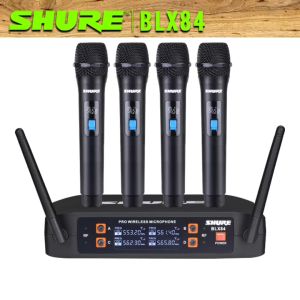
Shure BLX84: The Ultimate Original Branded UHF Wireless Microphone\\n\\n Introduction\\n\\nThe Shure BLX84 is a top-of-the-line, original branded wireless microphone designed for professional use. This heavy-duty UHF wireless microphone offers exceptional sound quality, reliability, and durability, making it perfect for various applications, including live performances, conferences, and broadcasting.\\n\\n Key Features & Benefits\\n\\n- **Superior Sound Quality**: The Shure BLX84 delivers crystal-clear audio with minimal noise and distortion.\\n- **Reliable Performance**: With its robust design and durable build, this microphone ensures seamless operation even under challenging conditions.\\n- **Easy Setup**: The Shure BLX84 comes with an intuitive setup process, allowing users to quickly configure the system and get started.\\n- **Wide Frequency Range**: This UHF wireless microphone offers a broad frequency range, ensuring minimal interference and optimal performance.\\n\\n How to Choose the Right Wireless Microphone for Professional Use\\n\\nWhen selecting a wireless microphone for professional use, consider the following factors:\\n\\n- **Type of Wireless Microphone**: Understand the differences between handheld, lavalier, and headworn microphones to choose the right type for your application.\\n- **Frequency Range**: Opt for a microphone with a wide frequency range to minimize interference and ensure reliable performance.\\n- **Battery Life**: Consider the battery life of the microphone to avoid unexpected power loss during critical moments.\\n- **Range**: Ensure that the microphone has sufficient range to cover the intended area without compromising sound quality.\\n\\n Comparing Shure BLX84 with Other Heavy Duty Wireless Microphones\\n\\nCompared to other heavy-duty wireless microphones, the Shure BLX84 stands out due to its superior sound quality, robust design, and ease of use. Its wide frequency range and reliable performance make it an ideal choice for professionals seeking a high-quality wireless microphone.\\n\\n Setting Up Your Shure BLX84 Wireless Microphone System\\n\\nFollow these steps to set up your Shure BLX84 wireless microphone system:\\n\\n1. Unpack the microphone and receiver.\n2. Connect the receiver to a power source.\n3. Turn on the receiver and microphone.\n4. Pair the microphone with the receiver using the LCD display.\n5. Adjust the settings according to your preferences.\n6. Test the microphone to ensure proper operation.\\n\\n Tips for Optimizing Performance\\n\\nTo optimize the performance of your Shure BLX84 wireless microphone system:\\n\\n- Place the receiver in a central location to maximize range and minimize interference.\n- Use high-quality batteries to ensure long-lasting power.\n- Regularly check and clean the microphone to maintain optimal sound quality.\n- Keep the microphone and receiver away from potential sources of interference, such as other electronic devices.\\n\\n Maintaining & Troubleshooting Your Shure BLX84 Wireless Microphone\\n\\nTo keep your Shure BLX84 wireless microphone in top condition, follow these maintenance tips:\\n\\n- Clean the microphone regularly using a soft, lint-free cloth.\n- Store the microphone in a dry, cool place when not in use.\n- Replace batteries promptly to avoid power loss during critical moments.\\n\\n Troubleshooting Common Issues\\n\\nIf you encounter any issues with your Shure BLX84 wireless microphone, try the following troubleshooting steps:\\n\\n- Check the battery level and replace if necessary.\n- Verify that the microphone and receiver are properly paired.\n- Adjust the settings to ensure optimal performance.\n- If the problem persists, consult the user manual or contact Shure support for assistance.\\n\\n Conclusion\\n\\nThe Shure BLX84 is an excellent choice for professionals seeking a reliable, high-quality wireless microphone. With its superior sound quality, robust design, and ease of use, this heavy-duty UHF wireless microphone is perfect for various applications, including live performances, conferences, and broadcasting.\"\n}

G2000 Professional Gaming Stereo Sound Bass Noise Reduction In-Ear Wired Earphone
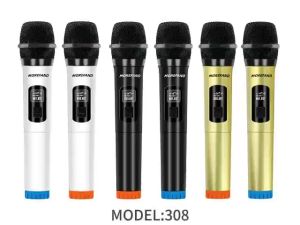
308V1-S/308V2-SUHF wireless na mikropono Plug and Play 6.5MM 50M na distansya ng pagtanggap 700mhz
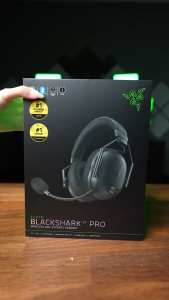
Razer BlackShark V3 Pro - Wireless Active Noise Cancelling ANC Esports Headset
ZK-TB21 Wireless 2.1 Channel Digital Amplifier – High Power Subwoofer Compact & High Quality
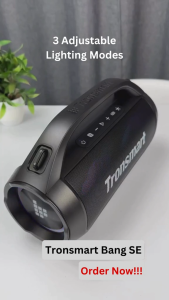
Tronsmart Bang SE 40W Portable Party Speaker Ultra Portable Stereo Pairing Flare Up Party IPX6 Waterproof Bluetooth 5.3 Voice Assistant Support Siri Cortana Google Assistant 3 Lighting Modes Party Box Bluetooth Speaker With Handle & Detachable Strap - VMI

P47 Wireless Bluetooth Headphones Good Quality On-Ear Headphone Headset Stereo Radio Bluetooth FM radio AUX po
NEW JBL Harman VM-8000 Professional Dual Wireless Handheld Microphone With Rechargerable Battery For Karaoke
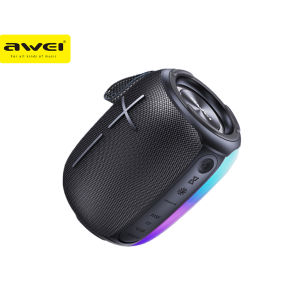
Awei Y525 Portable Outdoor Wireless Bluetooth Speaker with RGB Lights IPX6 Waterproof Support TF Card/AUX/U-Disk
BS-36 Bluetooth Speaker Home Theater Multi-function Bluetooth Soundbar Speaker Support Foldable and Split for TV PC Smartphone
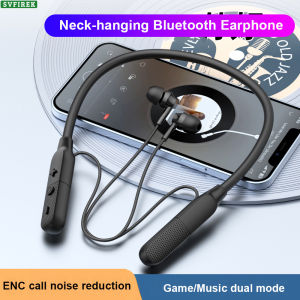
Y9 Bluetooth Earphone Wireless Earphones 9D Stereo Sound Headphone Sport Headphones Long Battery Life Headset Bluetooth5.4