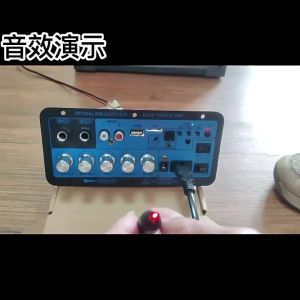
ZK-MT21: A Comprehensive Guide to 2.1 Channel Bluetooth 5.0 Subwoofer Amplifier
ZK-MT21: A Comprehensive Guide to 2.1 Channel Bluetooth 5.0 Subwoofer Amplifier
What is the ZK-MT21?
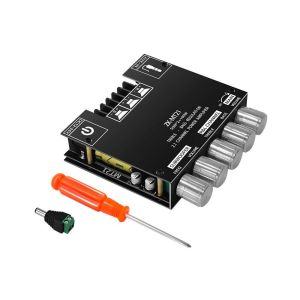
The ZK-MT21 is a cutting-edge 2.1 channel Bluetooth 5.0 subwoofer amplifier board that offers exceptional audio performance and convenience. This powerful audio component is designed to deliver a rich, immersive listening experience by combining a 50Wx2+100W power amplifier with a stereo board bass. As a result, the ZK-MT21 is perfect for audiophiles, gamers, and anyone looking to enhance their home entertainment system.
Key Features & Specifications
- 50Wx2+100W Power Amplifier: The ZK-MT21 features a powerful amplifier capable of driving two 50W speakers and a 100W subwoofer, providing a robust sound output that fills any room.
- 2.1 Channel Audio Board: This audio board supports both left and right channels for stereo sound, along with a dedicated subwoofer channel for deep, resonant bass.
- Stereo Board Bass: The ZK-MT21 delivers a rich, immersive listening experience by combining a powerful subwoofer with stereo sound.
- Bluetooth 5.0 Subwoofer Amplifier: Connect wirelessly to your Bluetooth-enabled devices and enjoy seamless audio streaming with minimal latency.
How It Compares to Other Models
The ZK-MT21 stands out from other audio components on the market thanks to its impressive power output, Bluetooth connectivity, and user-friendly interface. Its 50Wx2+100W power amplifier ensures a robust sound output, while its Bluetooth 5.0 connectivity allows for seamless wireless audio streaming. Additionally, the ZK-MT21's user-friendly interface makes it easy to configure and control, even for those who are not tech-savvy.
Setting Up Your ZK-MT21
Connecting to Your Devices
To get started with your ZK-MT21, simply connect it to your devices via Bluetooth or audio cables. The ZK-MT21 supports both wireless and wired connections, giving you the flexibility to choose the setup that works best for you.
Configuring the Audio Settings
Once connected, you can configure the audio settings to suit your preferences. The ZK-MT21 offers a range of settings, including volume control, bass boost, and equalizer presets, allowing you to fine-tune the sound output to your liking.
Troubleshooting Common Issues
If you encounter any issues with your ZK-MT21, consult the troubleshooting guide included in the user manual. This guide covers common issues and provides step-by-step solutions to help you resolve them quickly and easily.
Maximizing Your Experience with the ZK-MT21
Optimizing Sound Quality
To get the most out of your ZK-MT21, it's essential to optimize the sound quality by configuring the audio settings and placing the speakers and subwoofer in the optimal positions. Experiment with different settings and placements to find the perfect balance of clarity, depth, and volume.
Enhancing Your Listening Environment
Creating the ideal listening environment is crucial for maximizing the performance of your ZK-MT21. Consider factors such as room acoustics, speaker placement, and seating arrangements to ensure the best possible sound quality.
Exploring Additional Features
In addition to its impressive audio capabilities, the ZK-MT21 offers a range of additional features that enhance the overall user experience. These include customizable equalizer presets, bass boost, and more, allowing you to tailor the sound output to your preferences and create a truly personalized listening experience.

Spot Welder & Amplifier
Review
You May Also Like

QIXI SK-2063 RGB Ergonomic Design High Quality Sound V5.0 with 2 Wireless Microphone Bluetooth Karaoke Speaker
Ultimate Guide to Wireless Karaoke Speaker & Mic

Wireless Microphone 108V1-S/108V2-S UHF Charging Microphone: A Comprehensive Guide
PORTABLE BLUETOOTH SPEAKER MINI KARAOKE WIRELESS MIC

ODNUM 10 Hours Battery Life Portable Bluetooth Speaker: A Waterproof Outdoor Companion
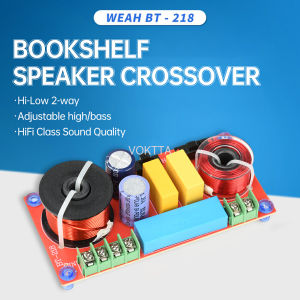
150W HiFi Bookshelf Speaker Crossover - Adjustable 2-Way High/Low Frequency Divider for Audiophile Systems
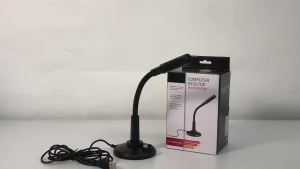
RAYHAYES USB Desktop Microphone PC Laptop Computer Mic for Computer Gaming Record Meeting Recording
Audio-Technica ATH-M30x: A Guide to Professional Studio Monitor Headphones
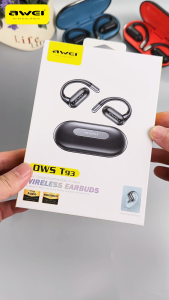
Awei T93 OWS Open Ear Earbuds Bluetooth 5.4 Ear Hook Wireless Earphone 40H Long Standby Heavy Bass ENC Noise Cancelling IPX6 Waterproof Headphone With Mic for Sports Running
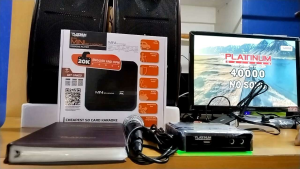
Platinum KS-10 Mini SD Card Karaoke Player: The Ultimate Home Entertainment Device
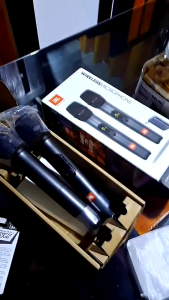
NEW CLEAR SOUND Wireless Microphone With Free Microphone Storage Box Wireless two microphone system