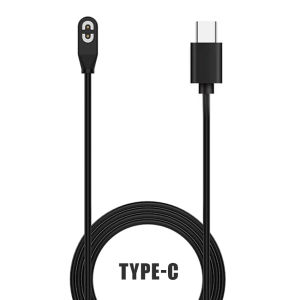
Shokz Charging Cable for Aeropex / OpenRun / OpenRun Pro Charging Cable Compatible for SHOKZ Aeropex AS800 ASC100SG AS810 Bone Conduction Headphone Charging Plug Line
Shokz Charging Cable for Aeropex / OpenRun / OpenRun Pro Charging Cable Compatible for SHOKZ Aeropex AS800 ASC100SG AS810 Bone Conduction Headphone Charging Plug Line
Introduction to Shokz Charging Cable
Bone conduction headphones have become increasingly popular among sports enthusiasts and music lovers alike. Shokz, a leading brand in this space, offers a range of bone conduction headphones like the Aeropex, OpenRun, and OpenRun Pro. To ensure that these devices stay charged and ready for use, it's essential to have a reliable charging cable. In this comprehensive guide, we will explore the features, benefits, compatibility, and usage of the Shokz charging cable.
Key Features of Shokz Charging Cable
The Shokz charging cable is designed specifically for their bone conduction headphones, ensuring optimal performance and compatibility. Some of its key features include:
- Durable construction for long-lasting use
- Compact design for easy storage and portability
- Quick-charging capabilities to keep your headphones powered up
Benefits of Using Shokz Charging Cable
Using the Shokz charging cable provides numerous advantages over generic alternatives. By opting for a charging cable designed specifically for your bone conduction headphones, you can expect:
- Enhanced charging efficiency
- Better protection against damage
- Faster recharging times
How to Use Shokz Charging Cable
To ensure a seamless charging experience, follow these step-by-step instructions:
- Connect one end of the Shokz charging cable to your bone conduction headphones' charging port.
- Plug the other end of the cable into a power source, such as a wall adapter or USB port.
- Wait for the charging indicator light on your headphones to turn green, indicating a successful connection.
- Allow sufficient time for your headphones to charge fully before disconnecting the cable.
Troubleshooting Common Issues with Shokz Charging Cable
If you encounter any issues while using the Shokz charging cable, try the following troubleshooting steps:
- Check if the charging port on your headphones is clean and free of debris.
- Ensure that the cable is properly connected to both the headphones and the power source.
- Verify that the power source is functioning correctly.
Compatibility & Accessories
The Shokz charging cable is compatible with various bone conduction headphones, including the Aeropex, OpenRun, and OpenRun Pro models. It is designed to work seamlessly with SHOKZ AS800, AS810, and ASC100SG devices.
In addition to the charging cable, there are several accessories available to enhance your bone conduction headphone experience:
- Replacement ear hooks
- Ear fins
- Travel pouches
Conclusion
To summarize, the Shokz charging cable is a reliable and efficient solution for keeping your bone conduction headphones charged and ready for use. By using this cable, you can enjoy enhanced performance, better protection, and faster recharging times. With its compatibility with various bone conduction headphones and the availability of additional accessories, the Shokz charging cable is an essential addition to any bone conduction headphone user's toolkit.

INPLAY Mart
Review
You May Also Like
High Quality DC 450V 5% Daikin Inverter Air Conditioner Capacitor P=28MM HFCMPS 20UF 1PC Induction Cooker Inverter Price Inverter Cost - Lazada
Long Metal Lanyard Crossbody Phone Strap for Apple/Huawei Universal Pearl Phone Case Womens Style Digital Accessories
High Definition Full Screen Tempered Glass Film for Xiaomi 12 Ultra 13 pro 14 Youth Edition 12S Privacy Screen Protector
![[COD] Laogeliang Replacement Ear Pads Cushions Replacement Compatible with Razer BlackShark V2 Pro V2X Wireless Gaming Headset](https://img.lazcdn.com/g/p/3dfea3766a042d8ef2f1ddc3c50f46b1.jpg_300x300q80.jpg)
[COD] Laogeliang Replacement Ear Pads Cushions Replacement Compatible with Razer BlackShark V2 Pro V2X Wireless Gaming Headset
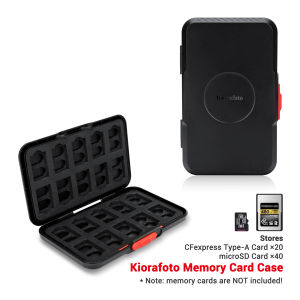
Kiorafoto EVA Memory Card Case Holder Box For Storage 20 CFexpress Type-A Cards and 40 MicroSD CardsAnti FallDust-proof &Splash Proof Protection
Tri-Town 2025: A Comprehensive Guide to the New Vacuum Adsorption Car Phone Holder

OKOK Silicone Soft Creative Funny Coffee Case for Apple AirPods Pro AirPods 1 2 3 Protective AirPod Accessories
Gradient Bluetooth Earphone Protective Case for Airpods pro 3 Airpods 4 Apple Headset Cover Soft Shell IMD Material Cool Style
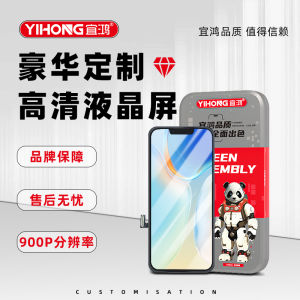
YiHong HD High Definition Screen Assembly Compatible with Z5X X21 X27 X50 S9 IQOO7 NEO5 S15 for Mobile Phone Repair And Replacement
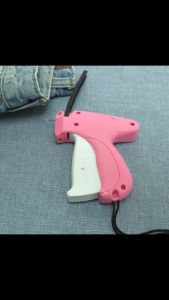
Fine Stitch Stitchy Quick Clothing Fixer for Clothes Micro Tagging Clothing Mini Speedy Sticky Sewing Hemming Tool

Panda Design Metal Phone Ring Holder Stand Shell Ring Finger Snap Cute Cartoon Style Mobile Phone Bracket Cute Lazy Phone Circle Ring