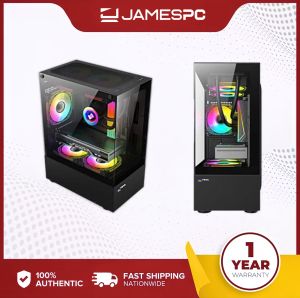
Ryzen 5 5600 GTX 1660 Super 6GB RTX 4060 8GB 4070 12GB Sweet Spot Budget Gaming PC
Ryzen 5 5600 GTX 1660 Super 6GB RTX 4060 8GB 4070 12GB Sweet Spot Budget Gaming PC
Introduction to Ryzen 5 5600 Gaming PCs
In today's gaming landscape, finding the perfect balance between performance and affordability is essential. The Ryzen 5 5600 processor, equipped with 6 cores and 12 threads, offers a fantastic sweet spot for budget gaming PCs. With a maximum boost clock of up to 4.4GHz, this processor delivers impressive performance for both gaming and multitasking.
Key Features of Ryzen 5 5600
- 6 cores and 12 threads
- Max boost clock of up to 4.4GHz
- AMD Zen 3 architecture
- Excellent performance for gaming and multitasking
Comparison with Other Processors
When compared to other processors in its price range, the Ryzen 5 5600 stands out due to its superior performance and efficiency. Its 6 cores and 12 threads make it a great choice for gaming, while its maximum boost clock of up to 4.4GHz ensures smooth gameplay and quick response times.
Choosing the Right GPU for Your Budget Gaming PC
Selecting the right graphics card is crucial for achieving optimal gaming performance. In this section, we'll explore three popular options: GTX 1660 Super 6GB, RTX 4060 8GB, and RTX 4070 12GB.
GTX 1660 Super 6GB
The GTX 1660 Super 6GB offers a great balance between performance and affordability. With its 6GB of GDDR6 memory, this GPU can handle most modern games at 1080p resolution with high settings. It's a fantastic choice for budget gaming PCs.
RTX 4060 8GB
The RTX 4060 8GB takes things up a notch, offering improved performance and ray tracing capabilities. With 8GB of GDDR6 memory, this GPU can handle most modern games at 1080p resolution with ultra settings. It's a great choice for those who want to future-proof their budget gaming PC.
RTX 4070 12GB
The RTX 4070 12GB is the top-of-the-line option in our lineup, offering exceptional performance and ray tracing capabilities. With 12GB of GDDR6 memory, this GPU can handle most modern games at 1440p resolution with ultra settings. It's a fantastic choice for those who want the best possible gaming experience.
Building Your Budget Gaming PC
Now that we've covered the processor and graphics card options, let's dive into building your budget gaming PC. In this section, we'll explore the other essential components you'll need to build a complete system.
Selecting Compatible Motherboard, CPU Cooler, RAM, Storage, Power Supply, Chassis, and Fans
To build a budget gaming PC, you'll need to select compatible components for your Ryzen 5 5600 processor and chosen graphics card. Here's a list of recommended components:
- Motherboard: Gigabyte B550M-K DDR4
- CPU Cooler: Stock AMD Original
- RAM: Adata/Kingston 16gb (2x8gb) or 32gb (2x16gb)
- Storage SSD: Adata/Kingston 500GB/1TB SSD M2 NVME
- Power Supply: Gigabyte 650w Gold (Branded)
- Chasis: Gaming Case MATX Form (You can choose variant chassis)
- Fans: 3pcs Led Fans (choose color)
Assembling the Components
Once you have all the necessary components, it's time to assemble your budget gaming PC. Follow these steps to ensure a successful build:
- Install the CPU cooler on the motherboard.
- Insert the CPU into the socket on the motherboard.
- Connect the RAM to the appropriate slots on the motherboard.
- Install the storage SSD into the appropriate slot on the motherboard.
- Connect the power supply to the motherboard, CPU cooler, and storage SSD.
- Install the graphics card into the appropriate slot on the motherboard.
- Install the fans and LED lights in the chassis.
- Connect all cables and power sources.
Optimizing Your Budget Gaming PC Performance
Now that your budget gaming PC is built, it's time to optimize its performance. In this section, we'll explore ways to tweak settings and upgrade components for future enhancements.
Tweaking Settings for Optimal Performance
To get the most out of your budget gaming PC, it's essential to tweak settings for optimal performance. Here are some tips:
- Adjust graphics settings to balance performance and visual quality.
- Enable vertical sync (V-Sync) to reduce screen tearing.
- Disable unnecessary background processes to free up system resources.
Upgrading Components for Future Enhancements
As technology advances, upgrading components can help future-proof your budget gaming PC. Here are some potential upgrades:
- Upgrade to a faster CPU cooler for improved performance.
- Add more RAM for better multitasking and gaming performance.
- Upgrade to a larger storage SSD for faster load times and more storage space.
- Upgrade to a more powerful graphics card for improved gaming performance at higher resolutions.
In conclusion, building a budget gaming PC with a Ryzen 5 5600 processor and a suitable graphics card is a fantastic way to achieve optimal gaming performance. With the right components and settings, you can enjoy a smooth and enjoyable gaming experience.

JAMESPC
Review
You May Also Like
MB102 Breadboard Power Supply Module White Breadboard Dedicated Power Module For Mini 2 Way 3.3V 5V MB102 Bread Board
Aluminum Heatsink Heat Sink Cooler and Copper Heatsink for Northbridge Southbridge Chipset
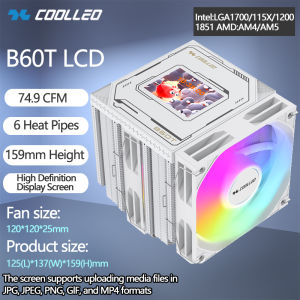
COOLLEO B60T LCD 6 Heat Pipe Twin Towers And Dual Fan CPU Cooler Equipped With High-Definition Custom Screen Air-cooled Radiator
5V USB 5015 Electronics Cooling Fan With Extended Lifespan 50x50x15mm 5164RPM For PCsNetwork Devices 93cm Cable
Acer C771: A Compact Preloved Laptop for Online Classes & Office Use
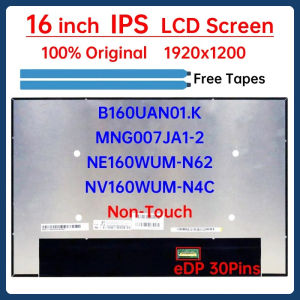
16" LCD Screen NE160WUM-N62 MNG007JA1-2 B160UAN01.K NV160WUM-N4C For Lenovo ThinkPad T16 P16s Gen 1 Gen 2 Gen 3 Display Panel
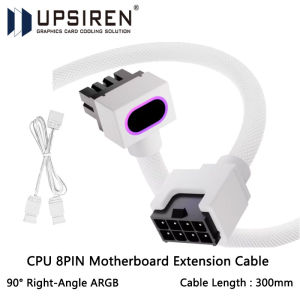
UPSIREN CPU 8PIN Motherboard Extension Cable ARGB PC Cable with 5V 3Pin18AWG 90° Right-Angle DesignMale-to-Female Connectors
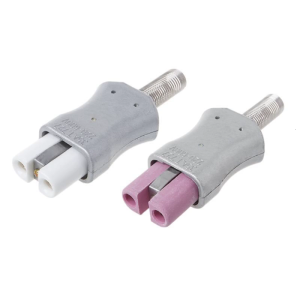
Ceramic Plug Aluminum Alloy Heating Ring Power Plug High Temperature Resistant Jack: φ6mm
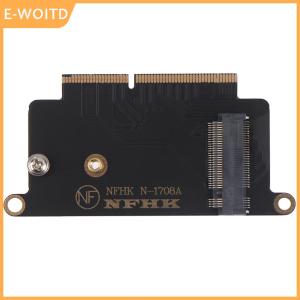
【E-WOITD】 WUJI NVMe M.2 ngff ssd for 2016 2017 13 pro a1708 adapter card
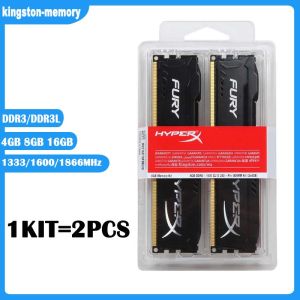
New KIT 4GB 8GB 16GB DDR3 RAM 1333MHz 1600MHz 1866mhz Desktop Memory DDR3L 1.35V 240 Pins DIMM HyperX FURY Gaming Memory-Black
Mechanic F117-V VD VR26 VG65T K15 EDP 1422-03CX000 CY000 Laptop Screen Data Cable Digital Accessories for Notebook Computer