OPPO A37 A37F A37M LCD Display Screen Assembly: Your Ultimate Guide
OPPO A37 A37F A37M LCD Display Screen Assembly: Your Ultimate Guide
LCD displays are a critical component of any smartphone, providing users with a clear and vibrant visual experience. In this article, we will explore everything you need to know about the OPPO LCD Display Assembly for the A37 series devices, including its key components, benefits, installation process, and troubleshooting tips.
What is OPPO LCD Display Assembly?
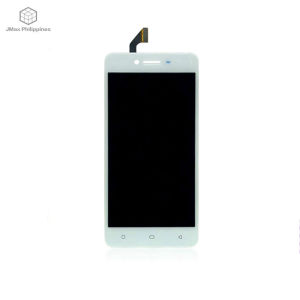
The OPPO LCD Display Assembly consists of a liquid crystal display (LCD) screen, backlight module, and other essential components that work together to provide a high-quality visual experience for users. This assembly is specifically designed for OPPO A37, A37F, and A37M devices.
Key Components & Features
The LCD Display Assembly includes:
- High-resolution LCD screen
- Backlight module
- Touchscreen panel
- Protective glass
These components work together to deliver a clear, vibrant, and responsive display experience for users.
Benefits of Replacing LCD Display
Replacing the LCD Display Assembly can help resolve common display issues such as dead pixels, pixelation, and backlight problems. It can also improve the overall visual experience by providing a clearer and brighter screen.
How to Choose the Right LCD Display Assembly
When selecting an LCD Display Assembly for your OPPO A37 series device, consider the following factors:
Compatibility with OPPO A37 Series Devices
Ensure that the assembly is specifically designed for your device model to avoid compatibility issues.
Quality & Reliability Considerations
Choose a reputable supplier or manufacturer to ensure that the assembly meets high-quality standards and has a proven track record of reliability.
Installation Process & Tips
Replacing the LCD Display Assembly requires some technical skills and patience. Follow these steps to successfully install the assembly:
Preparing for Installation
- Gather all necessary tools, such as a Phillips head screwdriver and a plastic opening tool.
- Power off your device and remove the battery if possible.
Step-by-Step Guide to Replacing LCD Screen
- Remove the back cover of your device.
- Carefully disconnect the battery connector and any other cables connected to the LCD assembly.
- Use a plastic opening tool to gently separate the LCD assembly from the frame.
- Remove the old LCD assembly and carefully install the new one.
- Reconnect all cables and secure the back cover.
Post-Installation Checks & Maintenance
After replacing the LCD Display Assembly, perform the following checks:
- Test the display to ensure it is functioning correctly.
- Check for any signs of damage or misalignment.
Maintain your device by keeping it clean and free from dust, and avoid exposing it to extreme temperatures or humidity.
Troubleshooting Common Issues
Even with a new LCD Display Assembly, you may encounter some display issues. Here are some tips for identifying and resolving common problems:
Identifying & Resolving Display Problems
- Dead pixels: Try resetting your device or performing a factory reset.
- Pixelation: Check for any software updates or try restarting your device.
- Backlight problems: Ensure that the backlight is properly connected and not damaged.
When to Seek Professional Help
If you are unable to resolve display issues on your own, consider seeking professional assistance from a certified repair technician or contacting OPPO customer support.
In conclusion, replacing the LCD Display Assembly for your OPPO A37 series device can improve the overall visual experience and resolve common display issues. By following the guidelines provided in this article, you can successfully install the assembly and maintain your device for optimal performance.

JMax.PH LCD Touch Screen Store
You May Also Like

Ultra-Thin Full-Coverage Silicone Phone Case for Apple 15 16 17 pro Max Cute Cartoon Dog Soft Protective Shell for iPhone 14 13 Mini XR XS 7 8P
Premium MATTE ANTI Finger print Screen Protector for OPPO A5 PRO & A3X
Oppo K7 Original Full Screen Protective Tempered Glass Mobile Phone Film High Definition Anti Blue Light Edge to Edge Protection
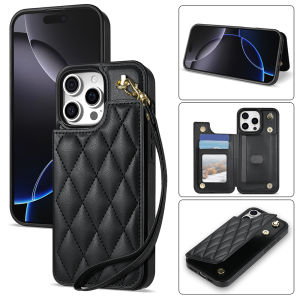
Card Case for iPhone: Short Lanyard & Practical Design
![PRESTIZ AIRCON Remote Replacement MODEL BS-09IAY4G & BS-12IAY4D [**Mag Basa B4 Umorder**] Ready to USE Universal for PRESTIZ AIR CONDITIONER Remote PRESTIZ AIRCON REMOTE](https://img.lazcdn.com/g/ff/kf/S7192eb948e484f79890f1dca6574e4a7c.png_300x300q80.png)
PRESTIZ AIRCON Remote Replacement MODEL BS-09IAY4G & BS-12IAY4D [**Mag Basa B4 Umorder**] Ready to USE Universal for PRESTIZ AIR CONDITIONER Remote PRESTIZ AIRCON REMOTE

Xiaomi Phone Case Womens Pink Foundation KT Cat Design Protective Shell Silicone Material for Xiaomi 15 14 13pro New Model

30W 3 in 1 Wireless Charger Stand For Samsung S24 S23 S22 S21 Galaxy Watch 5 Pro Buds Type C Fast Charging Dock Station Phone Holder
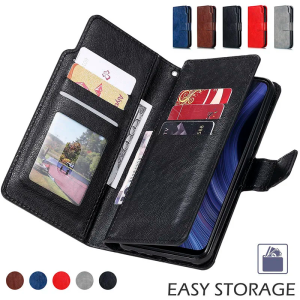
High Grade Wallet Leather Case For Samsung Galaxy S20 S21 S22 S23 S24 Ultra Plus Note 10 20 Lite FE 5G S10 Flip Cover Card Slots
DANYCASE Laptop Bag: A Comprehensive Guide for Macbook & Notebook Protection

Wooden Laptop Stand Laptop Stand Laptop Wooden Computer Stand Wooden Laptop Cooling Stand for 10-15inches Bracket Folding Portable Macbook Laptop HolderDuable layer
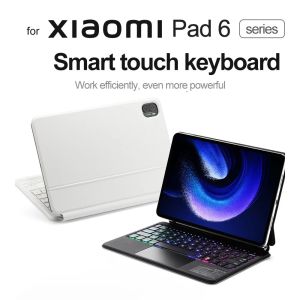
Magic Blacklight Bluetooth Keyboard Case for Xiaomi Mi Pad 6 / 6 Pro 11 Inch 2023