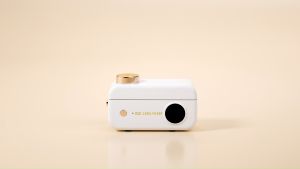
HPRT CP4000L 4x6inch Portable Restore True Color Multiple Wireless Remote BT Mini Photo Thermal Sublimation Printer
HPRT CP4000L 4x6inch Portable Restore True Color Multiple Wireless Remote BT Mini Photo Thermal Sublimation Printer
Introduction to HPRT CP4000L
The HPRT CP4000L is a portable, 4x6-inch mini photo printer designed for users who want to print high-quality photos on the go. This compact device offers wireless remote control printing capabilities and supports both Bluetooth connectivity and wired network printing. With a print speed of 4 pages per minute (ppm) and a maximum resolution of 300 dots per inch (dpi), the HPRT CP4000L is perfect for printing photos or professional images.
Key Features & Specifications
- Brand Name: HPRT
- Interface Type: Bluetooth
- Double-sided Printing: No
- Type: Photo Printer
- Paper Feed Mode: Manual
- Print Speed: 4 ppm
- Supports Network Printing: Wired
- High-concerned Chemical: None
- Max Paper Size: 4x6 inches
- Origin: Mainland China
- Internal Memory: None
- Max. Resolution: 300 dpi
- After-sale Service: Shop's Three Guarantees
- Voltage: 100-240V
- Application: Photo or Professional Image
- Dot Matrix Printer Type: GM rolls dot matrix printer
- Use: Photo Printer
How to Set Up Your HPRT CP4000L Printer
Connecting to Bluetooth
To connect your HPRT CP4000L printer to your device via Bluetooth, follow these steps:
- Turn on your printer and ensure it is within range of your device.
- On your device, go to the Bluetooth settings and enable Bluetooth.
- Search for available devices and select the HPRT CP4000L printer from the list.
- Follow any additional prompts to complete the pairing process.
Configuring Network Printing
If you prefer to use wired network printing, follow these steps:
- Connect your printer to your router using an Ethernet cable.
- Power on your printer and wait for it to establish a connection with your network.
- On your device, go to the printer settings and add a new printer.
- Select the HPRT CP4000L printer from the list of available printers and follow any additional prompts to complete the setup.
Printing Techniques & Best Practices
Manual Paper Feed Mode
The HPRT CP4000L printer features a manual paper feed mode, allowing you to load individual sheets of paper into the printer. To use this mode, simply open the printer lid, insert a sheet of paper, and close the lid before starting the print job.
Double-sided Printing Alternatives
While the HPRT CP4000L does not support double-sided printing natively, you can achieve this by printing one side of the paper, flipping it over, and then printing the other side. This method may require additional time and effort, but it can still produce satisfactory results.
Optimizing Print Quality
To ensure the best print quality with your HPRT CP4000L printer, consider the following tips:
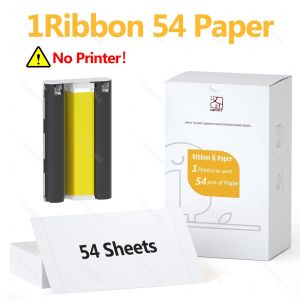
- Use high-quality photo paper specifically designed for thermal sublimation printing.
- Adjust the printer settings to match the type of image you are printing, such as landscape or portrait mode.
- Print at the highest resolution possible to achieve the best image quality.
After-Sale Service & Support
Understanding Shop's Three Guarantees
HPRT offers a comprehensive after-sale service known as the Shop's Three Guarantees. This includes:
- Guarantee of Quality: HPRT ensures that all products meet the highest standards of quality and performance.
- Guarantee of Service: Customers can rely on timely and professional support from HPRT's dedicated customer service team.
- Guarantee of Satisfaction: HPRT aims to provide a satisfying experience for all customers, addressing any concerns or issues promptly and effectively.
Contacting Customer Support
If you have any questions or concerns about your HPRT CP4000L printer, you can contact HPRT's customer support team by phone, email, or through their website. They will be happy to assist you with any queries or issues you may encounter.

GZQIANJI Store
Review

You May Also Like
For LC669 LC665 compatible ink cartridge suit for Brother LC 669 665 for Brother MFC-J2320 MFC-J2720 etc.
Printing Press Front Gauge Paper Feeding Wheel 35*14*6M

OPC Drum for Use and Compatible with Ecosys P2235 M2040 M2540 FS1150
Deli Double Row Manual Price Labeller & Single Row Price Code Printer: Handheld Supermarket Store Labeling Price Device
Compuprint Premium Inkjet Dye Ink Universal Ink Continuous ink CISS and DIY Refill 100ml MAGENTA Non squeeze - gravity full cap for EcoTank printer 4 Bottle per set
Color Photo Print Mini Printer Can Print Labels Photos Images Text URLs Gift Choice57*25mm Print
100 ml Cuyi Ink for All Types of Continuous Printer
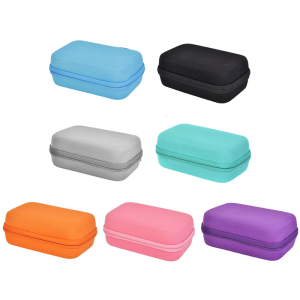
Lightweight Protective Holder For SCRIB3D P1 Childrens 3D Printing Pen Organizers With EVA Material
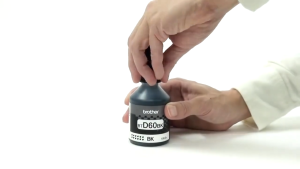
Brother BTD60Bk BT5000 BT6000 Genuine Ink Bottle BT6000bk BTD60 T220 T310 T420WT4000DW DCP-T300/T310 DCP-T500W DCP-T510W DCP-T700W DCP-T710W MFC-T800W MFC-T810W MFC-T910DW MFC-T4500DW
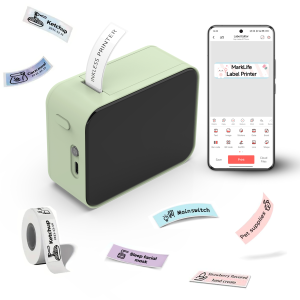
MarkLife P15 Mini Portable Thermal Printer Wireless Bluetooth-compatible Label Tag for Home Office Labeling Sticker Machine
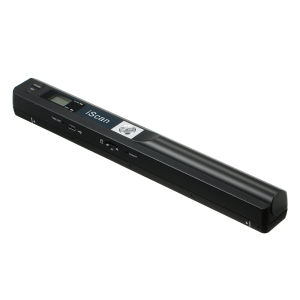
iScan Portable Scanner: Mini Handheld Document Scanner A4 Book Scanner JPG and PDF Format 300/600/900 DPI