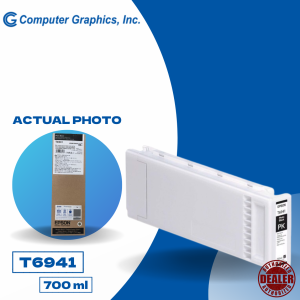
Epson Surecolor T3270 TT5270 T7270 Photo Black 700ml C13T694100
Epson Surecolor T3270 TT5270 T7270 Photo Black 700ml C13T694100
Introduction to Epson Surecolor T3270 Printer & High-Capacity Photo Inks
The Epson Surecolor T3270 is a professional-grade printer designed for photographers and graphic designers who demand high-quality prints. It supports a wide range of media types and offers excellent print quality. Among its features, the use of high-capacity photo inks like the 700ml photo black ink cartridge (C13T694100) ensures consistent and vibrant colors.
Overview of Epson Surecolor T3270 Printer
The Epson Surecolor T3270 printer is a reliable choice for both professionals and enthusiasts. With a maximum print speed of up to 35 ppm (pages per minute), it is capable of producing stunning prints at a fast pace. Additionally, its built-in Wi-Fi connectivity allows for easy wireless printing from various devices.
Types of High-Capacity Photo Inks Available
High-capacity photo inks come in various types, including dye-based and pigment-based inks. The 700ml photo black ink cartridge (C13T694100) is specifically designed for the Epson Surecolor T3270 printer and offers exceptional print quality and longevity.
Selecting the Right Ink for Your Epson T3270 Printer
Choosing the right ink for your Epson T3270 printer is crucial for achieving optimal print quality. Here are some factors to consider:
Compatible Epson T3270 Ink Options
Epson offers both original and compatible ink options for the T3270 printer. While original inks may provide better print quality, compatible inks can be a cost-effective alternative.
C13T694100 Ink for T3270: Key Features & Benefits
The C13T694100 ink cartridge offers several advantages:
- High Capacity: With a 700ml capacity, this ink cartridge ensures fewer refills and longer print runs.
- Excellent Print Quality: The C13T694100 ink cartridge produces vibrant and consistent colors, resulting in high-quality prints.
- Longevity: This ink cartridge is designed to provide lasting print quality and longevity.
Choosing Between Original & Compatible Inks
When selecting ink for your Epson T3270 printer, consider the following factors:
- Print Quality: Original inks may offer better print quality, but compatible inks can still produce excellent results.
- Cost: Compatible inks are often more affordable than original inks, making them a cost-effective option.
- Compatibility: Ensure that the ink you choose is compatible with your Epson T3270 printer.
Installing & Replacing Photo Black Ink Cartridges
Installing and replacing photo black ink cartridges is a straightforward process. Here's how to do it:
Step-by-Step Guide to Install 700ml Photo Black Ink Cartridge
- Turn off the printer and unplug it from the power source.
- Open the printer cover and remove the old ink cartridge.
- Remove the new ink cartridge from its packaging and remove the protective tape.
- Insert the new ink cartridge into the appropriate slot and close the printer cover.
- Power on the printer and allow it to perform the necessary initialization procedures.
Troubleshooting Common Issues During Installation
If you encounter any issues during installation, refer to the Epson Surecolor T3270 printer manual or contact Epson support for assistance.
Proper Storage & Handling of Photo Inks
To maintain the quality of your photo inks, store them in a cool, dry place away from direct sunlight. Keep the ink cartridges sealed until ready for use.
Maximizing Print Quality with Your Epson T3270 Printer
To achieve the best possible print quality with your Epson T3270 printer, consider the following tips:
Optimal Settings for Printing High-Quality Photos
Adjust your printer settings to optimize print quality. Some recommended settings include:
- Resolution: Set the resolution to the highest available setting for optimal print quality.
- Color Mode: Choose the appropriate color mode for your print job.
- Media Type: Select the correct media type for your print job.
Tips for Maintaining Printer Performance & Lifespan
Regular maintenance is essential for keeping your Epson T3270 printer running smoothly. Here are some tips:
- Clean the Print Head: Regularly clean the print head to prevent clogging and ensure consistent print quality.
- Replace Ink Cartridges: Replace ink cartridges when they run low to avoid streaks and faded prints.
- Keep the Printer Covered: When not in use, cover the printer to protect it from dust and debris.
Enhancing Color Accuracy & Consistency
To enhance color accuracy and consistency, calibrate your printer regularly using a color calibration tool. This will help ensure that your prints match the colors displayed on your screen.
Conclusion: Making the Most of Your Epson Surecolor T3270 Printer
By selecting the right ink, installing and replacing ink cartridges properly, and optimizing print settings, you can achieve outstanding print quality with your Epson Surecolor T3270 printer. Remember to maintain your printer regularly and calibrate it to ensure consistent color accuracy and longevity.

Computer Graphics Inc
Review

You May Also Like
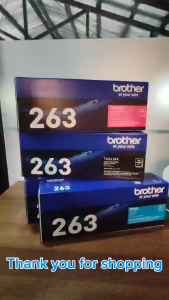
BrotherR TN 263 (TN-263) CYAN ORIGINAL TONER CARTRIDGE
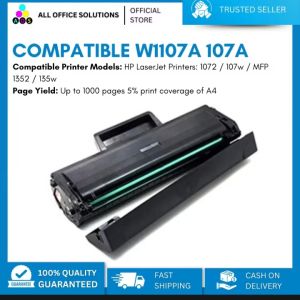
AOS 107A W1107A Compatible Black Toner Cartridge for HP 1072/107w/MFP 1352/135w/137nw Printers with Chip
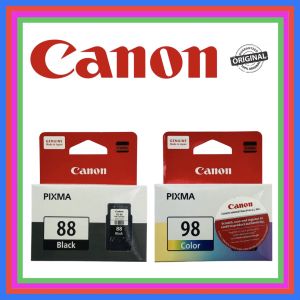
Canon PG-88 Black and CL-98 Tricolor For Canon Pixma E500 E510 E600 E610
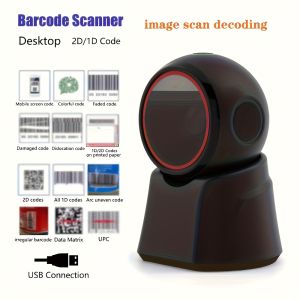
2D Barcode Scanner Desktop Omnidirectional Automatic 1D 2D QR code Data Matrix PDF417 Bar code Reader Usb for Retail Supermarket

For Lab Lithophane CMYK Led Panel LED Backlight Board Basic Lithophane 3D Print Lithophane Photo Accessories
A3+ Roll 32.9cm x 30m Inkjet RC Glossy/Luster/Silky Photo Paper Roll
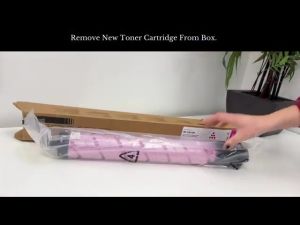
ETQ Compatible Color Copier For Ricoh Aficio IMC2510 IMC2010 Toner Cartridge
Phomemo D30 Thermal Wireless Label Printer Portable Pocket Bluetooth Thermal Label Maker Home Use Office Fast Printing Printer Free Label Keep for 20 Years Fade Resistant High Quality Christmas Gift
Adjustable DIY Silicone Brush For 3D Printer Nozzle Cleaning Heat Resistant Material Multipurpose Tool Easy To Clean

HP 305 305XL Ink Cartridge Compatible with HP Deskjet 2320 2710 2720/4110 2723 2724 2721 2722 6410 6412 4120 4130 6010 6020 Printers
All U Want - Eco-Solvent Ink for DX5 DX7 DX11 Printer Head C/M/Y/K (1000ML)