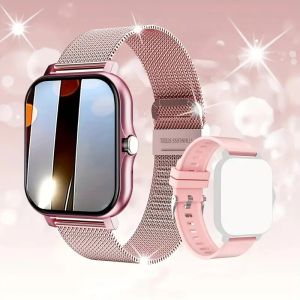
Smart Bluetooth GPS Tracker: Find My APP & Kids Finder
Smart Bluetooth GPS Tracker: Find My APP & Kids Finder
A smart Bluetooth GPS tracker is a small device designed to help users locate their belongings, monitor kids' locations, and even find lost car keys. This article will provide an in-depth overview of how this innovative technology works, its key features and benefits, and how to set up, use, maintain, and troubleshoot your smart Bluetooth GPS tracker.
What is a Smart Bluetooth GPS Tracker?
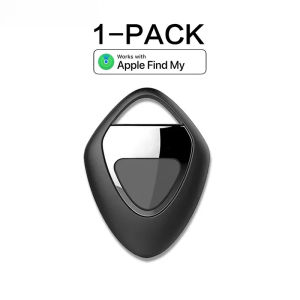
A smart Bluetooth GPS tracker is a compact, battery-powered device that connects to your smartphone via Bluetooth and the Find My APP. It helps you keep track of your valuable items, monitor your children's whereabouts, and avoid losing important items like car keys.
How Does It Work?
The smart Bluetooth GPS tracker works by establishing a connection with your smartphone via Bluetooth. Once connected, it sends location data to the Find My APP, which displays the item's location on a map. This enables you to quickly locate lost or misplaced items, monitor your children's whereabouts, and even receive alerts if your car keys are left behind.
Key Features & Benefits
- Find My APP Integration: Connects seamlessly with the Find My APP, allowing you to easily track your belongings and monitor your children's locations.
- Anti-Lost Reminder: Receive notifications if your item is left behind or moves beyond a certain distance from your phone.
- MFI Rated Locator: Meets Apple's strict standards for quality and compatibility, ensuring a reliable and secure connection.
- Kids Finder: Monitor your children's locations and receive alerts if they leave a designated area.
- Car Key Finder: Never lose track of your car keys again with the built-in anti-lost reminder feature.
Setting Up Your Smart Bluetooth GPS Tracker
Setting up your smart Bluetooth GPS tracker is a straightforward process that involves connecting it to the Find My APP and configuring alerts and notifications.
Connecting to Find My APP
- Download and install the Find My APP on your smartphone.
- Turn on your smart Bluetooth GPS tracker and place it near your phone.
- Open the Find My APP and select "Add Item" to connect your tracker.
- Follow the on-screen instructions to complete the setup process.
Configuring Alerts & Notifications
Once connected to the Find My APP, you can configure alerts and notifications to suit your needs:
- Anti-Lost Reminder: Set a distance threshold to receive notifications if your item moves beyond this range.
- Kids Finder: Define a safe zone for your children and receive alerts if they leave this area.
Using Your Smart Bluetooth GPS Tracker
Now that your smart Bluetooth GPS tracker is set up, let's explore how to use it to find lost items, monitor kids' locations, and locate car keys.
Finding Lost Items
If you misplace an item connected to your smart Bluetooth GPS tracker, simply open the Find My APP and select the item to see its location on a map. If the item is out of Bluetooth range, the app will display the last known location.
Monitoring Kids' Locations
With the Kids Finder feature, you can monitor your children's locations and receive alerts if they leave a designated area. This provides peace of mind and helps ensure their safety.
Car Key Finder & Anti-Lost Reminder
Never lose track of your car keys again with the built-in anti-lost reminder feature. Set a distance threshold to receive notifications if your keys move beyond this range, helping you avoid leaving them behind.
Maintaining & Troubleshooting Your Smart Bluetooth GPS Tracker
To ensure your smart Bluetooth GPS tracker continues to function optimally, it's essential to maintain and troubleshoot any issues that may arise.
Battery Life & Charging
Most smart Bluetooth GPS trackers have a battery life of several months, depending on usage. When the battery runs low, simply charge it using the included USB cable.
Firmware Updates & Maintenance
Periodically check for firmware updates to ensure your smart Bluetooth GPS tracker remains compatible with the latest version of the Find My APP.
Common Issues & Solutions
If you encounter any issues with your smart Bluetooth GPS tracker, try the following solutions:
- Connection Problems: Restart both your tracker and smartphone, then reconnect to the Find My APP.
- Low Battery: Charge your tracker using the included USB cable.
- Firmware Issues: Check for firmware updates and install them as needed.
In conclusion, a smart Bluetooth GPS tracker is an invaluable tool for keeping track of your belongings, monitoring kids' locations, and avoiding lost car keys. By following the setup and usage instructions provided in this article, you can make the most of this innovative technology and enjoy peace of mind knowing that your valuable items are always within reach.

ToKerNew
Review

You May Also Like
Multi-Function Smartwatch for Heart Blood & Oxygen Levels
Aolon Navi R3 Ultra Amoled Fitness Tracker Smartwatch with GPS Compass Heart Rate & Sleep Monitoring - 3ATM Waterproof
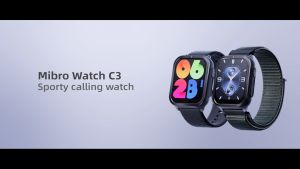
MiBro C3 Smartwatch: A Comprehensive Guide
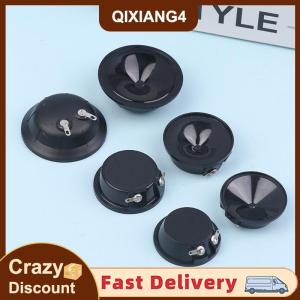
【SDJZT】 2Pcs 3840 4140 5140 Ultrasonic Speaker 20 25 36KHz Waterproof Audio Ultrasonic Speaker For Mouse Repellent Bird Repellent Buzzer
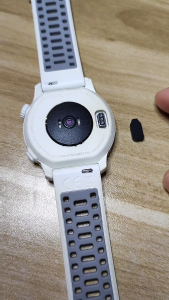
Dust Plug for Coros PACE 2/VERTIX/APEX 42/46mm Smartwatch Silicone Port Protector Anti-dust Plug Cap
Sports In Style Discus Throw 1.75 kgs or 2 Kilogram ABS Nylon Material
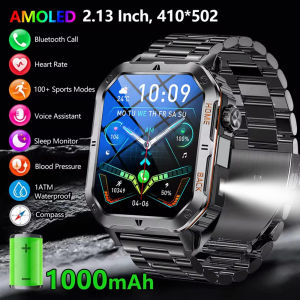
New Smart Watch Men AMOLED Screen Outdoor IP68 Waterproof Bluetooth Call Smartwatch Fitness Sports Watches Sleep Health Monitor
XIAOMI Smartwatch GT4 Pro 45mm Smartwatch Monitor Bluetooth Calls Music Sports Fitness Mens and Womens Smartwatch

Aolon Ring Gen3 Smart Ring Heart Rate & Blood Oxygen Monitoring IP68 Waterproof Swimming Diving 2.9G Couple Gift Men Women Original Brand
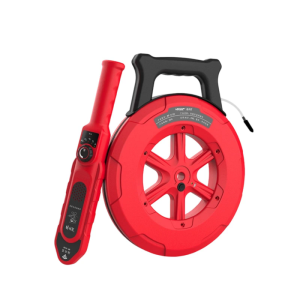
Drain Detector With IP67 Waterproof Probe Adjustable Sensitivity For Locating Clogs In Pipe Sewer Lines 20/30/40m Ranges
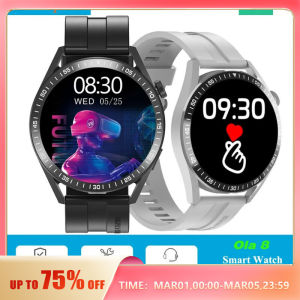
Smartwatch HW10: A Comprehensive Guide for Android & iOS