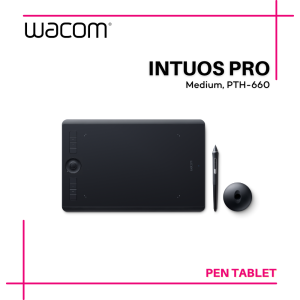
Wacom Intuos Pro Medium (PTH-660) Graphic Drawing Pen Tablet
Wacom Intuos Pro Medium (PTH-660) Graphic Drawing Pen Tablet
Introduction to the Wacom Intuos Pro Medium
The Wacom Intuos Pro Medium (PTH-660) is a top-of-the-line graphic drawing pen tablet designed specifically for artists, designers, and professionals who require a reliable and intuitive tool for their creative endeavors. This digital art tablet offers a seamless experience, allowing users to bring their ideas to life with precision and ease.
Key Features of the Wacom Intuos Pro Medium
The Wacom Intuos Pro Medium comes equipped with several advanced features that set it apart from other graphic drawing pen tablets:
-
Wacom Pro Pen 2: This battery-free pen provides 8,192 levels of pressure sensitivity, ensuring accurate and responsive line work. It also includes customizable ExpressKeys and Touch Ring for quick access to frequently used tools.
-
4 Extra Pen Color Rings: Customize your workspace by choosing from four different pen color rings, making it easy to identify and switch between various tools and applications.
-
Texture Sheet Sample Card: The included texture sheet sample card allows users to experiment with different surface textures, enhancing the realism and depth of their digital artwork.
-
2m (6.6ft) PVC-Free USB Cable: Connect your tablet to your computer with ease using the long, eco-friendly USB cable.
-
Quick Start Guide: Get started quickly with the comprehensive quick start guide, which provides step-by-step instructions for setting up and optimizing your tablet.
Comparison with Other Digital Art Tablets
When compared to other digital art tablets on the market, the Wacom Intuos Pro Medium stands out due to its superior pressure sensitivity, customizable workspace, and eco-friendly design. Some notable competitors include the Huion Kamvas Pro 13 and the XP-Pen Artist 12 Pro. However, the Wacom Intuos Pro Medium's advanced features and overall performance make it the preferred choice for professionals seeking a reliable and intuitive tool for their creative endeavors.
How to Use the Wacom Intuos Pro Medium
Using the Wacom Intuos Pro Medium is a breeze thanks to its user-friendly design and comprehensive documentation. Follow these steps to get started:
Setting Up the Tablet
- Unbox your tablet and familiarize yourself with the included components.
- Connect the USB cable to your computer and the tablet.
- Install the Wacom drivers and software by following the instructions in the quick start guide.
- Calibrate your tablet according to the manufacturer's recommendations.
Customizing Your Workspace
- Personalize your workspace by adjusting the settings in the Wacom Tablet Properties dialog box.
- Customize the ExpressKeys and Touch Ring to suit your workflow.
- Experiment with different pen color rings to find the best combination for your needs.
Tips for Optimizing Your Workflow
- Use the Wacom Pro Pen 2's customizable settings to fine-tune your pressure sensitivity and tilt response.
- Take advantage of the Texture Sheet Sample Card to add depth and realism to your digital artwork.
- Explore the various applications and software compatible with the Wacom Intuos Pro Medium to expand your creative possibilities.
Benefits of Using the Wacom Intuos Pro Medium
Using the Wacom Intuos Pro Medium offers numerous benefits for artists, designers, and professionals:
Enhancing Creativity and Productivity
The Wacom Intuos Pro Medium's advanced features and intuitive design enable users to unleash their creativity and work more efficiently. With its responsive pressure sensitivity and customizable workspace, you'll be able to focus on your ideas rather than the tools you're using.
Improving Artistic Skills
By practicing with the Wacom Intuos Pro Medium, you'll develop a deeper understanding of digital art techniques and improve your overall artistic skills. The tablet's realistic feel and responsiveness will help you create more polished and professional-looking artwork.
Expanding Career Opportunities
Investing in the Wacom Intuos Pro Medium demonstrates your commitment to your craft and opens up new career opportunities. Employers and clients will recognize the value of your dedication to using high-quality tools, potentially leading to increased job prospects and higher earning potential.
Conclusion: Why Choose the Wacom Intuos Pro Medium
In conclusion, the Wacom Intuos Pro Medium (PTH-660) graphic drawing pen tablet is an excellent choice for artists, designers, and professionals looking to elevate their creative workflow. With its advanced features, intuitive design, and eco-friendly components, this digital art tablet offers a seamless experience that will help you bring your ideas to life with precision and ease.
If you're looking for a reliable and intuitive tool to enhance your creativity, productivity, and artistic skills, the Wacom Intuos Pro Medium is the perfect choice for you.

Wacom Flagship Store
Review
You May Also Like
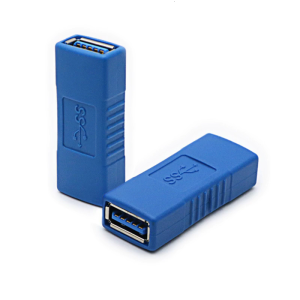
AntiInterference Design USB3.0 Female Coupler Adapter Extension For Seamlessly Data Transfer Needs Plugs and Play

Ultra-Thin Transparent Magnetic Absorption OnePlus 13T Phone Case Full Cover Soft Edge Shockproof Protective Shell for Men And Women

SMATRUL Tuya WiFi IR Remote Control: A Comprehensive Guide
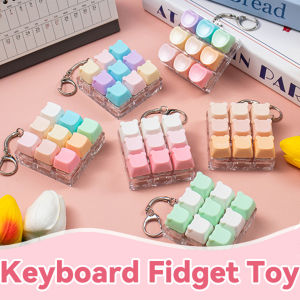
9-Keys Cartoon keycaps fidget Toy Finger Keychain Keyboard Clicker Fidget Toy Stress Relief Keyboard Switch Keycaps Toys

Need Air Vent Deflector Adjustable Angles Air Conditioner Exhaust Fan 1Pc
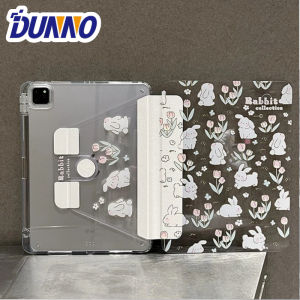
For 2025 iPad Air 11 Case iPad 10th Generation 11th A16 9th Cover Gen iPad Pro11 4 5 10.9in 12.9 M2 M3 M4 Pencil Holder Case
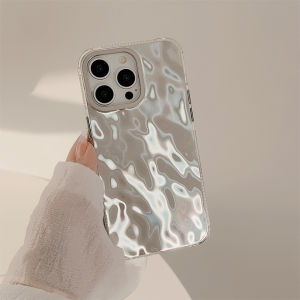
100% Quality+COD Silver Phone Case Tin foil pattern phone cover for iPhone 12 13 14 15 Promax

Cute Q Version Phone Case for Apple 16Promax/15iPhone14Plus Huawei Mate70 OPPO Vivo Xiaomi 15 Silicone Protective Cover Digital Print

Apple iPhone 16 /16 Plus /16 Pro /16 Pro Max XUNDD AXE full Tempered Glass
Case for redmi 12C 5g phone casing Softcase Silicone shockproof Cover new design aesthetic clear with holder for Lanyard cute SJSLWXZJ01
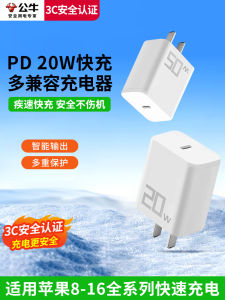
Bull PD20W Fast Charging Head 30W Dual Port 3C Certified Charger Plug for iPhone 15 Fast Charging with Charging Head 16/14/13/Promax Dual USB/Type-C Compatible