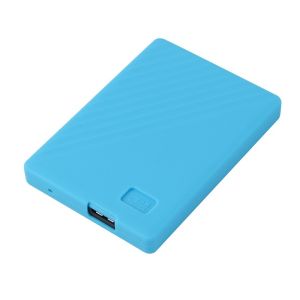
WD My Passport Protector: A Comprehensive Guide
WD My Passport Protector: A Comprehensive Guide
What is WD My Passport Protector?
Overview of WD My Passport Protector
The WD My Passport Protector is a silicone protective case designed specifically for Western Digital My Passport external hard drives with capacities of 1TB and 2TB. This sleeve provides added protection against accidental drops, bumps, and scratches, helping to ensure the longevity and reliability of your valuable data storage device.
Key Features & Benefits
- Custom Fit: The WD My Passport Protector is tailored to fit Western Digital My Passport hard drives with capacities of 1TB and 2TB, ensuring a snug and secure fit.
- Shock Absorption: The silicone material provides excellent shock absorption, helping to protect your hard drive from accidental drops and bumps.
- Scratch Resistance: The soft silicone material helps prevent scratches and scuffs, keeping your hard drive looking new and free from damage.
- Easy Installation: The WD My Passport Protector is easy to install, requiring no tools or special skills.
How to Choose the Right Protective Case for Your HDD
Factors to Consider When Selecting a Protective Case
When choosing a protective case for your HDD, consider the following factors:
- Compatibility: Ensure that the protective case is compatible with your specific hard drive model and capacity.
- Material: Consider the material of the protective case, as some materials may offer better shock absorption or scratch resistance than others.
- Design: Look for a design that offers easy access to the hard drive's ports and buttons.
- Price: Compare prices to find a protective case that fits within your budget.
Comparing Different Types of Protective Cases
There are several types of protective cases available, including silicone sleeves, hard plastic cases, and neoprene sleeves. Each type offers different levels of protection and convenience, so consider your specific needs when choosing a protective case.
How to Install the WD My Passport Protector
Step-by-Step Installation Process
To install the WD My Passport Protector, follow these steps:
- Remove any existing protective cover or sleeve from your hard drive.
- Align the opening of the WD My Passport Protector with the top of your hard drive.
- Gently slide the hard drive into the protector, ensuring that the ports and buttons are aligned with the corresponding openings in the protector.
- Once the hard drive is fully inserted, press down on the protector to ensure a secure fit.
Tips for Proper Installation
- Make sure the hard drive is clean and free from any dirt or debris before installation.
- Take care not to force the hard drive into the protector, as this could cause damage to the hard drive or the protector.
- Check that all ports and buttons are accessible after installation.
How to Maintain Your WD My Passport Protector
Cleaning and Storage Recommendations
To keep your WD My Passport Protector in good condition, follow these cleaning and storage recommendations:
- Clean the protector regularly with a soft cloth and mild soap solution.
- Avoid exposing the protector to extreme temperatures or direct sunlight.
- Store the protector in a cool, dry place when not in use.
Troubleshooting Common Issues
If you experience any issues with your WD My Passport Protector, try the following troubleshooting steps:
- If the protector is loose or not fitting properly, try cleaning the hard drive and protector to remove any dirt or debris.
- If the protector is damaged or no longer providing adequate protection, consider replacing it with a new one.
By following these guidelines, you can ensure that your WD My Passport Protector continues to provide reliable protection for your hard drive for years to come.

Top Outdoor Official Store
Review

You May Also Like
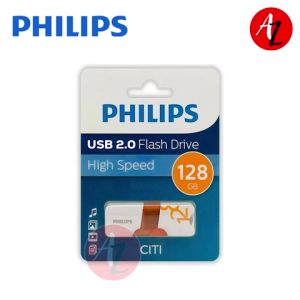
PHILIPS USB Flash Drive 128GB: A Reliable & High-Speed Portable Storage Solution
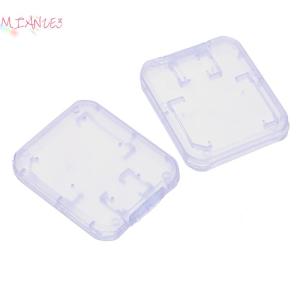
【E-WOITD】 10Pcs Clear Plastic Memory Card Case Micro SD TF Card Storage Box Protection
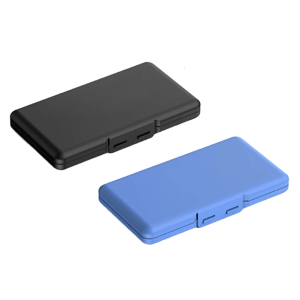
M.2 Solid Disk Box Solid Hard Drive Storage Case For 4 Slots With High Strength Protective Shell
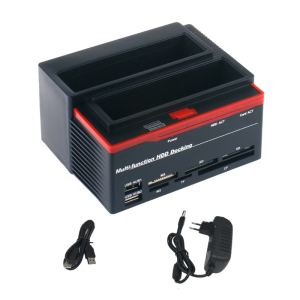
2.5in and 3.5Inch Hard Drive Docking Station USB3.0 Reader for Multiple Memory Cards Reader 480Mbps 5Gbps
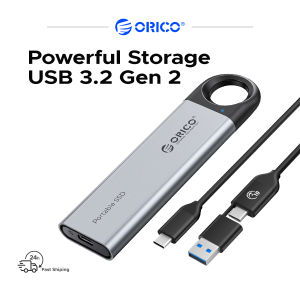
ORICO Portable SSD USB 3.2 Gen 2 Speed Up To 1000MB/s Max 256G/512G/1TB/2TB Capacity Choice Type-C to C/A Cable
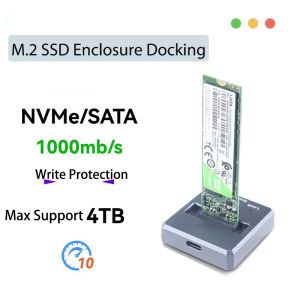
10Gbps M2 SATA NVMe to USB 3.1 Docking SSD Adapter M.2 Case JMS583/9210B Chip for 2230 2242 2280 22110 M2 SSD Enclosure Base
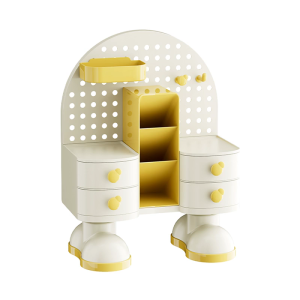
Office Supplies Storage System With PP Trays Multi-Functional Desktop Organizer For Documents And Accessories
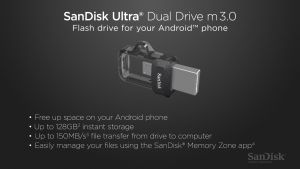
SanDisk Ultra Dual Drive 256GB OTG m3.0 SDDD3 USB3.0 Black Flash Drive Storage Device On-the-Go Micro-USB Connector for OTG-enabled Android Devices Desktop Laptop PC Computer 5 Year Limited Warranty /SDDD3-256G-G46

2025 Langke 1T Mobile SSD Z Slim Series High Speed USB3.1 Mobile Phone Computer Universal Type-C Interface\\n\\n Introduction to Slim Series Mobile SSD\\n\\nIntroducing the 2025 Langke 1T Mobile SSD Z Slim Series, a revolutionary storage solution designed specifically for mobile devices. With its sleek and lightweight design, this high-speed USB3.1 Type-C interface SSD offers unparalleled convenience and performance for both personal and professional use. \\n\\n Key Features of Slim Series Mobile SSD\\n\\nThe Slim Series Mobile SSD boasts a range of features that make it stand out in the market:\\n\\n- **High Speed USB3.1 SSD:** With transfer speeds up to 5 Gbps, this mobile SSD ensures lightning-fast data transfer, making it perfect for transferring large files, streaming media, and more.\\n- **Universal Compatibility with Mobile Phone SSD:** The Langke 1T Mobile SSD is compatible with a wide range of devices, including smartphones, tablets, laptops, and desktop computers, thanks to its USB3.1 Type-C interface.\\n- **Lightweight and Portable Design:** Weighing just a few grams, the Slim Series Mobile SSD is easy to carry around and fits seamlessly into any pocket or bag.\\n\\n Benefits of High Speed USB3.1 SSD\\n\\nThe high-speed USB3.1 SSD offers several benefits that make it an excellent choice for users who require fast data transfer and storage capabilities:\\n\\n- **Faster Data Transfer:** With transfer speeds up to 5 Gbps, the Slim Series Mobile SSD allows you to transfer large files quickly and efficiently, saving time and increasing productivity.\\n- **Increased Storage Capacity:** With a 1TB storage capacity, the Langke 1T Mobile SSD provides ample space for storing photos, videos, documents, and more.\\n- **Compatibility with Multiple Devices:** Thanks to its USB3.1 Type-C interface, the Slim Series Mobile SSD is compatible with a wide range of devices, making it a versatile storage solution for users on-the-go.\\n\\n Universal Compatibility with Mobile Phone SSD\\n\\nThe Langke 1T Mobile SSD is designed to work seamlessly with a wide range of devices, including smartphones, tablets, laptops, and desktop computers. Its USB3.1 Type-C interface ensures compatibility with the latest devices, while its compact design makes it easy to carry around.\\n\\n How to Use Langke 1T USB3.1 Type-C SSD\\n\\nUsing the Langke 1T Mobile SSD is simple and straightforward. Follow these steps to get started:\\n\\n1. Connect the Langke 1T Mobile SSD to your device using the USB3.1 Type-C interface.\\n2. Once connected, your device will automatically recognize the SSD and prompt you to format it if necessary.\\n3. Once formatted, you can start transferring files to and from the SSD using your device's file explorer or management software.\\n\\n Step-by-step Guide to Using Langke 1T Mobile SSD\\n\\nTo use the Langke 1T Mobile SSD, follow these steps:\\n\\n1. Connect the SSD to your device using the USB3.1 Type-C interface.\\n2. Format the SSD if prompted by your device.\\n3. Transfer files to and from the SSD using your device's file explorer or management software.\\n\\n Troubleshooting Common Issues with Langke 1T Mobile SSD\\n\\nIf you encounter any issues while using the Langke 1T Mobile SSD, try the following troubleshooting steps:\\n\\n- **Check Connection:** Ensure that the SSD is properly connected to your device using the USB3.1 Type-C interface.\\n- **Check Compatibility:** Make sure that your device is compatible with the Langke 1T Mobile SSD by checking its specifications.\\n- **Check for Software Updates:** Ensure that your device's operating system and software are up-to-date.\\n\\n Ordering and Delivery Information\\n\\nTo order the Langke 1T Mobile SSD, please follow these guidelines:\\n\\n- **Pre-order Guidelines and Requirements:** Before placing an order, please enter the exact phone number and address where you want the product delivered. Once ordered, we do not accept changes to the name, number, address, or item.\\n- **Order Confirmation and Delivery Process:** After placing your order, you will receive an order confirmation email. Your Langke 1T Mobile SSD will be shipped within 3-5 business days and delivered to your specified address.\\n- **Customer Service and Support for Langke 1T Mobile SSD:** If you have any questions or concerns about your Langke 1T Mobile SSD, please contact our customer service team. We strive to provide excellent support and assistance to all our customers.\\n\\nThank you for choosing the Langke 1T Mobile SSD Z Slim Series! We hope you enjoy the convenience and performance it provides.\n}
【Ready Stock】Seagate 1TB/2TB Extended Portable Hard Disk 5400RPM HDD USB 3.0 2.5-inch External Hard Disk
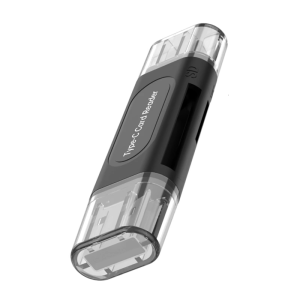
Universal Memory Reader With USB Type C Interfaces Supports 128GB SDTF Cards Plugs Play Function For Mobile Use