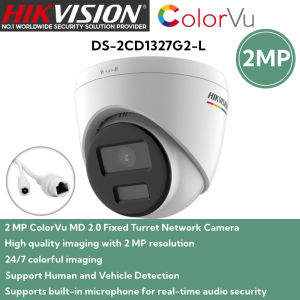
Hikvision IP Camera 2MP/4MP HD ColorVu With Audio Human and Vehicle Detection Turret Network Camera IP Security Camera
Hikvision IP Camera 2MP/4MP HD ColorVu With Audio Human and Vehicle Detection Turret Network Camera IP Security Camera
What is a Hikvision IP Camera 2MP/4MP HD ColorVu With Audio Human & Vehicle Detection Turret Network Camera IP Security Camera?
The Hikvision IP Camera 2MP/4MP HD ColorVu With Audio Human & Vehicle Detection Turret Network Camera IP Security Camera is a top-of-the-line security camera designed to provide exceptional surveillance capabilities. This turret network camera offers 2MP or 4MP resolution, HD ColorVu technology, audio human and vehicle detection, and robust connectivity options.
Key Features
- Resolution: 2MP or 4MP, providing excellent image quality for clear identification of individuals and vehicles.
- HD ColorVu Technology: This innovative feature enables color imaging even in low-light conditions, enhancing visibility and detection accuracy.
- Audio Human and Vehicle Detection: Equipped with advanced audio analytics, this camera can distinguish between human and vehicle sounds, reducing false alarms and improving overall security.
- Turret Design: A sleek, weather-resistant design that allows for easy installation and minimal visual impact.
- Network Connectivity: Supports PoE (Power over Ethernet) and wireless connectivity, making it easy to integrate into existing network infrastructures.
Comparison With Other Models
Compared to other Hikvision IP cameras, this model stands out due to its superior HD ColorVu technology, audio human and vehicle detection capabilities, and versatile network connectivity options. While other models may offer similar features, the Hikvision IP Camera 2MP/4MP HD ColorVu With Audio Human & Vehicle Detection Turret Network Camera IP Security Camera provides a more comprehensive solution for businesses and homeowners seeking advanced security features.
How to Install & Configure Your Hikvision IP Camera 2MP/4MP HD ColorVu With Audio Human & Vehicle Detection Turret Network Camera IP Security Camera
Installing and configuring this turret network camera is a straightforward process. Follow these step-by-step instructions to get started:
Step-by-Step Installation Process
- Mount the Camera: Securely mount the camera in a suitable location, taking into account factors such as lighting conditions, coverage area, and potential obstructions.
- Connect Power: Connect the power supply using PoE or a separate power adapter, depending on your setup.
- Connect to Network: Connect the camera to your network using Ethernet or Wi-Fi, ensuring that it receives an IP address.
- Access Configuration Interface: Access the camera's configuration interface via a web browser or mobile app, using the provided login credentials.
- Configure Settings: Customize settings such as resolution, audio detection sensitivity, and network connectivity options to suit your needs.
Configuration Tips & Tricks
- Optimize Resolution: Choose the appropriate resolution based on your specific requirements, balancing image quality and storage capacity.
- Adjust Audio Detection Sensitivity: Fine-tune the audio detection sensitivity to minimize false alarms and ensure accurate identification of human and vehicle sounds.
- Enable Motion Detection: Activate motion detection to trigger alerts when movement is detected within the camera's field of view.
How to Maximize Security With Your Hikvision IP Camera 2MP/4MP HD ColorVu With Audio Human & Vehicle Detection Turret Network Camera IP Security Camera
To make the most of your Hikvision IP Camera 2MP/4MP HD ColorVu With Audio Human & Vehicle Detection Turret Network Camera IP Security Camera, follow these best practices:
Best Practices For Security
- Regularly Update Firmware: Keep the camera's firmware up-to-date to ensure optimal performance and security.
- Secure Network Connectivity: Implement strong security measures for your network, including firewalls, encryption, and secure passwords.
- Monitor Activity: Regularly review recorded footage and monitor live feeds to stay informed about potential security threats.
Troubleshooting Common Issues
- Camera Not Connecting to Network: Check the camera's network settings, verify the connection type (Ethernet or Wi-Fi), and ensure proper IP address assignment.
- Poor Image Quality: Adjust the camera's resolution, lighting conditions, and focus settings to improve image quality.
- Audio Detection Not Working: Verify that the audio detection feature is enabled, adjust sensitivity settings, and check for potential interference sources.
Conclusion & Next Steps
The Hikvision IP Camera 2MP/4MP HD ColorVu With Audio Human & Vehicle Detection Turret Network Camera IP Security Camera is an excellent choice for businesses and homeowners seeking advanced security features. By following the installation and configuration instructions, implementing best practices, and troubleshooting common issues, you can maximize the security benefits of this turret network camera. Remember to stay informed about firmware updates and regularly monitor your system to ensure optimal performance and protection.

Dahua & Hikvision Online Store
Review
You May Also Like
CCTV Outdoor Home Security Surveillance IMOU Cruiser Dual Securing 2 Zones at Once IMOU SENSE

tp-link VIGI C440-W 4MP Full-Color Wi-Fi Turret Network Camera | TP-Link VIGI by EJD
4K C200 SJCAM Small Action camera HD Mini Camera for vlog Waterproof Night Vision Motorcycle Cycling Recorder Anti Shake
BOBLOV T5/M5 Body Worn Camera Waterproof Vlogging Camera Video Recorder IR Night Vision Sports Action Camcorder Car Dashcam Motorcycle Camera with Loop Recording Motion Detection
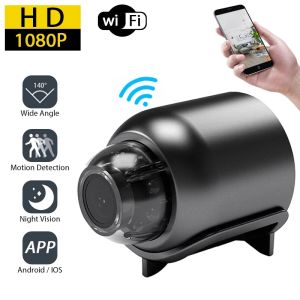
1080P HD Mini Camera WiFi Wireless HD Night Vision Camera Home X5 Remote Camera Kids Pet Safety Monitoring
TTArtisan AF 23mm F1.8 Large Aparture Autofocus Prime Lens for Camera Humanities Photography with Fujifilm XF/Sony E/Nikon Z Mount

UNIVIEW UAC-T115-F28-W COLORHUNTER 5MP 2.8MM ANALOG TURRET 20M IR DISTANCE DWDR ICR IP67 PLASTIC
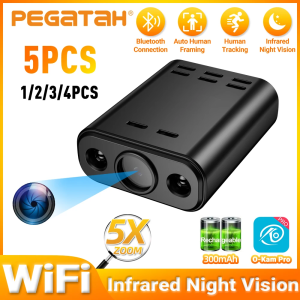
1-5PCS 5MP Mini WIFI Camera HD Built-in Battery Human Tracking IP Remote Monitoring Camcorders IR Night Vision Body Protable Cam
V380 pro E27 LED cctv bulb camera HD 1080P PTZ Controls indoor and outdoor waterproof 360 rotation night vision two way audio wireless 2.4G wifi motion detection connection mobile phone remote monitoring CCTV camera
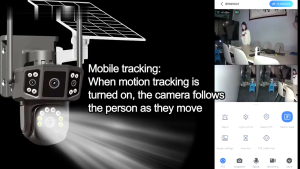
Three Lens Solar CCTV Camerea V380 Pro Outdoor Waterproof PTZ Wireless Wifi Night Vision
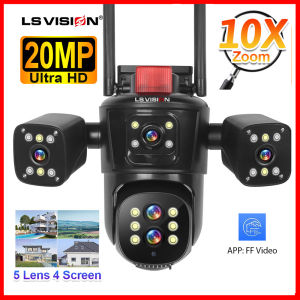
LS VISION 10K 20MP 5-Lens 4-Screen WiFi CCTV Camera Wireless Three-way Video 10X Hybrid Optical Zoom Linkage PTZ Humanoid Tracking Home Security Camera Outdoor Waterproof Full Color Night Vision 24 Hours Video Recording IP Camera