Hikvision DS-2CE16D0T-IRPF: A Comprehensive Guide to 2MP HD Analog Bullet Camera
Hikvision DS-2CE16D0T-IRPF: A Comprehensive Guide to 2MP HD Analog Bullet Camera
Overview of Hikvision DS-2CE16D0T-IRPF
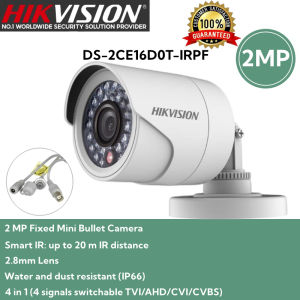
The Hikvision DS-2CE16D0T-IRPF is a 2MP HD analog bullet camera that offers high-quality video surveillance for both indoor and outdoor applications. This camera boasts a 2.8mm lens, Smart IR technology, and IP66 weatherproofing, making it an ideal choice for various security needs.
Key Features
- Resolution: 2MP (1920 x 1080)
- Lens: 2.8mm fixed lens
- Smart IR: Up to 20m IR distance
- Water and Dust Resistance: IP66 rating
- Compatibility: 4-in-1 (TVI/AHD/CVI/CVBS)
Specifications
| Specification | Detail | | --- | --- | | Model | DS-2CE16D0T-IRPF | | Resolution | 2MP (1920 x 1080) | | Lens | 2.8mm fixed lens | | Smart IR | Up to 20m IR distance | | Water and Dust Resistance | IP66 rating | | Compatibility | 4-in-1 (TVI/AHD/CVI/CVBS) |
Installation & Setup
To ensure optimal performance, it's crucial to follow proper installation and setup procedures. Here's a step-by-step guide to help you get started with your Hikvision DS-2CE16D0T-IRPF camera.
Preparing Your Camera
- Unpack the camera and inspect it for any damages or missing components.
- Mount the camera securely to a wall or ceiling using the provided mounting hardware.
- Connect the camera to your power supply and network infrastructure.
Connecting to Power Supply
- Plug the power adapter into the camera's DC input port.
- Connect the power adapter to a nearby electrical outlet.
Configuring Smart IR
- Access the camera's web interface through a computer or mobile device connected to the same network.
- Navigate to the Smart IR settings and adjust the IR distance according to your specific needs.
Enhancing Security with DS-2CE16D0T-IRPF
To maximize the security benefits of your Hikvision DS-2CE16D0T-IRPF camera, consider implementing the following strategies.
Maximizing IP66 Protection
The camera's IP66 rating ensures that it's protected against water and dust ingress. To maintain this level of protection, avoid exposing the camera to extreme weather conditions and regularly clean it with a soft cloth.
Integrating with Other Security Systems
The Hikvision DS-2CE16D0T-IRPF camera can be easily integrated with other security systems, such as access control, alarm systems, and video management software. This integration enables you to monitor and manage multiple security devices from a single interface.
Troubleshooting & Maintenance
To keep your Hikvision DS-2CE16D0T-IRPF camera running smoothly, it's essential to address any issues promptly and perform regular maintenance.
Common Issues & Solutions
- Camera Not Responding: Check the power supply and network connection. If the issue persists, reset the camera or contact Hikvision support.
- Low Image Quality: Adjust the camera's settings, such as resolution and frame rate, to improve image quality.
Regular Maintenance Tips
- Clean the camera lens regularly to maintain optimal image quality.
- Update the camera firmware periodically to ensure compatibility with the latest software versions.
- Monitor the camera's performance and address any issues promptly.

Dahua & Hikvision Online Store
Review
You May Also Like
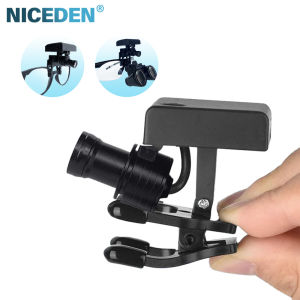
NICEDEN Dental 5W Wireless LED Headlight With Clip Portable Binocular Light For Dentist Loupe Lab Medical Magnifier
【Shipping From Philippines/COD】100% Original BSA Optics Tactical 4-16x44 ST Adjustable Optic Cross Sight Green Red Illuminated Optic Scope Sight 11mm/20mm Mount
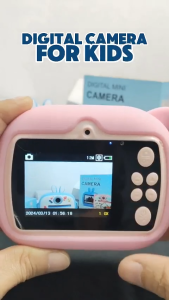
VR Prime - Digital Photo/Video Camera for kids - with thermal printer for instant print
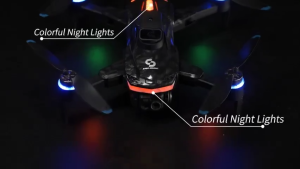
New S160 Brushless Drone With Screen Display 4K HD Drone Obstacle Avoidance Positioning Drone
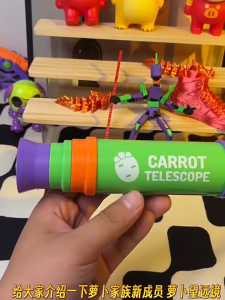
Creative Retractable Outdoor Children Toys Monocular Telescope Handheld Outdoor Hiking Camping Telescope Christmas Gift for Kids
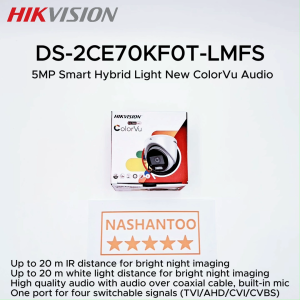
(2025 New) HIKVISION DS-2CE70KF0T-LMFS 3K(5MP 16:9) Smart Hybrid Light New ColorVu Audio Analog Turret Camera Up to 20m IR/White Light Distance Built-in Mic CCTV Camera

Mini Camera with Multiple Filters: A Comprehensive Guide for Parents
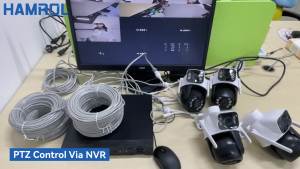
Hamrol 8MP 4K POE NVR Dual Lens PTZ POE Camera System: A Comprehensive Guide
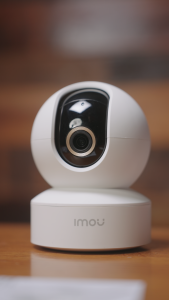
IMOU DK2 Indoor P&T Camera Wireless Security CCTV Connect to Cellphone Baby / Pet Monitor | Night Vision | 2-Way Audio
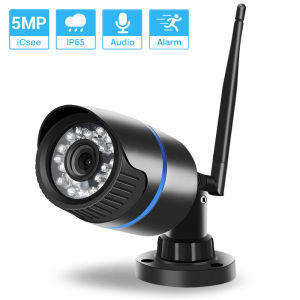
Hamrol 5MP IP Camera: Features & Setup Guide
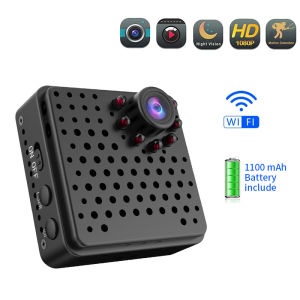
EKLEVA Mini Camera Wifi Wireless Full HD 1080P Home Security Micro Camcorder Battery Night Vision Motion Detection AP Hotspot Camera