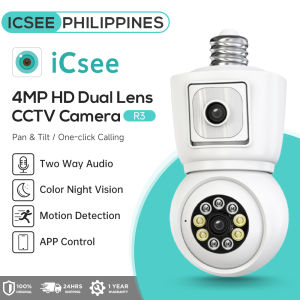
ICSEE R3 4MP Dual Lens Bulb CCTV Camera AC Power Supply 355° Bulb Wireless Indoor Security IP Camera
ICSEE R3 4MP Dual Lens Bulb CCTV Camera AC Power Supply 355° Bulb Wireless Indoor Security IP Camera
Introduction to ICSEE R3 Security Camera
The ICSEE R3 security camera is a cutting-edge indoor surveillance system designed to provide comprehensive protection for your home or office. With its 4MP dual lens design, it captures high-definition images and videos, ensuring you never miss a detail. This advanced camera supports auto tracking, motion detection, and full-color night vision, making it a top choice for any indoor space.
Key Features of the ICSEE R3 Security Camera
-
HD 4MP Resolution: The ICSEE R3 provides stunning clarity and detail with its 4MP resolution, allowing you to see every corner of your home or office in crisp, sharp detail.
-
Dual Lens & Dual Screen: The camera features two lenses and two screens, providing a wider field of view and better coverage than single-lens cameras.
-
Auto Tracking and Motion Detection: With its advanced auto tracking and motion detection capabilities, the ICSEE R3 can quickly identify and track moving objects, ensuring you're always aware of what's happening in your space.
-
Full Color Night Vision: The camera's full-color night vision feature allows it to capture clear images even in low-light conditions, giving you peace of mind around the clock.
-
Cloud Storage: The ICSEE R3 supports cloud storage, so you can easily access your footage from anywhere. A subscription is required for this service.
-
Charger: The camera comes with an E27 base, allowing you to power it using a standard AC outlet.
-
Pan & Tilt: With a pan range of 355 degrees and tilt range of 90 degrees, the ICSEE R3 offers unparalleled flexibility and coverage.
-
Local Storage: The camera supports Micro SD cards up to 128GB, providing ample local storage for your recordings.
-
Two-Way Voice Communication: The built-in microphone and speaker allow you to communicate with people outside your door in real-time, enhancing your security and convenience.
-
Application: The ICSEE PRO APP enables easy remote access and monitoring of your camera.
-
Remote View from Phone App/PC: Access your camera's live feed and recorded footage from any device with the ICSEE PRO APP.
-
Remote Access Anytime, Anywhere: With the ICSEE PRO APP, you can monitor your camera from anywhere in the world, at any time.
-
Support AP Hotspot Connection: The camera can connect to Wi-Fi networks through an AP hotspot, providing an alternative connection method.
-
Wi-Fi Version: The camera only works with 2.4GHz Wi-Fi networks and does not support 5GHz connections.
Comparison with Other Indoor Surveillance Cameras
Compared to other indoor surveillance cameras, the ICSEE R3 stands out due to its unique features, such as the dual lens design, auto tracking, and full-color night vision. While many cameras offer similar features, the ICSEE R3 combines them all in one package, making it a top choice for those seeking comprehensive protection.
Installation and Setup
Connecting the AC Power Supply Security Camera
To install the ICSEE R3, simply plug the camera into a standard AC outlet using the E27 base. The camera will automatically turn on, and you can proceed with the setup process.
Configuring Wi-Fi Connectivity
Connect the camera to your Wi-Fi network by following the instructions provided in the ICSEE PRO APP. Make sure to keep your device, phone, and Wi-Fi router close during pairing to ensure a smooth connection.
Setting Up Cloud Storage
To enable cloud storage, subscribe to the ICSEE PRO APP's cloud storage service. This will allow you to access your footage from anywhere, at any time.
How to Use the ICSEE R3 Security Camera
Activating Auto Tracking and Motion Detection
Enable the auto tracking and motion detection features in the ICSEE PRO APP to ensure the camera quickly identifies and tracks moving objects.
Enabling Full Color Night Vision
Activate the full-color night vision feature in the ICSEE PRO APP to capture clear images even in low-light conditions.
Using Two-Way Voice Communication
Use the built-in microphone and speaker to communicate with people outside your door in real-time, enhancing your security and convenience.
Remote Access and Monitoring
Accessing the Camera from Anywhere
With the ICSEE PRO APP, you can access your camera's live feed and recorded footage from any device, anywhere in the world.
Monitoring Through the ICSEE PRO APP
Use the ICSEE PRO APP to monitor your camera's live feed, recorded footage, and settings.
Remote Control of Pan & Tilt Functions
Control the camera's pan and tilt functions remotely through the ICSEE PRO APP, allowing you to adjust the camera's position and coverage as needed.

ICSEE Philippines
Review
You May Also Like
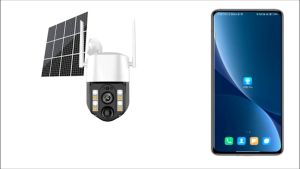
South Ocean 4G SIM Card Outdoor CCTV Waterproof Wireless Solar CCTV Camera WiFi Connect To Cellphone With Voice
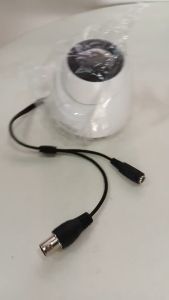
Dahua DH-HAC-T1A21N: A Comprehensive Look at the 2MP HDCVI Dome Camera
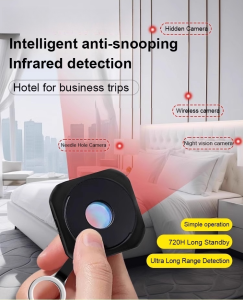
Intelligent Anti-Snooping Detector Pinhole Hidden Lens Anti-Peeping for Hotel Mini Camera Detector Travel Essentials
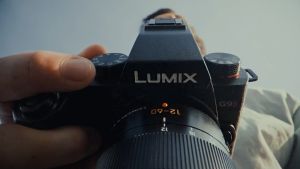
Panasonic Lumix G9II KIT Mirrorless Camera with 12-60mm
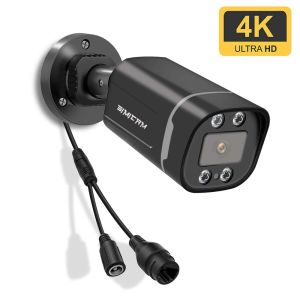
4K 8MP IP POE Camera Surveillance Onvif H265 Audio Dome Onvif HD Night Vision Human Detect 48V 8MP CCTV Video Security For NVR
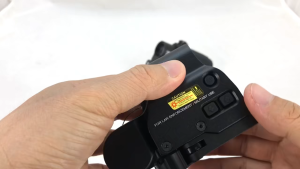
558 Red Dot Sight Tactical Optical Reflex Scope Adjustable Brightness Red Green Dot Fit 20mm Mount
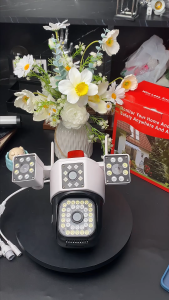
18MP Three Lens 4G SIM Outdoor CCTV Camera Waterproof 10X Zoom Wireless Smart IP Camera Infrared night vision auto tracking 360°PTZ Control remote monitoring camera

Hikvision CCTV Camera Ezviz H6c 2/4MP Smart Wifi Pan Tilt IP Camera CCTV Indoor 1080p
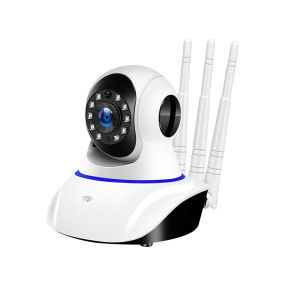
Yoosee cctv Camera 1080P HD Smart Home CCTV Wireless WiFi Night Vision cctv camera connect cellphone IP camera
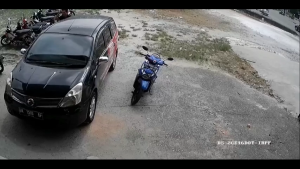
Hikvision Closed Circuit 2MP4CH8CHDVR with Audio Dome Bullet CCTV Camera Set with HD Mobile Phone Remote Monitoring IP67 Outdoor Waterproof Security Camera
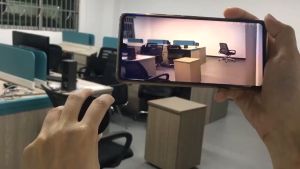
Camera for Vlogging CCTV with Audio and Speaker Mini Camera Night Vision Security Cameras