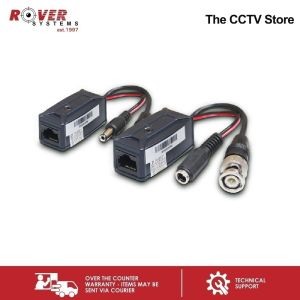
Endura Video & Power Transceiver with Pigtail (CAT5e)
Endura Video & Power Transceiver with Pigtail (CAT5e)
Introduction to Endura Video & Power Transceiver with Pigtail
The Endura TTP111HDPLK Power Transceiver with Pigtail is a high-quality device designed to transmit HD-CVI/TVI/AHD video and power over Ethernet cable. This innovative product offers network connectivity and data transfer capabilities, making it ideal for a wide range of applications.
Key Features of Endura TTP111HDPLK
- Transmit HD-CVI/TVI/AHD Video & Power over Ethernet Cable
- 1x RJ45 to BNC w/ DC Plug & Jack
- w/ 10cm mini coax pigtail
- Range up to 95 meters max. 100 meters
Transmitting HD-CVI/TVI/AHD Video & Power over Ethernet Cable
The Endura TTP111HDPLK Power Transceiver with Pigtail supports the transmission of HD-CVI/TVI/AHD video and power over Ethernet cable. This feature enables users to transmit high-definition video signals along with power, eliminating the need for separate power supplies. The device is compatible with various video formats, making it suitable for different applications.
Understanding Network Connectivity & High-Speed Data Transfer
The Endura TTP111HDPLK Power Transceiver with Pigtail is a network transceiver and data transfer device, designed to provide reliable network connectivity and high-speed data transfer. It is equipped with a CAT5e pigtail, which enhances its compatibility with existing network infrastructure.
Network Transceiver & Data Transfer Device
As a network transceiver and data transfer device, the Endura TTP111HDPLK Power Transceiver with Pigtail enables users to transmit video signals and power over Ethernet cable. This feature simplifies installation and reduces the need for additional equipment, making it an ideal solution for various applications.
CAT5e Pigtail & Network Transceiver
The CAT5e pigtail included with the Endura TTP111HDPLK Power Transceiver with Pigtail enhances its compatibility with existing network infrastructure. This ensures seamless integration with other devices and minimizes potential connectivity issues.
How to Use Endura TTP111HDPLK
Setting up the Endura TTP111HDPLK Power Transceiver with Pigtail is straightforward and easy. Follow these steps to ensure proper installation and operation:
Setting Up Your Endura Video & Power Transceiver with Pigtail
- Connect the RJ45 to BNC w/ DC Plug to the camera or video source.
- Connect the RJ45 to BNC w/ DC Jack to the receiver or monitor.
- Connect the CAT5e pigtail to the network switch or router.
- Power on the device and verify proper operation.
Connecting Devices with CAT5e Pigtail
To connect devices using the CAT5e pigtail, follow these steps:
- Identify the network switch or router port to which the pigtail will be connected.
- Connect the pigtail to the appropriate port on the network switch or router.
- Verify proper connection by checking the status indicators on the device.
Troubleshooting Common Issues
If you encounter issues with the Endura TTP111HDPLK Power Transceiver with Pigtail, try the following troubleshooting steps:
- Verify proper connection of all cables and devices.
- Check power supply and voltage levels.
- Reset the device and verify proper operation.
Range & Performance of Endura TTP111HDPLK
The Endura TTP111HDPLK Power Transceiver with Pigtail offers a maximum range of up to 95 meters, depending on the specific application and environmental factors. This range can be extended by using repeaters or boosters, if necessary.
Maximum Range of 95 Meters
The maximum range of the Endura TTP111HDPLK Power Transceiver with Pigtail is up to 95 meters, depending on the specific application and environmental factors. This range can be extended by using repeaters or boosters, if necessary.
Factors Affecting Range & Performance
Several factors can affect the range and performance of the Endura TTP111HDPLK Power Transceiver with Pigtail, including:
- Environmental conditions, such as temperature and humidity
- Interference from other electronic devices
- Network congestion and bandwidth limitations
Enhancing Network Connectivity & Data Transfer Speed
To enhance network connectivity and data transfer speed, consider the following tips:
- Optimize network infrastructure by using high-quality cables and connectors
- Minimize interference from other electronic devices
- Ensure proper installation and configuration of the device

ROVER SYSTEMS
Review

You May Also Like
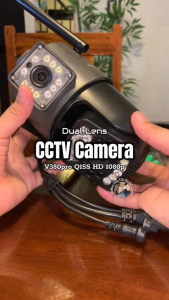
V380 PRO Q15S HD 1080P CCTV Camera dual lens outdoor waterproof 360 cctv with audio and speaker IP Security Cameras wifi connect cellphone full color night vision surveillance camera
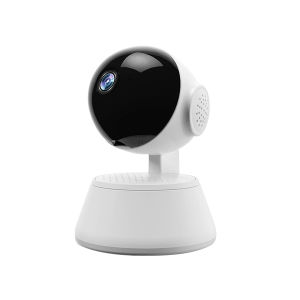
V380 PRO CCTV Camera Connect Cellphone HD 1080P 360 Degree Panoramic 2.4G Wireless Connection Mini Portable Indoor Night Vision Baby Monitor Voice Connection To Mobile Phone Q6 PRO CCTV Camera

Q5 Kid Mini Digital Camera Printer With HD Digital Photography Camera Portable Mini Thermal Printer for Photography Gift Toys
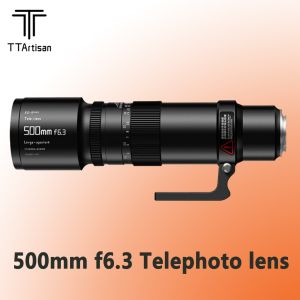
TTArtisan 500mm F6.3 Telephoto Lens Comes With Tripod Mount Ring Camera Lens For Sony Nikon Canon Panasonic

Upgraded spy camera smallest 1080P hidden mini camera Protable wireless Body Camera cctv with no wifi needed Video
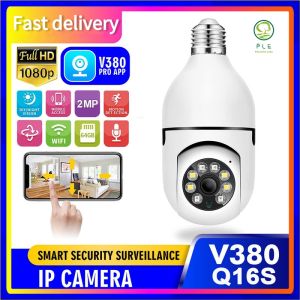
PLE V380 PRO Q16S HD 1080P: A 360° Rotating Smart CCTV Camera Bulb for Indoor and Outdoor Use
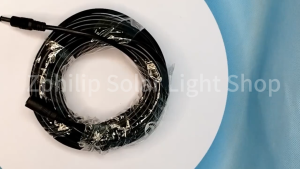
5M/10M Dc Power Extension Cable Jack Socket Male Plug For Cctv Camera DC power extension cable DC extension cable DC male connector CCTV Power Cord CCTV tplink CCTV cable connector cctv power cord cctv cord extension
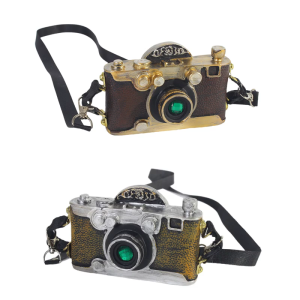
Traditional Wedding Photo Studio Children Portrait Resin Ornament Camera Model Kids Photo Shoot Vintage Accessories

CCTV Camera Wireless Home Security Night Vision Connect to Cellphone with Voice Wireless Wifi Connection CCTV Camera 360 Sensor Motion Rotatable HD Automatic Alarm V380 Pro
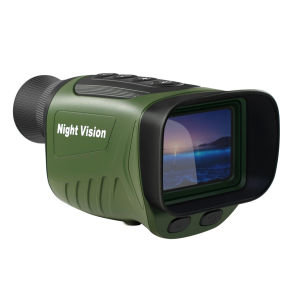
BekinTek Night Vision Monocular NVG Goggles Rechargeable Camcorder Telescope Full Dark Observe Adjustment 8x Digital Zoom 2.5K Video 40M Photo 2 Inches HD Screen for Low Light Bd Watching Camping Outdoor
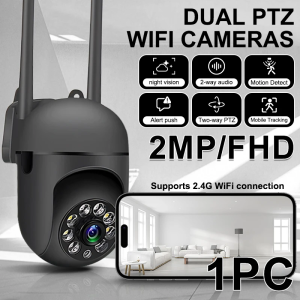
Wifi Camera Smart 2MB 1080P HD Pet Dog Camera With Phone App Indoor Security Baby Camera 360° Pan Tilt 2-Way Audio Night Vision