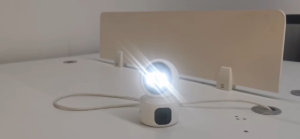
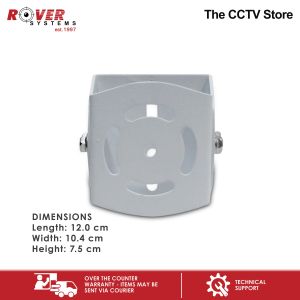
Rover Systems 12.0 cm x 10.4 cm x 7.5 cm U Type Metal Universal Joint CCTV Camera Housing Accessories
Rover Systems 12.0 cm x 10.4 cm x 7.5 cm U Type Metal Universal Joint CCTV Camera Housing Accessories
Overview of Rover Systems Camera Accessories
Rover Systems offers a wide range of camera accessories, including the RHA0121006UU U type metal universal joint CCTV camera housing accessories. These accessories are designed to provide a secure and versatile mounting solution for your security cameras. The RHA0121006UU features a compact size of 12.0 cm x 10.4 cm x 7.5 cm, making it easy to install in various locations. The white color ensures a discreet appearance, blending seamlessly with different environments.
Key Features of RHA0121006UU
The RHA0121006UU U type metal universal joint CCTV camera housing accessories boast several key features that make them an excellent choice for security applications:
- Durability: The metal construction ensures long-lasting performance, even in harsh weather conditions.
- Versatility: The U type design allows for easy installation and adjustment, accommodating various camera angles and positions.
- Compatibility: The RHA0121006UU is compatible with a wide range of security cameras, making it a versatile accessory for any CCTV system.
How to Choose the Right Universal Joint Camera Housing
Selecting the appropriate universal joint camera housing is crucial for maximizing the effectiveness of your security system. When choosing a universal joint camera housing, consider the following factors:
- Size: Ensure the housing is compatible with your camera's dimensions. The RHA0121006UU has an outer size of 12.0 cm x 10.4 cm x 7.5 cm, suitable for most security cameras.
- Mounting Options: Look for a housing that offers flexible mounting options, allowing you to install the camera at various angles and positions.
- Weather Resistance: Opt for a housing that can withstand harsh weather conditions, ensuring reliable performance in any environment.
Installation & Setup Guide
Installing the RHA0121006UU U type metal universal joint CCTV camera housing accessories is a straightforward process. Follow these step-by-step instructions to ensure a successful installation:
Step-by-Step Instructions for Installing the Universal Joint
- Prepare the Mounting Location: Choose a suitable location for your camera, considering factors such as coverage area, visibility, and security risks.
- Attach the Universal Joint: Secure the RHA0121006UU to the chosen location using the provided mounting hardware.
- Install the Camera: Insert your security camera into the housing, ensuring it is properly aligned and secured.
- Connect Power and Video Cables: Connect the power and video cables to the camera and housing, following the manufacturer's instructions.
- Test the Installation: Verify that the camera is functioning correctly and transmitting video signals to your monitoring system.
Tips for Securing the Camera Housing
To ensure the longevity and security of your camera housing, follow these tips:
- Regular Inspections: Periodically inspect the housing for signs of damage or wear, addressing any issues promptly.
- Secure Mounting: Use appropriate mounting hardware to secure the housing firmly in place, preventing accidental dislodging.
- Weatherproofing: Apply weatherproofing measures, such as silicone sealant, to protect the housing from moisture and corrosion.
Maintenance & Troubleshooting
Proper maintenance and troubleshooting are essential for keeping your RHA0121006UU U type metal universal joint CCTV camera housing accessories in optimal condition. Follow these guidelines to ensure reliable performance:
Regular Cleaning & Care for Optimal Performance
- Clean the Housing: Regularly clean the housing and camera lens to maintain clear visibility and prevent dirt buildup.
- Inspect Connections: Periodically check the power and video cable connections, tightening any loose connections.
- Monitor Battery Levels: If your camera uses battery power, monitor the battery levels and replace them as needed.
Common Issues & Solutions for Universal Joint Camera Housing
- Camera Not Functioning: Check the power and video cable connections, ensuring they are securely attached.
- Image Quality Issues: Clean the camera lens and adjust the camera angle as needed to improve image quality.
- Water Damage: If water damage occurs, disassemble the housing and allow it to dry completely before reassembling and testing the camera.

ROVER SYSTEMS
You May Also Like

Rover Systems 62.2 -119.5 x 2.8 x 2.5 cm I-type Pendant Mount Metal CCTV Bracket
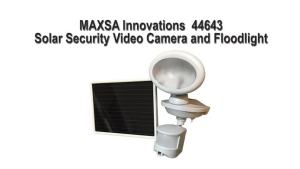
Maxsa 44643-CAM-WH Solar Security Video Camera and Spotlight-White
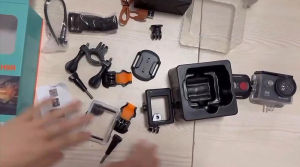
4K Underwater Waterproof Helmet Video Recording Sports Action Camera
V380 4G Solar Camera 4K 8MP Dual Lens CCTV Monitor Security Protection Human Detect Low Power Waterproof Outdoor PTZ WIFI IP Cameras
V380 PRO HD 1080p WiFi Connect Outdoor CCTV: A Comprehensive Guide
Outdoor Street Waterproof 4K AHD Bullet Security Video Surveillance DVR Camera XMEYE H.265 5MP 8MP Wired CCTV BNC Analog Camera
5G WiFi Smart Home Camera: A Comprehensive Guide
12V DC Power Supply Cable Extension: A Comprehensive Guide

Sony FE F/1.8 G Large Aperture Ultrawide Prime Lens Sony E Mount Full Frame Format AF Autofocus Dual XD Linear Motors with Focusing Ring AF / MF Switch and Focus Hold Button for Bokeh and Photography | SEL16F18G | JG Superstore
YOOSEE A10 Dual Lens 4MP FULL HD CCTV Camera Auto Tracking Security WiFi Lamp Bulb Camera Connect Cellphone CCTV Light Bulb CCTV 360° Rotation Wireless Night Vision Human Detection
Mini Security Protection Camera Smart WiFi Wireless Video Surveillance 1080P HD Indoor Night Vision Secret Security Hoome Camera