



Rover Systems 15U 600mm x 600mm Wall Mount Endura Data Rack Cabinet for CCTV
Rover Systems 15U 600mm x 600mm Wall Mount Endura Data Rack Cabinet for CCTV
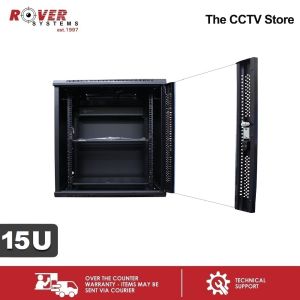
The Rover Systems 15U 600mm x 600mm Wall Mount Endura Data Rack Cabinet is a high-capacity wall mount rack designed specifically for CCTV systems. This robust cabinet provides ample space for storing and organizing surveillance equipment, ensuring efficient and reliable operation.
What is the Rover Systems 15U 600mm x 600mm Wall Mount Endura Data Rack Cabinet?
The Rover Systems 15U 600mm x 600mm Wall Mount Endura Data Rack Cabinet is a versatile and secure solution for managing CCTV equipment. It is designed to accommodate a wide range of surveillance devices, including cameras, DVRs, and other accessories. This compact cabinet offers excellent ventilation, easy access, and a sleek appearance.
Key Features & Specifications
- Brand: ENDURA
- Product Model: ECW060615
- Loading Capacity: 50kg
- Degree of Protection: IP20
- Number of Fan Holes: 1
- Surface Finish: Degreasing, Pickling, Phosphating, Powdered Coated
- Material: SPCC quality cold rolled steel
- Dimensions: 15U x 600mm x 600mm
- Ventilated Front and Rear Doors
- 5mm Tempered Glass Front Door with Over 180 Turning Degrees
- Removable Side Panels with Round Lock
- Cable Entry Plates on Top and Bottom Covers
- L-shaped Mounting Profile, Free to Move Forward and Backward
- Back Panel with 4 Mounting Holes
Why Choose This CCTV Cabinet?
With its robust construction and thoughtful design, the Rover Systems 15U 600mm x 600mm Wall Mount Endura Data Rack Cabinet is an excellent choice for managing CCTV equipment. Its superior ventilation, easy access, and sleek appearance make it a valuable addition to any surveillance system.
How to Install the Rover Systems 15U 600mm x 600mm Wall Mount Endura Data Rack Cabinet?
Installing the Rover Systems 15U 600mm x 600mm Wall Mount Endura Data Rack Cabinet is a straightforward process that can be completed by following these steps:
Step-by-Step Installation Guide
- Prepare the Wall: Ensure the wall is clean and free of debris. Locate the desired mounting location and mark the holes for the mounting hardware.
- Mount the Cabinet: Attach the cabinet to the wall using the provided mounting hardware. Make sure it is level and secure.
- Install Equipment: Install the CCTV equipment inside the cabinet, following the manufacturer's instructions.
- Connect Cables: Connect the necessary cables to the equipment, ensuring they are properly routed and secured.
- Secure Cabinet: Close and lock the cabinet doors to protect the equipment.
Tips for a Smooth Installation Process
- Read Instructions Carefully: Before beginning the installation process, read the manufacturer's instructions thoroughly to ensure proper installation.
- Use Appropriate Tools: Ensure you have the necessary tools for the installation process, such as a drill and screwdriver.
- Work Safely: Follow all safety precautions during the installation process, including using appropriate personal protective equipment.
How to Maximize the Performance of Your CCTV Cabinet?
To ensure optimal performance of your Rover Systems 15U 600mm x 600mm Wall Mount Endura Data Rack Cabinet, follow these guidelines:
Proper Cable Management Techniques
- Organize Cables: Keep cables organized and untangled to prevent damage and improve airflow.
- Label Cables: Label cables to easily identify their purpose and location.
- Use Cable Ties: Secure cables using cable ties to prevent movement and tangling.
Regular Maintenance & Troubleshooting
- Clean Cabinet: Regularly clean the cabinet to remove dust and debris, which can affect equipment performance.
- Check Connections: Periodically check connections to ensure they are secure and functioning properly.
- Monitor Temperature: Monitor the temperature inside the cabinet to ensure it remains within safe operating limits.
Important Considerations Before Ordering
Before placing an order for the Rover Systems 15U 600mm x 600mm Wall Mount Endura Data Rack Cabinet, keep the following considerations in mind:
Order Limits & Safety Precautions
- Order Limits: Please limit orders to 1 unit per transaction to avoid damage and ensure the safety of the equipment.
- Safety Precautions: Always follow the manufacturer's instructions and safety guidelines during installation and operation.

ROVER SYSTEMS
Review
You May Also Like
CHUZHAO 12MP TLR Digital Twin Lens Reflex Retro Style Toy Camera with 1080p FHD Video 1.54" Top View IPS HD Screen 32GB MicroSD Storage USB Type-C Port Rechargeable Li-ion Battery for Still Shots Videography Vintage Aesthetic | JG Superstore
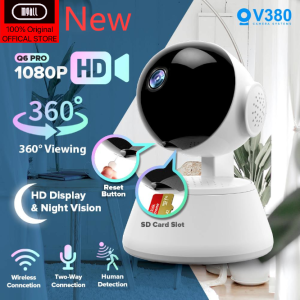
MGall ORIGINAL V380 PRO CCTV camera Q6 pro MAX Smart HD 1080P Night Vision Two-Way Audio Home Monitor CCTV Wireles
【COD 】K7 drone with camera remote control four-axis drone with 4k HD camera suitable for beginners WiFi FPV real-time recording high-altitude hovering four-side obstacle avoidance one-key take-off and landing gesture photo/video
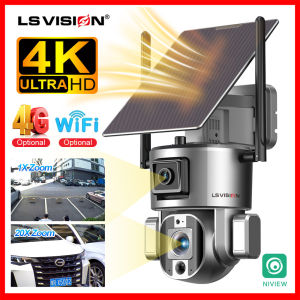
LS VISION 4K WIFI/4G SIM Dual Lens Solar CCTV Camera: A Comprehensive Guide
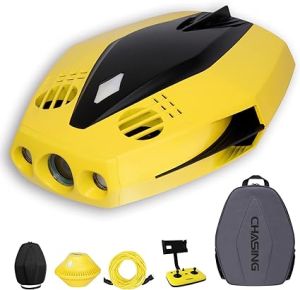
Chasing Dory Underwater Drone Set Smart Camcorders 1080P Full HD Underwater Photography ROV APP Remote Control Real-time Observation with Bluetooth Control Chasing Backpack
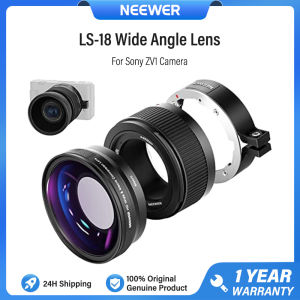
NEEWER LS-18 Wide Angle Lens For Sony ZV1 Camera 2-in-1 18mm HD Wide-Angle & 10x Macro Additional Lens with Extension Tube
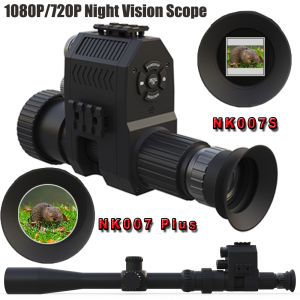
Digital Night Vision Scope Monocular: A Comprehensive Guide
Xiaomi Outdoor Solar Energy CCTV Camera Wifi Connect 360 With Audio and Speaker BUY 1 TAKE 1 Waterproof Alarm Surveillance Night Vision Auto Tracking CCTV Camera Connect Cellphone Monitor Built-in Battery
Brifit Wireless WIFI camera 360 ° rotating smart home monitoring camera dual -frequency 5G WIFI 1080p wireless camera real -time monitoring two -way call intelligent automatic tracking full -color infrared night vision indoor IP camera
Viocky High-Definition 8mm Single Lens Industrial Endoscope: A Powerful Tool for Industrial Maintenance & Construction Inspection
V11 5K Sports Cameras Factory Supplied 5K30 FPS Ultra High Definition Dual Color 5k Action Camera


















