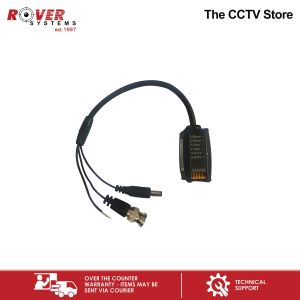
Endura Video Transceiver – Video Power Data BNC + 2 Pair Strip Cable to 6 Pin Push to Pin Terminal
Endura Video Transceiver – Video Power Data BNC + 2 Pair Strip Cable to 6 Pin Push to Pin Terminal
What is the Endura TTP111VPD?
Product Overview
The Endura TTP111VPD is a high-quality video power data transceiver designed to provide seamless connectivity between devices using a BNC + 2 pair strip cable and a 6 pin push to pin terminal. This versatile device ensures reliable transmission of video, power, and data signals while maintaining optimal performance.
Key Features
- High-Quality Video Transmission: The Endura TTP111VPD delivers crystal-clear video quality by minimizing signal loss and interference.
- Power Delivery: With its built-in power supply management system, the transceiver efficiently distributes power to connected devices, ensuring stable operation.
- Data Transmission: The transceiver supports fast and reliable data transfer, making it ideal for applications requiring real-time communication.
Setting Up Your Endura TTP111VPD
Connecting the BNC + 2 Pair Strip Cable
To connect the BNC + 2 pair strip cable to the Endura TTP111VPD, follow these steps:
- Identify the video input/output ports on the transceiver.
- Connect the BNC connector to the appropriate port.
- Secure the connection by gently tightening the locking ring.
Configuring the 6 Pin Push to Pin Terminal
The 6 pin push to pin terminal provides a convenient way to connect power and data cables to the Endura TTP111VPD. To configure this terminal:
- Identify the terminal's pin layout and match it with the corresponding cables.
- Insert the cables into the appropriate pins.
- Ensure the connections are secure by gently pressing down on the terminal.
Maximizing Performance with the Endura TTP111VPD
Optimizing Video Quality
To achieve optimal video quality with the Endura TTP111VPD, consider the following tips:
- Minimize Signal Loss: Use high-quality cables and maintain short distances between connected devices.
- Reduce Interference: Shielded cables and proper grounding techniques can help minimize electromagnetic interference.
- Adjust Settings: Fine-tune the transceiver's settings to optimize video performance.
Enhancing Data Transmission
For faster and more reliable data transfer, try these suggestions:
- Optimize Network Settings: Configure network parameters such as bandwidth and latency to suit your specific application.
- Upgrade Cables: Replace older cables with newer, higher-quality ones that support faster data transfer rates.
- Monitor Performance: Regularly check the transceiver's performance metrics to identify potential bottlenecks.
Managing Power Supply
To ensure stable power delivery, consider these recommendations:
- Use High-Quality Power Supplies: Invest in reliable power supplies that can handle the transceiver's power requirements.
- Monitor Voltage Levels: Regularly check voltage levels to prevent overvoltage or undervoltage conditions.
- Implement Redundancy: Incorporate redundant power supplies to maintain system operation during unexpected outages.
Troubleshooting Common Issues
Connectivity Problems
If you're experiencing connectivity issues, try the following solutions:
- Check Connections: Ensure all cables are securely connected to the appropriate ports.
- Verify Configuration: Double-check the transceiver's settings to confirm they match your desired configuration.
- Restart Devices: Restart connected devices to resolve temporary connectivity issues.
Signal Interference
To minimize signal interference, consider these suggestions:
- Shielded Cables: Use shielded cables to protect against electromagnetic interference.
- Grounding Techniques: Implement proper grounding techniques to reduce interference caused by electrical noise.
- Distance Management: Keep connected devices at a reasonable distance to avoid excessive signal attenuation.
Power Supply Issues
If you're encountering power supply problems, try these solutions:
- Replace Faulty Components: Replace any faulty power supplies or cables to restore stable power delivery.
- Check Voltage Levels: Monitor voltage levels to identify potential overvoltage or undervoltage conditions.
- Implement Redundancy: Incorporate redundant power supplies to maintain system operation during unexpected outages." }

ROVER SYSTEMS
Review

You May Also Like
![[CAMERA ONLY] KODAK NEW ULTRA F8 Reusable Fullframe 35mm 135 Negative Film F9 F9S MVP CAMERA](https://img.lazcdn.com/g/ff/kf/S56ceaa7a9d064ef8b9b663fc2fdc330by.jpg_300x300q80.jpg)
[CAMERA ONLY] KODAK NEW ULTRA F8 Reusable Fullframe 35mm 135 Negative Film F9 F9S MVP CAMERA

Outdoor Motion Sensor Solar Lights 77 LED FloodLight Waterproof Wireless Dummy Decoy Fake Security Camera for Porch Garden Patio

V380 PRO Q6 2MP CCTV Camera Wifi Connect to Phone 1080P IP Camera 360 Degree WiFi Mini Portable Indoor HD Night Vision Baby Monitor CCTV Security Camera with voice No blind spots Remote Monitoring

EZVIZ EB8 4G 2K/3MP Outdoor Waterproof Pan & Tilt 4G Battery Camera 4G CCTV CAMERA solar Connect to Cellphone 10400mAh CCTV battery operated
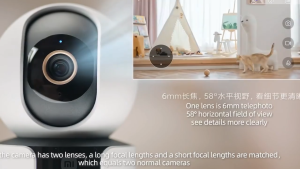
Xiaomi Smart Camera C500 Dual 3.5K UHD CCTV Full Color Night Vision Two-Way Voice Calls Global Version

tp-link VIGI C230I 3MP IR Dome Network Camera | TP-Link VIGI by EJD

Reolink Argus 4 Pro 4K 8MP 180° Dual-Lens Panorama Outdoor Dual Band WiFi Battery CCTV Security Camera PIR ColorX Night Vision Detection
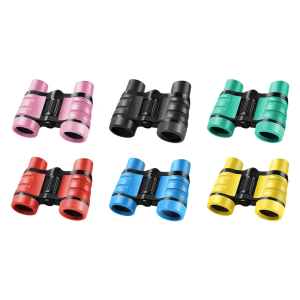
Kids Binoculars 4x30 Toy for Children Outdoor Observation of Nature and Bird Watching Early Educational Toy

15MP 5G WiFi IP Camera Outdoor Waterproof Triple lens 12MP Camera Ai Auto Tacking Video Security CCTV Surveillance Camera O-Kam Pro APP

Null Portable camera 2K WiFi Mini Sports Camera 1.3 inch Portable Digital Video Recorder Infrared BodyCam Police Camcorder
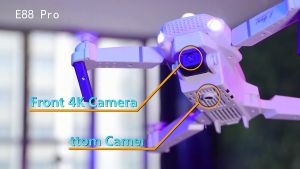
Xiaomi Drone E88 Camera 4K HD 1 Batteries With Dual Camera Original FPV Portable Foldable Remote Control Drones Rc Quadcopter Childrens toy