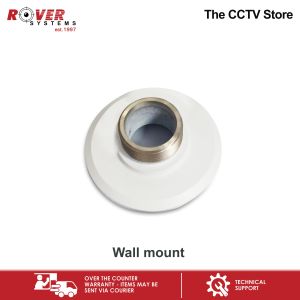
Rover Systems 100mm x 35mm Indoor Pendant Mount CCTV Camera Bracket Adapter
Rover Systems 100mm x 35mm Indoor Pendant Mount CCTV Camera Bracket Adapter
Introduction
The Rover Systems 100mm x 35mm Indoor Pendant Mount CCTV Camera Bracket Adapter is a high-quality mounting accessory designed specifically for indoor security camera installations. This compact bracket offers a sleek and professional appearance, making it an ideal choice for businesses and homeowners alike. In this article, we will explore the key features, benefits, installation guide, troubleshooting tips, and conclude with a summary and final thoughts.
Key Features
- 100mm x 35mm dimensions, suitable for various indoor CCTV cameras
- Durable construction with a matte black finish
- Easy-to-install design, compatible with most indoor pendant mounts
- High-quality materials for long-lasting performance
Benefits
The Rover Systems Indoor Pendant Mount CCTV Camera Bracket Adapter offers numerous benefits for users:
-
Compatibility: This bracket adapter is designed to work seamlessly with a wide range of indoor cameras, ensuring compatibility with your existing security system.
-
Ease of installation: With its simple design, this bracket adapter can be installed quickly and easily, saving time and effort during setup.
-
Professional appearance: The sleek and modern design of the bracket adapter ensures a polished look for your indoor security camera installation.
-
Durability: Made from high-quality materials, this bracket adapter is built to last, providing long-term reliability and performance.
Installation Guide
Installing the Rover Systems Indoor Pendant Mount CCTV Camera Bracket Adapter is a straightforward process. Follow these steps to ensure a successful installation:
Tools Required
- Screwdriver
- Drill (if needed)
- Measuring tape
Step-by-Step Instructions
-
Measure the mounting location: Determine the desired position for your camera and measure the distance from the ceiling or wall to the mounting point.
-
Mark the mounting holes: Using a pencil, mark the positions of the mounting holes on the ceiling or wall.
-
Drill the mounting holes: If necessary, use a drill to create the mounting holes at the marked locations.
-
Attach the bracket adapter: Secure the Rover Systems Indoor Pendant Mount CCTV Camera Bracket Adapter to the ceiling or wall using screws and a screwdriver.
-
Mount the camera: Attach your indoor camera to the bracket adapter, ensuring it is securely fastened.
-
Test the installation: Power on your camera and test its functionality to ensure proper operation.
Troubleshooting
Encountering issues during installation or after setup? Here are some common problems and their solutions:
Common Issues
-
Camera not mounting properly: Check that the mounting holes are aligned correctly and that the screws are tightened securely.
-
Camera not functioning: Verify that the camera is powered on and connected to the network or power source.
Solutions
-
Align mounting holes: Double-check the alignment of the mounting holes and adjust if necessary.
-
Check connections: Ensure that all cables and connections are secure and functioning properly.
Conclusion
In summary, the Rover Systems 100mm x 35mm Indoor Pendant Mount CCTV Camera Bracket Adapter is a versatile and reliable mounting accessory for indoor security cameras. With its compatibility, ease of installation, professional appearance, and durability, this bracket adapter is an excellent choice for businesses and homeowners looking to enhance their security systems.
Final Thoughts
Investing in a high-quality mounting accessory like the Rover Systems Indoor Pendant Mount CCTV Camera Bracket Adapter can significantly improve the overall performance and appearance of your indoor security camera installation. By following the installation guide and troubleshooting tips outlined in this article, you can ensure a successful setup and enjoy peace of mind knowing your property is well-protected.

ROVER SYSTEMS
Review

You May Also Like
Mini Camera HD1080p: A Comprehensive Guide
V380 PRO 4G/wifi Solar Cctv Camera connect cellphone VCS03 1080P full high-definition Outdoor waterproof 5MP Dual Lens
SIRUI Night Walker 16mm 24mm 35mm 55mm 75mm T1.2 S35 Cine Lens Series
Drone E88 Pro 4K Camera Foldable WiFi Remote Control with Auto Obstacle Avoidance Aerial Photography Quadcopter
Wistino CCTV Kit: A Comprehensive Guide to Home & Store Surveillance
hananre 1Pc CCTV Security Camera 1 DC Female To 2 3 4 5 6 8 Male Plug Power Cord Adapter Connector Supply Splitter Cable For LED Strip
1440P Mini Camera Wireless WIFI CCTV Night Vision Mobile Remote Monitor Home Convenient Plug-in Free Monitor
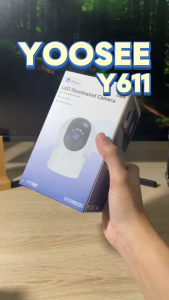
YOOSEE Y611 3MP Samrt CCTV Camera Wifi Connect To Cellphone 360 Rotation LED lighting Home Security Cam Full color night vision two-way voice
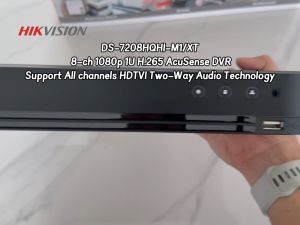
Hikvision CCTV DVR iDS-7208HQHI-M1/XT: AcuSense 8 Channel DVR Support All Channels HDTVI Two-Way Audio And AoC (Audio over Coax) Motion Detection Technology For Analog CCTV Camera Digital Video Recorder
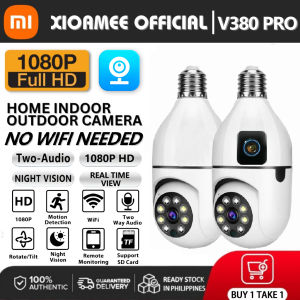
XIAOMI CCTV Camera Dual lens HD 8MP Alarm CCTV Bulb Camera 360 Rotation Indoor And Outdoor Waterproof Night Vision Two-way Audio Wireless Wifi Camera Connected To Mobile Phone Remote Surveillance
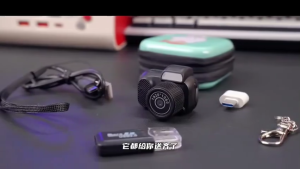
HLINKEY Mini Camera With Screen Indoor Home Outdoor Sport HD 1080p Portable Vintage Very Small Camcorder Video Recorder Support TF Card