Rover Systems BNC Jack RG59 Crimp Type 1 Endura CCTV Connector for RG59 Coaxial Cable 10pcs /Pack
Rover Systems BNC Jack RG59 Crimp Type 1 Endura CCTV Connector for RG59 Coaxial Cable 10pcs /Pack
Introduction to Rover Systems BNC Jack RG59 Crimp Type 1 Endura CCTV Connector
The Rover Systems BNC Jack RG59 Crimp Type 1 Endura CCTV Connector is a high-quality component designed for video transmission applications, specifically for RG59 coaxial cables. This connector is perfect for those looking to ensure a reliable connection while maintaining a professional appearance.
Key Features of the Rover Systems BNC Jack RG59 Crimp Type 1 Endura CCTV Connector
- High-Quality Construction: Made from durable materials, the Rover Systems BNC Jack RG59 Crimp Type 1 Endura CCTV Connector ensures long-lasting performance and reliability.
- Compatibility: Compatible with RG59 coaxial cables, this connector provides a secure connection for various video transmission applications.
- Ease of Installation: Designed with a crimp-type construction, the Rover Systems BNC Jack RG59 Crimp Type 1 Endura CCTV Connector allows for quick and easy installation.
Benefits of Using the Rover Systems BNC Jack RG59 Crimp Type 1 Endura CCTV Connector
- Improved Signal Quality: By using the Rover Systems BNC Jack RG59 Crimp Type 1 Endura CCTV Connector, you can enjoy enhanced signal quality, resulting in clearer video transmission.
- Cost-Effective Solution: With its affordable price point and durability, the Rover Systems BNC Jack RG59 Crimp Type 1 Endura CCTV Connector offers a cost-effective solution for video transmission needs.
- Professional Appearance: The sleek design of the Rover Systems BNC Jack RG59 Crimp Type 1 Endura CCTV Connector adds a touch of professionalism to any installation.
How to Install the Rover Systems BNC Jack RG59 Crimp Type 1 Endura CCTV Connector
Tools Needed for Installation
To install the Rover Systems BNC Jack RG59 Crimp Type 1 Endura CCTV Connector, you will need the following tools:
- Crimping tool
- Stripper
- Wire cutter
Step-by-Step Installation Guide
- Prepare the Coaxial Cable: First, strip the outer jacket of the coaxial cable using a stripper, exposing approximately 1/2 inch of the inner conductor.
- Install the Connector: Next, slide the connector onto the stripped end of the coaxial cable.
- Secure the Connector: Using a crimping tool, firmly crimp the connector onto the coaxial cable to ensure a secure connection.
- Trim Excess Wire: Finally, trim any excess wire from the connector using a wire cutter.
Troubleshooting Common Issues with the Rover Systems BNC Jack RG59 Crimp Type 1 Endura CCTV Connector
Loose Connection Issues
If you experience loose connections with the Rover Systems BNC Jack RG59 Crimp Type 1 Endura CCTV Connector, try the following troubleshooting steps:
- Re-crimp the Connector: Ensure the connector is securely crimped onto the coaxial cable.
- Check for Damage: Inspect the connector and cable for any signs of damage, which may affect the connection.
Signal Interference Problems
If you encounter signal interference issues with the Rover Systems BNC Jack RG59 Crimp Type 1 Endura CCTV Connector, consider these troubleshooting tips:
- Use Shielded Coaxial Cables: Shielded coaxial cables can help reduce signal interference.
- Keep Connectors Clean: Regularly clean connectors to prevent dirt and debris from affecting signal quality.
Conclusion & Final Thoughts on the Rover Systems BNC Jack RG59 Crimp Type 1 Endura CCTV Connector
The Rover Systems BNC Jack RG59 Crimp Type 1 Endura CCTV Connector offers a reliable and cost-effective solution for video transmission applications. With its high-quality construction and ease of installation, this connector is perfect for both professional and DIY projects. By following the installation guide and troubleshooting tips provided, you can ensure a secure connection and optimal performance." }

ROVER SYSTEMS

Review

You May Also Like

【COD】2025 New E88 Drone Pro HD 4K dual camera WiFi remote control portable mini aircraft record video
V380 PRO Solar CCTV Camera: A Comprehensive Guide
4x30 Binoculars Toy for Kids with Antislip Handle for Children Outdoor Activity and Learning Experiences Preschool Gift

24K Gold Rose Leaf Gold Foil Rose Flower Gold Foil Flower Valentines Day Gift Photography Props Activity Gifts

optical zoom wireless wifi CCTV outdoor camera 360 4K 8MP two-way call full color night vision automatic tracking alarm IP66 waterproof
Two-Way 360° Rotating Borescope: A Comprehensive Guide
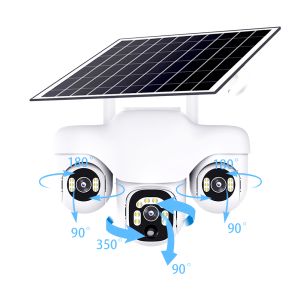
15MP PTZ Triple Lens 10X Zoom Solar Camera Outdoor Triple Screen 4G Auto Tracking Smart Home Wireless CCTV Cam Waterproof
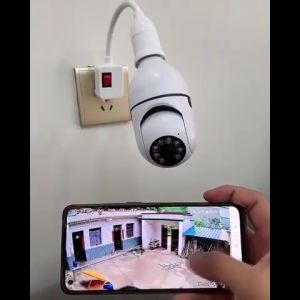
Original CCTV Bulb Camera: A Wireless WiFi Security Solution

15-500x42 Zoom Telescope HD Portable with LED Light Long Range Professional Monocular Low Night Vision For Hunting Camping

Hikvision Dome 2 way Audio DS-2CE78D0T-LTS ColorVU Mic

Endura CAT5 VGA Long Range Receiver: A Professional VGA Signal Extender