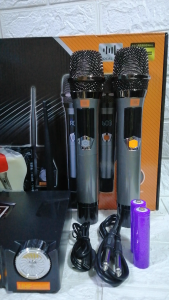
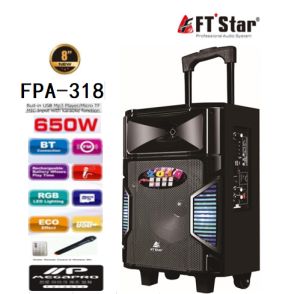
Megapro FTStar FPA-818 Portable Bluetooth Trolley 8 Channel Speaker w/ Wireless Microphone
Megapro FTStar FPA-818 Portable Bluetooth Trolley 8 Channel Speaker w/ Wireless Microphone
Introduction to Megapro FTStar FPA-818
The Megapro FTStar FPA-818 Portable Bluetooth Trolley 8 Channel Speaker is a versatile audio system designed for both personal and professional use. This compact Bluetooth speaker offers 8 channels of high-quality sound and comes with a wireless microphone, making it perfect for various settings such as parties, events, and presentations. With its sleek design and portability, the Megapro FTStar FPA-818 is a must-have for anyone looking to elevate their audio experience.
Product Overview
The Megapro FTStar FPA-818 Portable Bluetooth Trolley 8 Channel Speaker is a travel-friendly audio solution that provides excellent sound quality and convenience. It comes equipped with a wireless microphone, allowing users to effortlessly switch between playing music and making announcements. Its compact size and durable build make it easy to transport and store, while its sleek design adds a touch of elegance to any setting.
Key Features
- 8 Channel Speaker System: Enjoy rich, clear sound across eight channels, ensuring a balanced audio experience.
- Portable Bluetooth Trolley Speaker: The Megapro FTStar FPA-818 is easy to carry around, making it perfect for outdoor events and travel.
- Wireless Microphone: The included wireless microphone allows users to make announcements or deliver presentations without being tethered to the speaker.
- Compact Bluetooth Speaker: With its compact size, the Megapro FTStar FPA-818 is ideal for both personal and professional use.
Setting Up Your Megapro FTStar FPA-818
Setting up the Megapro FTStar FPA-818 is a breeze, thanks to its intuitive design and user-friendly features. Follow these steps to get started:
Unboxing & Assembly
- Carefully remove the Megapro FTStar FPA-818 from its packaging.
- Assemble the trolley base according to the instructions provided.
- Connect the speaker to the trolley base using the included cables.
- Install the wireless microphone battery, if necessary.
Connecting Devices
To connect your devices to the Megapro FTStar FPA-818, simply follow these steps:
- Power on the speaker.
- Press the Bluetooth button on the speaker until the LED indicator starts blinking.
- On your device, go to the Bluetooth settings and select the Megapro FTStar FPA-818 from the list of available devices.
- Once connected, play music or make announcements using the wireless microphone.
Pairing Wireless Microphone
Pairing the wireless microphone with the Megapro FTStar FPA-818 is easy:
- Turn on the wireless microphone by pressing the power button.
- Press and hold the pairing button on the speaker until the LED indicator starts blinking.
- Wait for the LED indicator to stop blinking, indicating successful pairing.
How to Use Megapro FTStar FPA-818
Now that you've set up your Megapro FTStar FPA-818, it's time to enjoy its features:
Playing Music
To play music using the Megapro FTStar FPA-818, simply connect your device via Bluetooth and select a song or playlist. Adjust the volume and channel settings as needed to achieve the desired sound quality.
Using Wireless Microphone
To use the wireless microphone, turn it on and press the pairing button on the speaker until the LED indicator stops blinking. Once paired, you can make announcements or deliver presentations using the microphone.
Adjusting Volume & Channels
The Megapro FTStar FPA-818 allows users to adjust the volume and channel settings to achieve the desired sound quality. Use the volume control buttons on the speaker to adjust the overall volume, and use the channel selector buttons to switch between channels.
Megapro FTStar FPA-818 Maintenance & Troubleshooting
To ensure optimal performance and longevity, follow these maintenance tips:
Cleaning & Storage
- Clean the Megapro FTStar FPA-818 with a soft, dry cloth to remove dust and dirt.
- Store the speaker in a cool, dry place when not in use.
- Keep the wireless microphone battery charged to ensure optimal performance.
Common Issues & Solutions
- No sound: Check that the speaker is powered on and connected to your device via Bluetooth. Also, make sure the volume is turned up and the correct channel is selected.
- Microphone not working: Check that the wireless microphone is powered on and paired with the speaker. If necessary, try pairing the microphone again.
Warranty & Support
For more information about the Megapro FTStar FPA-818 warranty and support, please visit the manufacturer's website or contact their customer service team.

voiceball.ph
Review

You May Also Like
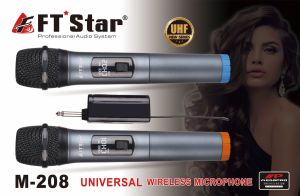
FT START MEGAPRO 2in1 UNIVERSAL WIRELESS MICROPHONE M-208
White Noise Sound Sleep Aid Music Under Pillow Portable Bone Conduction Bluetooth Speaker Silent Wireless Speaker
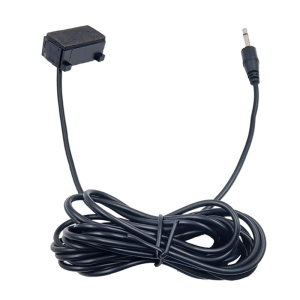
Universal In Car Radio Stereo Microphone 300cm Wire 3.5mm Plug for Navigation & Wireless Communication Handfree Calls
BAVIN HX820 3.5mm Jack Universal Wired Earphone Stereo Audio Sound Phone Earbuds
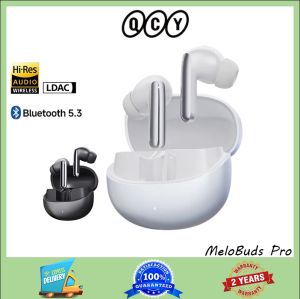
QCY Melobuds Pro ANC Bluetooth 5.3 Wireless Earphones 46dB Hybrid ANC High Resolution LDAC Earphones 6 Microphone 34 Hour
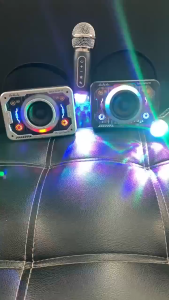
V9 portable space shelter Bluetooth wireless dual microphone speaker transparent Mech RGB color light stereo family KTV set
A960BL Noise Cancelling Bluetooth In-Ear Earphone Ergonomic Design with HD Microphone
HP 1601 Headsets: A Comprehensive Guide
ZK-TB212.1 Channel Bluetooth Amplifier – TDA7498E 160W*2 + 220W Subwoofer Module Wireless Audio Power
KZ ZS12 PRO X Metal Earphones 1DD+5BA Hybrid HIFI Bass In Ear Monitor Headphones Music Sport Noise Cancelling Headset New Arrive
AWEI X670BL Sweatproof Super Bass Sports Bluetooth Earphone