GODO Single Hard Drive Docking Station: A Comprehensive Guide
GODO Single Hard Drive Docking Station: A Comprehensive Guide
Introduction to GODO Hard Drive Docking Station
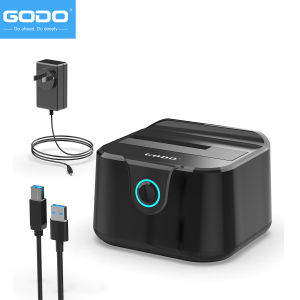
The GODO Single Hard Drive Docking Station is a versatile and efficient device designed to provide users with an easy-to-use solution for managing their storage needs. With support for both 2.5-inch and 3.5-inch SATA hard disk drives (HDD) and solid-state drives (SSD), this docking station allows users to connect their existing storage devices to a computer or laptop, enabling seamless data transfer and management.
Overview of GODO Hard Drive Docking Station
The GODO Single Hard Drive Docking Station features a USB 3.0 to SATA III adapter, which supports UASP acceleration protocol. This ensures stable and fast data transmission, with speeds reaching up to 450MB/s. The docking station also supports offline cloning and max capacity of 20TB, making it an ideal solution for users who require reliable and efficient data management.
Key Features & Benefits
- 2.5/3.5 inch HDD SSD Support: The GODO docking station supports both 2.5-inch and 3.5-inch SATA hard disk drives and solid-state drives, providing users with a flexible and versatile solution for managing their storage needs.
- External Hard Drive Dock with UASP: The docking station features a USB 3.0 to SATA III adapter, which supports UASP acceleration protocol, ensuring stable and fast data transmission.
- Offline Clone and Max: The GODO docking station supports offline cloning and max capacity of 20TB, making it an ideal solution for users who require reliable and efficient data management.
How to Use GODO Hard Drive Docking Station
Using the GODO Single Hard Drive Docking Station is simple and straightforward. Here's how to set it up and start transferring data:
Setup & Installation Process
- Connect the GODO docking station to your computer or laptop using the provided USB 3.0 cable.
- Insert your 2.5-inch or 3.5-inch SATA hard disk drive or solid-state drive into the docking station.
- Power on your computer or laptop and wait for the device to be recognized.
Connecting & Disconnecting Hard Drives
To connect a hard drive, simply insert it into the docking station and power on your computer or laptop. To disconnect a hard drive, safely eject the device from your computer or laptop and remove it from the docking station.
Transferring Data Efficiently
With the GODO Single Hard Drive Docking Station, transferring data has never been easier. Simply connect your hard drive to the docking station and copy files from one drive to another using your preferred file management software.
GODO Hard Drive Docking Station Specifications
The GODO Single Hard Drive Docking Station offers a range of specifications that make it an ideal solution for managing storage needs:
Supported Hard Disk Types
The GODO docking station supports both 2.5-inch and 3.5-inch SATA hard disk drives and solid-state drives, providing users with a flexible and versatile solution for managing their storage needs.
Maximum Capacity & Storage
The GODO docking station supports a maximum capacity of 20TB, making it an ideal solution for users who require reliable and efficient data management.
Transmission Speed & Protocols
The GODO docking station features a USB 3.0 to SATA III adapter, which supports UASP acceleration protocol, ensuring stable and fast data transmission with speeds reaching up to 450MB/s.
Applications & Scenarios for GODO Hard Drive Docking Station
The GODO Single Hard Drive Docking Station offers a range of applications and scenarios for managing storage needs:
Backing Up Important Files
With the GODO docking station, users can easily back up important files to a separate hard drive, ensuring their data is safe and secure.
Storing HD Media & Documents
The GODO docking station supports a maximum capacity of 20TB, making it an ideal solution for storing HD media and documents, including HD movies, HD photos, lossless music, and documents.
Offline Cloning & Data Transfer
With support for offline cloning, users can easily transfer data between hard drives without the need for a computer or laptop, making it an ideal solution for managing storage needs.

godohk
Review

You May Also Like
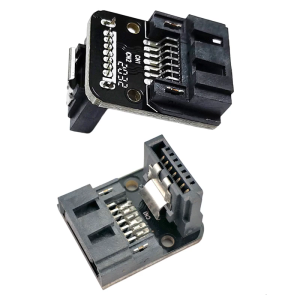
SATAs 7Pin Female to Male Right Angle Connectors Adapter for Desktop Configuration
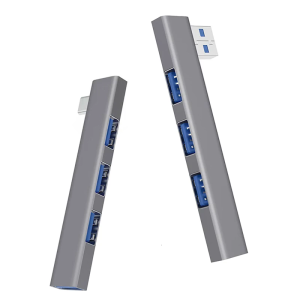
Aluminum Alloy Right Angle USB Hubs 4 Port USB3.0 Type C and USB2.0 Port Spaces Saving Desktop Organization Plugs and Play
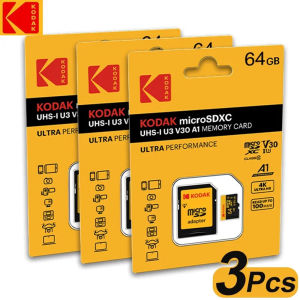
3Pcs Original Kodak Micro SD Card Memory Card 32GB 64GB A1 SDXC TF Video card With SD Adapter Class 10 For Camera Phone
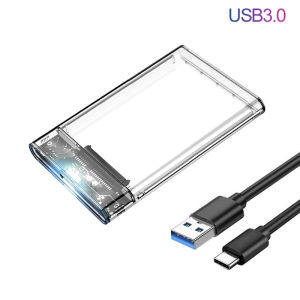
USB 3.1 Type C HDD Enclosure 2.5 Inch SATA SSD External Hard Drive Case With 5Gbps Transfer Speed Clear Harddisk Boxs Tool-Free

OLDIES FEMALE TAGALOG MUSIC SONGS IN USB FLASH DRIVE / MEMORY CARD MP3 320 KBPS plus OTG DUAL ADAPTER
KIOXIA Exceria High Endurance MicroSD Card 128GB 256GB 512GB U3 V30 A1 Class 10 100MB/s Read Long Lifespan Flash Memory for CCTV Dashcam 4K Video Formerly Toshiba Kioxia Official Reseller Durable Micro SD Card for Continuous Recording
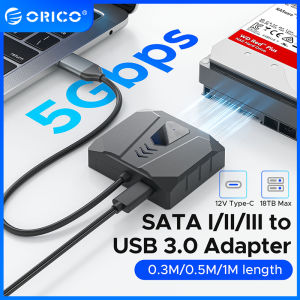
ORICO SATA to USB 3.0 Adapter: A Universal Solution for HDD/SSD
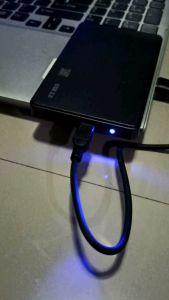
New USB 3.0 Hardrive Portable (plug&play) encosure+hdd inside For PS4 PS3 PS2 LAPTOP DESKTOP EXTERNAL HDD DRIVE WITH WARRANTY Refurbished
USB FLASHDRIVE WITH OFFLINE KARAOKE SONGS/MUSIC 5000 FILES HIGH QUALITY FREE OTG TYPE C/MICRO ADAPTER
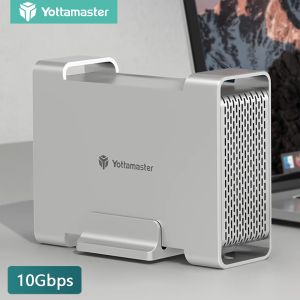
Yottamaster Mac Style USB3.1 Gen2 10Gbps Type C RAID SSD Enclosure: A Comprehensive Guide
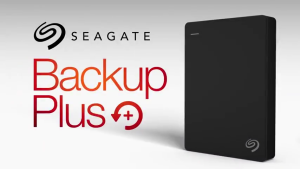
Seagate Plus Slim 1TB 2TB External Hard Drive For Mac and Windows Portable USB 3.0 External HDD