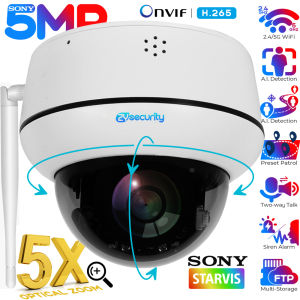
Hot Selling TP-Link Tapo C210 3MP CCTV Camera Indoor Security Camera Two-way Audio CCTV Camera Connect to Cellphone
Hot Selling TP-Link Tapo C210 3MP CCTV Camera Indoor Security Camera Two-way Audio CCTV Camera Connect to Cellphone
What is the TP-Link Tapo C210?
The TP-Link Tapo C210 is a high-quality surveillance camera designed for indoor use. This 3MP indoor security camera offers ultra-high-definition video recording, making it perfect for monitoring your home or office. It features pan and tilt functionality, advanced night vision, motion detection and notifications, sound and light alarm, two-way audio, safe storage, and voice control compatibility with Google Assistant and Amazon Alexa.
Key Features
- Ultra-High-Definition Video: Records every image in crystal-clear 3MP definition
- Pan and Tilt: 360º horizontal range
- Advanced Night Vision: Provides a visual distance of up to 30 ft
- Motion Detection and Notifications: Notifies you when the camera detects movement
- Sound and Light Alarm: Trigger light and sound effects to frighten away unwanted visitors
- Two-Way Audio: Enables communication through a built-in microphone and speaker
- Safe Storage: Locally stores up to 512 GB on a microSD card
- Voice Control: Free Up Your Hands with Voice Control: Works with the Google Assistant and Amazon Alexa (not available in all languages and countries)
Installation & Setup
Installing and setting up the TP-Link Tapo C210 is a straightforward process. First, ensure that you have a stable Wi-Fi connection and a smartphone or tablet running Android or iOS. Download the Tapo app from the Google Play Store or Apple App Store, and follow the on-screen instructions to connect the camera to your Wi-Fi network. Once connected, you can access the camera's settings and customize its features according to your preferences.
How to Connect the TP-Link Tapo C210 to Your Cellphone
Connecting the TP-Link Tapo C210 to your cellphone is simple and easy. Here are the steps to follow:
- Download the Tapo app from the Google Play Store or Apple App Store.
- Open the app and sign in with your account credentials.
- Follow the on-screen instructions to connect the camera to your Wi-Fi network.
- Once connected, you can access the camera's live feed, playback recorded footage, and customize its settings.
Using the Tapo App
The Tapo app provides a user-friendly interface for managing your TP-Link Tapo C210. From the app, you can view the camera's live feed, playback recorded footage, set up motion detection and notifications, and customize other settings. The app also allows you to control the camera's pan and tilt functionality, activate the sound and light alarm, and communicate through the two-way audio feature.
Connecting to Wi-Fi
To connect the TP-Link Tapo C210 to your Wi-Fi network, follow these steps:
- Power on the camera and wait for the Wi-Fi LED indicator to turn solid green.
- Open the Tapo app and sign in with your account credentials.
- Follow the on-screen instructions to connect the camera to your Wi-Fi network.
- Once connected, you can access the camera's settings and customize its features according to your preferences.
Advanced Features of the TP-Link Tapo C210
The TP-Link Tapo C210 offers several advanced features that make it a top choice for indoor security cameras.
Pan & Tilt Functionality
The camera's pan and tilt functionality allows you to adjust the camera's position remotely using the Tapo app. This feature provides a 360º horizontal range, enabling you to monitor a wide area without physically moving the camera.
Motion Detection & Notifications
The TP-Link Tapo C210 features motion detection and notifications, which alert you when the camera detects movement. You can customize the sensitivity of the motion detection feature and choose how you want to receive notifications (e.g., via email, SMS, or push notification).
Voice Control with Google Assistant & Amazon Alexa
The TP-Link Tapo C210 is compatible with Google Assistant and Amazon Alexa, allowing you to control the camera using voice commands. This feature provides hands-free convenience and allows you to activate the camera's functions without physically interacting with the device.
Storage & Security Options
The TP-Link Tapo C210 offers safe storage options to ensure your footage remains secure.
MicroSD Card Storage
The camera supports microSD card storage, allowing you to locally store up to 512 GB of footage. This feature ensures that your footage remains secure and accessible, even if your internet connection is interrupted.
Safe Storage & Data Protection
TP-Link takes data protection seriously and implements strict security measures to protect your footage. The camera uses AES 128-bit encryption to secure your footage and provides secure access controls to prevent unauthorized access.
In conclusion, the TP-Link Tapo C210 is a top choice for indoor security cameras. Its ultra-high-definition video recording, pan and tilt functionality, advanced night vision, motion detection and notifications, sound and light alarm, two-way audio, safe storage, and voice control compatibility with Google Assistant and Amazon Alexa make it a powerful and convenient option for monitoring your home or office.

Tapo By TP-Link
![[Hot Selling] TP-Link Tapo C210 3MP CCTV Camera Indoor Security Camera Two-way Audio CCTV Camera Connect to Cellphone](https://img.lazcdn.com/g/p/fe988694986c91d008c914c183ad9842.png_300x300q80.png)
You May Also Like
10X50 Binoculars 100% Waterproof Nitrogen Telescope Big Rangefinder Compass Powerful Professional Military HD Marine
ALPHA 5MP Wireless Wifi Camera: A Comprehensive Guide

Rover Systems CCTV Endura VGA Extender: A High-Performance Passive VGA Balun Pair

360 go Pro Camera Vlogging Action Camera Motorcycle 4K HD Underwater Video Recording Wifi Waterproof Sports Camera
Black/White Conch Dummy CCTV Camera Flashing Red Led Fake Camera Power Via 3AA Battery Home Office Surveillance Security System
5.5mm USB Phone Borescope Industrial Pipeline Auto Repair Inspection Corded Waterproof Borescope
V380 PRO Q15S 8MP dual lens HD 1080P IP Security camera outdoor waterproof Wireless WiFi connection 360 full color night vision two-way call connect cellphone surveillance camera
V380 Pro CCTV Camera Connect Cellphone Outdoor Waterproof 8MP HD Pan /Tilt IP Security Cameras Home Smart Security Two-Way Audio Night Vision Indoor Auto Tracking Rotation CCTV Camera NO Need Internet - Lazada
Imou Bulb Cam 3MP CCTV Security Indoor Camera with Color Night Vision | Two-way Audio | Easy Install
HIKVISION DS-2CE70DF3T-PF 2MP COLORVU 2.8MM 20M LIGHT DISTANCE SOLID LIGHT WHITELIGHT IP67
IMOU DK1/Cue2 Indoor Security Camera Connect to Cellphone CCTV Wireless Baby Pet Monitor 2-Way Audio