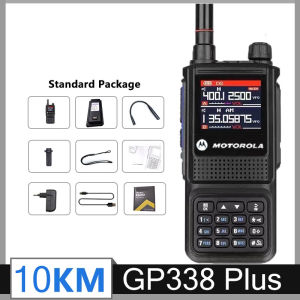
The Ultimate Guide to the GP338 Plus Walkie Talkie
The Ultimate Guide to the GP338 Plus Walkie Talkie
The GP338 Plus Walkie Talkie is a high-performance two-way radio designed to meet the needs of outdoor enthusiasts, professionals, and families looking for reliable communication over long distances. This guide will provide you with an in-depth understanding of the key features, setup process, and usage tips for this versatile radio.
Key Features & Benefits
IP54 Dust & Water Resistant Radio
The GP338 Plus Walkie Talkie is equipped with an IP54 rating, which means it is both dust and water-resistant. This feature makes it ideal for use in harsh weather conditions, such as rain, snow, or dusty environments. The IP54 rating ensures that your radio remains protected and functional even in challenging situations.
15W High Power Waterproof Radio
With a powerful 15W output, the GP338 Plus Walkie Talkie delivers crystal-clear audio transmission over long distances. This high-power radio is perfect for use in outdoor activities, emergency situations, or large-scale events where reliable communication is crucial.
65-520mHz AM/FM Radio Capabilities
The GP338 Plus Walkie Talkie offers six-band AM/FM radio capabilities, allowing you to tune into a wide range of frequencies between 65-520mHz. This feature enables you to stay connected with local news, weather updates, and other important broadcasts while enjoying the freedom of wireless communication.
Setup & Configuration
How to Set Up Your GP338 Plus Walkie Talkie
Setting up your GP338 Plus Walkie Talkie is easy and straightforward. Follow these steps to get started:
- Charge the battery using the included charger.
- Insert the charged battery into the radio.
- Turn on the radio by pressing the power button.
- Configure the desired settings, such as channels, frequencies, and volume.
Configuring Channels & Frequencies
To configure channels and frequencies on your GP338 Plus Walkie Talkie, follow these steps:
- Press the channel button to select the desired channel.
- Press the frequency button to enter the desired frequency range.
- Save the settings by pressing the save button.
Pairing with Other Radios
To pair your GP338 Plus Walkie Talkie with other radios, ensure that both radios are set to the same channel and frequency. Once paired, you can communicate seamlessly with your friends, family, or colleagues over long distances.
Performance & Usage
Understanding the 10KM Long Range Capability
The GP338 Plus Walkie Talkie offers a remarkable 10KM long-range capability, allowing you to stay connected with others even in remote locations. This feature is ideal for outdoor activities, emergency situations, or large-scale events where reliable communication is crucial.
Using the Six-Band Walkie Talkie
To make the most of the six-band AM/FM radio capabilities on your GP338 Plus Walkie Talkie, follow these tips:
- Tune into local news and weather updates to stay informed about important events and conditions.
- Listen to music and entertainment broadcasts to keep yourself entertained during outdoor activities.
- Monitor emergency frequencies to stay prepared for unexpected situations.
Tips for Optimal Performance
To ensure optimal performance from your GP338 Plus Walkie Talkie, follow these tips:
- Regularly charge the battery to maintain its longevity.
- Clean the exterior of the radio to prevent dust and debris buildup.
- Store the radio in a dry, cool place when not in use.
- Update the firmware periodically to ensure compatibility with new features and improvements.

CONTACTING
Review

You May Also Like
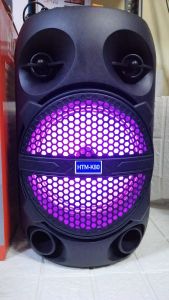
HTM K80 BK-80 8\" Portable Party Speaker/ Bluetooth Speaker with Mic Karaoke/OUTDOOR

2025 New Bluetooth In-Ear Wireless Noise Reduction High Sound Quality Long Battery Life Sports Running Earphones Lossless
![[Local Delivery] 2 In 1 Multifunctional Mobile Phone Desk Holder Stand Foldable Bluetooth Audio Speaker Desktop Tablet Support](https://img.lazcdn.com/g/p/e10f5ece3a072026ed1c0c2e835b5c4e.jpg_300x300q80.jpg)
[Local Delivery] 2 In 1 Multifunctional Mobile Phone Desk Holder Stand Foldable Bluetooth Audio Speaker Desktop Tablet Support
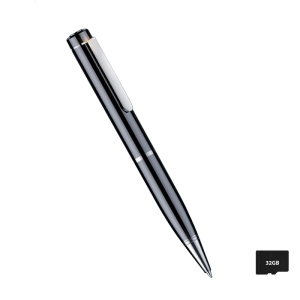
Portable Voices Recorders Clear Sound Recording 32G/64G Storage Option Small Noise Reduction Suitable for Office Meetings
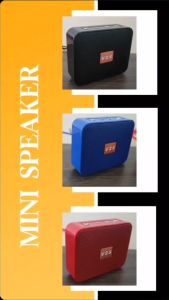
V2S VS801 Portable Mini Wireless Bluetooth Speaker with USB TF Card and FM Radio Function
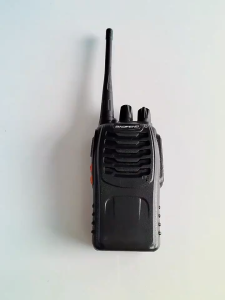
Portable Walkie Talkie: A Comprehensive Guide

【1 Year Warranty】JBL Boombox 4 Portable Speaker Boomboxes Bluetooth Speaker with Mic Subwoofer Super Bass Support USB/TF card/Aux For Phone/PC
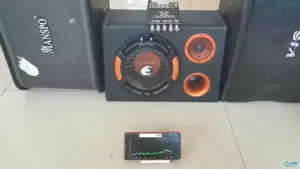
DIY High Power Bluetooth 21 Channel Amplifier with TDA7498E Chip for Home Audio
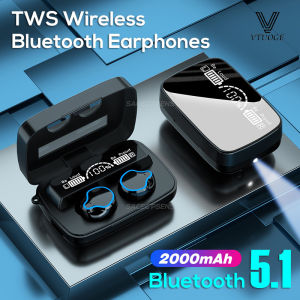
VTUOGE M9 TWS Bluetooth Earphones: A Comprehensive Guide
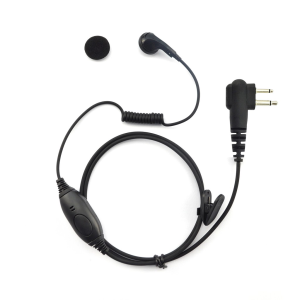
For Motorola GP88 GP300 Two-Way Radios 2 Pin Earbuds Interphone Earpiece with Mic PTT Earphone Headset HandsFree Headphone

Soft Ear Pads Headphone Earpads for G435 Headphone Thick Cushions Earphone Earpads Sleeves Ear Pads Accessories