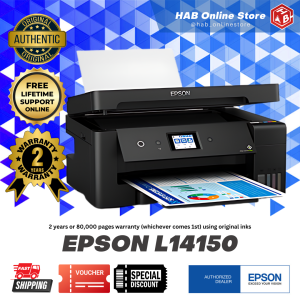
Epson L14150 & L15150 Ecotank Wireless 3 in 1 A3 Printer: Features & Benefits
Epson L14150 & L15150 Ecotank Wireless 3 in 1 A3 Printer: Features & Benefits
What is the Epson L14150 & L15150 Ecotank Printer?
The Epson L14150 and L15150 Ecotank printers are wireless 3-in-1 A3 printers designed for efficient printing, scanning, and copying tasks. They are perfect for home offices, small businesses, and individuals who need high-quality prints at a reasonable cost. These printers come equipped with a Scanner and Xerox Long Legal ADF, which allows users to scan and copy long legal documents effortlessly.
Printer Specifications
The Epson L14150 and L15150 Ecotank printers boast impressive specifications, including:
- Wireless connectivity for seamless integration with various devices
- Continuous Ink System (CIS) for cost-effective printing
- A3 printing capabilities
- Scanner and Xerox Long Legal ADF for efficient scanning and copying
Included Components
When you purchase the Epson L14150 or L15150 Ecotank printer, you will receive the following components:
- Printer
- Power cord
- CD (containing software and drivers)
- USB cable
- One set of ink cartridges
- Manual
How to Set Up Your New Printer
Setting up your new Epson L14150 or L15150 Ecotank printer is straightforward and easy. Follow these steps to get started:
Connect to Wi-Fi
- Turn on your printer by pressing the power button located on the front panel.
- Connect your printer to your Wi-Fi network using the on-screen instructions displayed on the printer's control panel.
- Once connected, your printer will be ready to print, scan, and copy wirelessly.
Install Ink & Paper
- Open the ink cartridge access door located at the front of the printer.
- Insert the ink cartridges into their respective slots, following the color-coded indicators.
- Load paper into the input tray, making sure it is properly aligned and not folded or creased.
How to Maximize Printing Efficiency
To get the most out of your Epson L14150 or L15150 Ecotank printer, consider these tips:
Scan & Copy Long Legal Documents
Take advantage of the Scanner and Xerox Long Legal ADF feature to scan and copy long legal documents effortlessly. Simply load the document into the ADF, and the printer will automatically feed it through for scanning or copying.
Use Continuous Ink System
The Continuous Ink System (CIS) is a cost-effective way to keep printing without worrying about running out of ink. By using the included ink cartridges, you can enjoy high-quality prints at a lower cost per page compared to traditional inkjet printers.
Where to Purchase Your Printer
If you're looking to purchase an Epson L14150 or L15150 Ecotank printer, visit the Official Flagship Store Partner Dealer. This authorized dealer offers a wide range of Epson products, including the Epson L14150 and L15150 Ecotank printers, along with warranty and support services.
Warranty & Support
When you purchase an Epson L14150 or L15150 Ecotank printer from the Official Flagship Store Partner Dealer, you'll receive a warranty and support services to ensure your satisfaction. These benefits include:
- Limited warranty coverage
- Technical support and troubleshooting assistance
- Replacement parts and repairs, if necessary
By choosing the Epson L14150 or L15150 Ecotank printer, you'll enjoy high-quality prints, efficient scanning and copying capabilities, and cost-effective printing thanks to the Continuous Ink System. Plus, with the Official Flagship Store Partner Dealer, you'll have peace of mind knowing that you're getting a reliable product backed by warranty and support services.

HAB Online Store
You May Also Like
DPK1680 Ribbon Universal Fujitsu Printer Ribbon Holder DPK750 Printer Cartridge FR1680 Carbon Ribbon
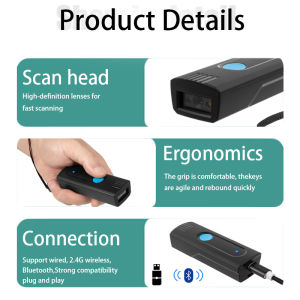
Long Distance Wireless BT V5.0 Barcode Reader Small Pocket Scanner Devices Uploading to tablet on Phone Computer POS machine
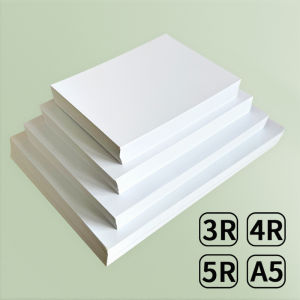
3R 4R 5R A5 Multi Specification High Gloss Photo Paper Photo Printing Paper Inkjet Printer 180G Glossy Single-Sided Photo Paper

522 T522 High Capacity Ink Refill Bottles (Not Sublimation Ink) Compatible for Epson ET-2800 ET-2760 ET-2803 ET-2400 ET-4800 ET-2720 ET-2840 ET-4760 ET-4700 ET-4810 Printer (BK C M Y)
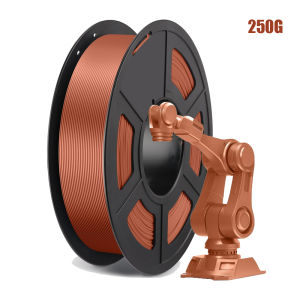
Silk PLA 3D Printer Filament 1.75mm Shiny Clog-Free Metallic Texture ±0.02mm 250g Copper Color for DIY Crafts And Modeling
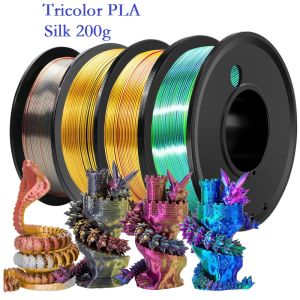
200g Tricolor Filament Silk PLA 1.75mm Dimensional Accuracy+/- 0.05mm FDM 3D Printer Filament Multicolor PLA Red Blue Green
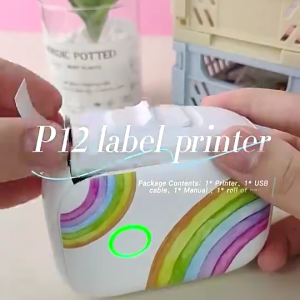
LIOTOG P12 Mini Portable Label Thermal Printer Bluetooth Wireless Label Printer with Label Sticker Wireless Bluetooth Portable Label Maker for Android/IOS
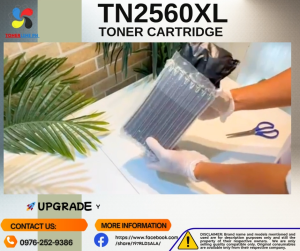
TN2560XL w/Chip TN2560 Toner Cartridge & Reset Chip Compatible for Brother DCP-L2640DW L2680 L2885 L2805 L2400 L2440
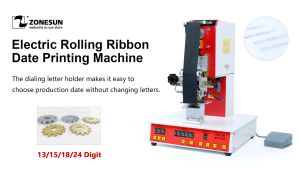
ZONESUN Electric Rolling Ribbon Printer: A Comprehensive Guide
![[COD] SHGMYD Filament Plastic For 3D Printer Multi-colored Optional Rubber Consumables Material](https://img.lazcdn.com/g/p/b90dd0b8fb0f92dbc6651b7a86633386.jpg_300x300q80.jpg)
[COD] SHGMYD Filament Plastic For 3D Printer Multi-colored Optional Rubber Consumables Material

YUWO 20PCS A4 Sheets Heat Toner Transfer Paper For DIY PCB Electronic Prototype Mak