Mirabox N3 Custom Visual Mini Knob: A Comprehensive Guide to Live Broadcast Control
Mirabox N3 Custom Visual Mini Knob: A Comprehensive Guide to Live Broadcast Control
What is Mirabox N3 Custom Visual Mini Knob?
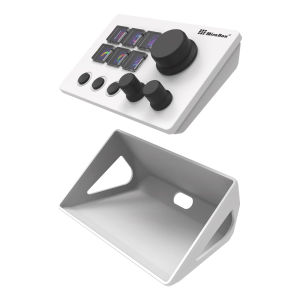
Mirabox N3 Custom Visual Mini Knob is a powerful tool designed for live broadcast control, offering users a seamless way to manage their streams and enhance their overall performance. This versatile device, also known as a domestic stream deck, allows users to customize their workflow by programming macros and creating a personalized layout that suits their specific needs.
Overview of Mirabox N3 Custom Visual Mini Knob
The Mirabox N3 Custom Visual Mini Knob is a compact, user-friendly device that features a customizable visual interface. This intuitive design makes it easy for users to control their live broadcasts, whether they're streaming games, hosting webinars, or conducting virtual events. By integrating macro programming capabilities, the Mirabox N3 provides a streamlined experience that simplifies the process of managing multiple tasks during a live broadcast.
Key Features and Benefits
- Customizable Layout: The Mirabox N3 allows users to tailor their stream deck layout to meet their specific requirements, ensuring a personalized experience that enhances efficiency and productivity.
- Macro Programming: With macro programming capabilities, users can automate repetitive tasks, saving time and increasing focus during live broadcasts.
- Visual Interface: The Mirabox N3 features a visually appealing interface that makes it easy to navigate and control various aspects of a live broadcast.
- Compact Design: The mini knob design of the Mirabox N3 makes it easy to transport and integrate into existing setups.
How to Use Mirabox N3 Custom Visual Mini Knob for Live Broadcast Control
To get the most out of your Mirabox N3 Custom Visual Mini Knob, follow these steps:
Setting Up Your Stream Deck
- Connect your Mirabox N3 to your computer using a USB cable.
- Install the necessary software and drivers to ensure proper functionality.
- Familiarize yourself with the device's interface and controls.
Programming Macros for Efficient Live Broadcast Control
- Identify tasks that can be automated using macros.
- Create macros using the Mirabox N3's intuitive interface.
- Assign macros to specific knobs or buttons on the device.
Customizing Your Stream Deck Layout
- Determine the layout that best suits your needs.
- Customize the layout using the Mirabox N3's software.
- Save and apply the customized layout to your stream deck.
Best Practices for Using Mirabox N3 Custom Visual Mini Knob
To optimize your live broadcast control experience with the Mirabox N3 Custom Visual Mini Knob, consider the following tips:
Tips for Optimizing Live Broadcast Control
- Streamline Your Workflow: Organize your macros and layout to minimize unnecessary steps and maximize efficiency.
- Monitor Performance: Regularly check the performance of your stream deck to identify areas for improvement.
- Stay Updated: Keep your software and drivers up to date to ensure optimal functionality.
Strategies for Enhancing Stream Deck Performance
- Use High-Quality Equipment: Invest in reliable hardware and software to maintain consistent performance.
- Minimize Interference: Ensure that your stream deck is not affected by external factors that may impact its performance.
- Optimize Settings: Adjust settings such as resolution and frame rate to achieve the best possible results.
Troubleshooting Common Issues
- Connection Problems: Check that your Mirabox N3 is properly connected to your computer and that the necessary software and drivers are installed.
- Software Glitches: Restart your computer and try re-installing the software if issues persist.
- Layout Errors: Double-check your layout settings and ensure that macros are assigned correctly.
Conclusion
Recap of Mirabox N3 Custom Visual Mini Knob's Key Features and Benefits
The Mirabox N3 Custom Visual Mini Knob offers users a powerful tool for live broadcast control, with features such as customizable layouts, macro programming capabilities, and a visually appealing interface. By following the steps outlined in this guide, users can optimize their experience and enhance their overall performance during live broadcasts.
Final Thoughts on Using Mirabox N3 Custom Visual Mini Knob for Live Broadcast Control
The Mirabox N3 Custom Visual Mini Knob is an excellent choice for anyone looking to streamline their live broadcast control process. With its intuitive design and versatile features, this device provides a seamless experience that can help users achieve their goals and maximize their potential.

Yisunder.sun
Review

You May Also Like
VAORLO K12 Wireless Dual Microphone Karaoke PA Bluetooth Speaker With RGB Colorful LED Lights Support TF Card Play AUX Monitoring HIFI Stereo Surround Subwoofer For Home Party/Christmas/Birthday/Kids Gift
Original HKRETI Wireless Bluetooth Headphones Sports Dual Stereo Noise Cancelling Waterproof TWS Earbuds Touch Long Standby Compatible with Samsung iPhone Huawei OPPO Xiaomi Vivo
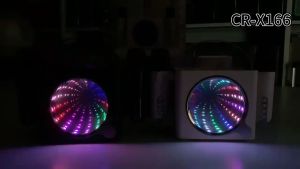
Introducing the CR-X166: A Family Entertainment Device with Colorful LED Dance Lights & Bluetooth Speaker
JBL Charge 5 Portable Wireless Bluetooth Speaker with IP67 Waterproof and Dustproof Rating Dual Passive Bass Radiators 20Hrs Battery Life USB Type C Cable (Black Blue Squad Teal Red) | JG Superstore
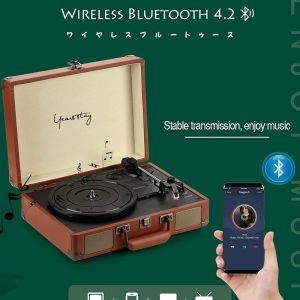
HOL Retro Bluetooth 33 Rpm Vinyl LP Record Player Turntable Suitcase Stereo Speaker Red Black Blue

💥 Local Stock💥OWS Open-Ear Earbuds TWS Bluetooth 5.4 Wireless Earphones With Mic Sports Waterproof Headphones
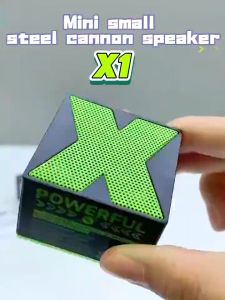
X1 Mini Wireless Bluetooth Speaker Bass Charge Portable Speaker 360 ° Stereo Sound Excellent Bass
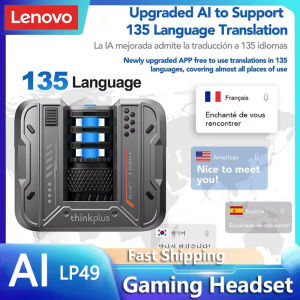
Upgrade Your Listening Experience: Lenovo LP49 AI Translation Earphones & Low Latency Gaming Earbuds
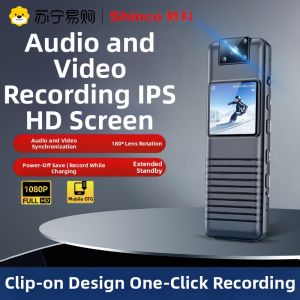
SHINCO | Shinco Professional High Definition Noise Reduction Portable Video Recording Dictaphone for Lawyers with Camera Function
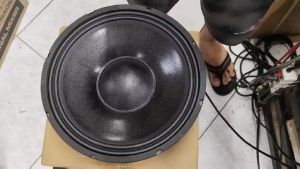
Live PA-12-400 12inch 400W 65mm V.Coil Speaker

Divoom B-Beetles Radio Speakers: Bluetooth Wireless Portable Small Speakers for Girls' Birthday Presents