OTTOCAST CA481: A Comprehensive Guide to Android 12 QCM6125 Wireless CarPlay & Android Auto Adapter
OTTOCAST CA481: A Comprehensive Guide to Android 12 QCM6125 Wireless CarPlay & Android Auto Adapter
Introduction to OTTOCAST CA481
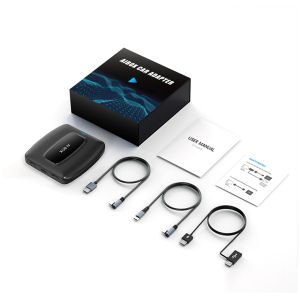
The OTTOCAST CA481 is a cutting-edge Android 12 QCM6125 wireless CarPlay & Android Auto adapter designed to enhance your driving experience. With its 4GB RAM and 64GB storage, this car connectivity solution offers seamless integration with your smartphone, allowing you to enjoy hands-free navigation, music streaming, and more.
Key Features & Specifications
- Operating System: Android 12
- Processor: QCM6125
- Memory: 4GB RAM + 64GB storage
- Connectivity: Wi-Fi, SIM card support
- Compatibility: CarPlay & Android Auto
Compatibility & Connectivity
The OTTOCAST CA481 is compatible with both CarPlay and Android Auto, making it a versatile solution for drivers who own iPhones or Android smartphones. With Wi-Fi and SIM card support, you can stay connected on-the-go, ensuring a smooth and uninterrupted driving experience.
Setting Up Your OTTOCAST CA481
Installation Process
Installing the OTTOCAST CA481 is straightforward and can be completed in just a few steps. First, connect the adapter to your vehicle's power source using the included cable. Next, connect your smartphone to the adapter via Wi-Fi or Bluetooth.
Connecting to Your Vehicle
To connect the OTTOCAST CA481 to your vehicle, simply plug the adapter into your car's OBD-II port. Once connected, power on the adapter and wait for it to initialize.
Configuring CarPlay & Android Auto
To configure CarPlay or Android Auto, open the respective app on your smartphone and follow the on-screen instructions. Once connected, you can customize your dashboard and start enjoying hands-free navigation, music streaming, and more.
Enhancing Your Driving Experience
Customizing Your Dashboard
With the OTTOCAST CA481, you can customize your dashboard to suit your preferences. Choose from a variety of themes and layouts to create a personalized driving experience.
Using Voice Commands & Controls
Take advantage of voice commands and controls to keep your hands on the wheel and eyes on the road. Simply say a command or press a button on the steering wheel to access your favorite apps and features.
Utilizing Smart Notifications & Alerts
Stay connected while driving with smart notifications and alerts. Receive important updates from your phone, such as incoming calls, messages, and calendar reminders, directly on your dashboard.
Troubleshooting Common Issues
Connectivity Problems
If you experience connectivity issues, try restarting both the OTTOCAST CA481 and your smartphone. If the problem persists, check your Wi-Fi or Bluetooth settings and ensure they are properly configured.
Compatibility Issues
If you encounter compatibility issues, refer to the OTTOCAST CA481 user manual for a list of supported devices and operating systems. If your device is not listed, contact customer support for assistance.
Performance Optimization
To optimize performance, regularly update the OTTOCAST CA481 firmware and keep your smartphone's operating system up-to-date. Additionally, avoid running too many apps simultaneously to prevent lag and slowdowns.
In conclusion, the OTTOCAST CA481 is a must-have accessory for any driver looking to enhance their driving experience with Android 12 QCM6125 wireless CarPlay & Android Auto connectivity. With its advanced features and seamless integration, this adapter will revolutionize the way you drive.

Lancol Official Shop
Review

You May Also Like
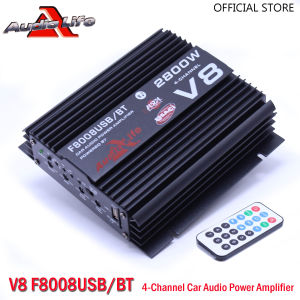
Audio Life V8 F8008USB/BT: The Ultimate 2800W Four Channel Amplifier

20 Ton Automobile Sheet Metal Repair Separated Hydraulic Jack Car Dent Shaping Drawing and Correction Tool
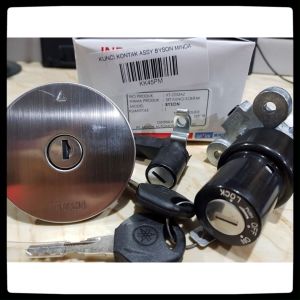
Ignition Key SET MINDA Original ORI YAMAHA Motor Accessories
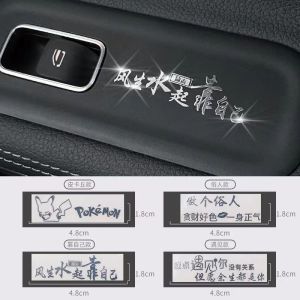
High-End Car Decorative Stickers: Metal Dashboard & Personalized Steering Wheel Decals

Fun Diamond Decorative Stickers Waterproof Pixel Heart Car Motorcycle Body Scratch Cover Stickers Auto Tail Stickers

Quick Install Motorcycle Air Protector Anti Dust Mesh Cover Breathable Fabric For Various Bike Models

.129700-4400 Ignition Coil Suitable for Suzuki 129700-4580

100Pcs Car Cleaning Towel & Kitchen Absorbent Dishcloths

Specialized Elevating Pad for BYD Summer Central Armrest Box Embroidered Decorative Protection Pad Car Interior Accessories
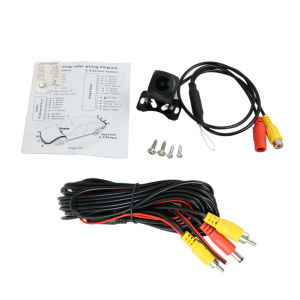
EKLEVA car Rear View Camera Universal 12/8/4 LED / AHD Night Vision Backup Parking Reverse Camera Waterproof 170 Wide Angle HD Color Image

Waterless Car Wash Spray Nano-Crysta Car Coating Spray Special Polishing Brightening Spray Oil Film Cleaner