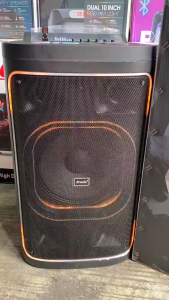
Livelylife Bluetooth karaoke Wireless Bluetooth speaker with Microphone 120W kdch wireless karaoke speakers
Bluetooth Speaker Wireless Karaoke with Dual Mic Portable KTV Speaker Stereo Amplifier for Home⭐Performance Parameter:1.Horn: 4 inches2.Power: 10W3.Battery: 3000ma+1500mah(Microphone)+1500mah(Microphone)4.Signal to noise ratio: 115dB5.Frequency response range: 20 ~ 20KHz6.Charging time: 3 ~ 5 hours7.Playback time: 5-6 hours with full charge and medium volume8.Sound source interface: Bluetooth,AUX,TF Card,USB⭐【Small Size with Powerful PA System】: The Bluetooth Karaoke Machine with 2 Wireless Microphones is lightweight, compact, and portable. 6.3" size and lightweight design are perfect for people who don’t want to make their living space cluttered. With an audio driver and advanced digital signal processor, the sound is clearer, the volume more moderate, and balanced without any noise. Adjust the volume by pressing and holding the volume button to achieve your ideal volume.⭐【Multi-function Karaoke Microphone】: Built-in the latest Bluetooth 5.0 chip for wireless streaming ensures instant pairing and provides a more stable transmission and longer distance up to 49ft. This portable karaoke machine also supports a Micro TF card, Flash USB, and AUX-in connectivity. Compatible with the android mobile phone, TV, iPad, tablet, and PC. Besides, the USB port enables the power bank function to recharge your smartphone/tablet.⭐【Change Voice in Fun Ways】: Two mics are a must for duets and dance-offs. Our Bluetooth karaoke machine for kids has seven kinds of magic voice effects: original, monster, baby, female, male, and 2 mixings, which can meet more needs and bring more fun. The voice changer microphone is perfect for in-car karaoke, home party, classroom, speeches, and many other occasions.⭐【Long Lasting Battery Life】: This Karaoke speaker built-in a 3000mAh high-efficiency Li-ion battery, which guarantees non-stop music playing up to 8 hours of playtime on 50% volume, and a microphone built-in 1500mAh high-efficiency Li-ion battery. Whether it's an indoor dance or outdoor gathering, you can rock out to your favorite jams without the restrictive cord

LivelyLife.ph
Review
You May Also Like
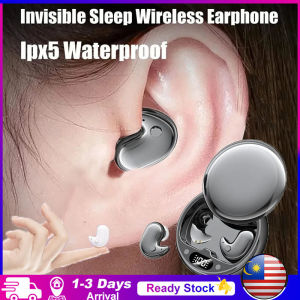
KEBIDU Sleep Earbuds Tiny Mini Invisible Headphones Hidden Noise Reduction TWS Wireless Headsets Sports Stereo Bluetooth 5.3 Earphones
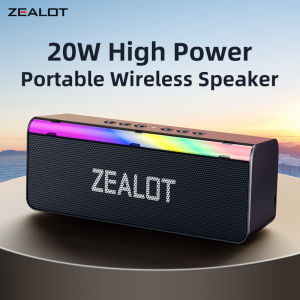
Zealot-S72 Portable Bluetooth Speaker Wireless Speaker TWS Bass Stereo IPX6 Waterproof Loudspeaker 10H PlaytimeFor Birthday
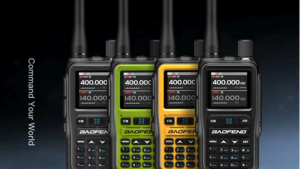
BAOFENG UV5R MINI NEW Dual PTT 5Watts Two Way Radio Type C Charging
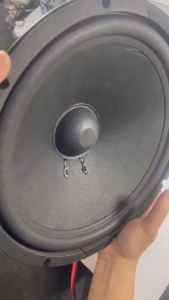
Musicer 1000w watts 12 inch Double Magnet Instrumental Speaker MU-1200
![For Partybox Encore Essential 2 Portable Speaker Dust Case with Mic Pocket Padded Speaker Protective Cover Waterproof Double-Sided Speaker Storage Bag Encore Essential [UEB Vodool]](https://img.lazcdn.com/g/ff/kf/Seebc10164d714fe5b4096c6f723d296c9.jpg_300x300q80.jpg)
For Partybox Encore Essential 2 Portable Speaker Dust Case with Mic Pocket Padded Speaker Protective Cover Waterproof Double-Sided Speaker Storage Bag Encore Essential [UEB Vodool]

NEW Universal Bone Conduction Headset Wireless Bluetooth Headphones for Gym Exercise Gaming Mobile Stereo Handsfree Strap Neckband Earphones with Mic
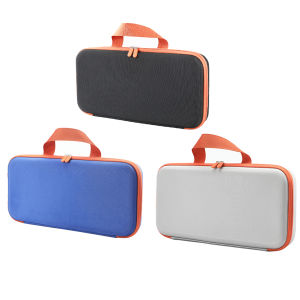
【Alloet】 Hard Carring Case Shockproof Travel Carrying Bag Waterproof with Mesh Bag for Airstrait /Corrale Hair Straightener

NANATECH XB104 PRO Portable Wireless Bluetooth Speaker Waterproof Superbass Sorround Stereo Sound Speaker
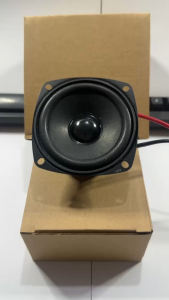
MUSICER TX-SUB3 3 inches 100 watts Dual Cone 4 ohms Car Speaker
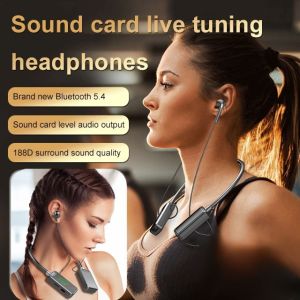
⚡Hot Item⚡Wireless Sound Card Live Tuning HeadphonesNeckband Bluetooth Stereo Noise Cancelling WirelessWaterproof ultra-clear calls with high-definition noise reductionCompatible with multiple devices Multiple sound effects switching无线声卡直播修音耳机
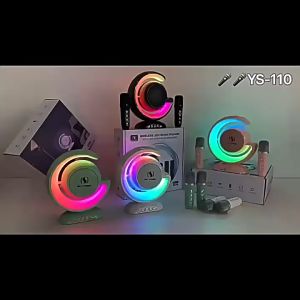
D&D Home YS-110 Home KTV Bluetooth Speaker Colorful Light 10W Wireless Bluetooth with Dual Microphone