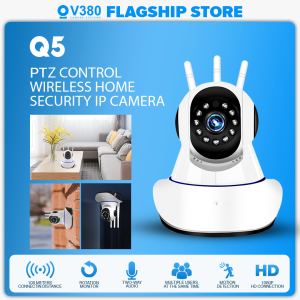
V380 Q5 CCTV Indoor Camera 1080P Smart Wireless CCTV Wi-Fi PTZ Control Home Security Night Vision Camera with USB cable
V380 Q5 CCTV Indoor Camera 1080P Smart Wireless CCTV Wi-Fi PTZ Control Home Security Night Vision Camera with USB cable
The V380 Q5 Indoor Camera is a high-quality, 1080P Smart Wireless CCTV camera designed specifically for home security. With its advanced features, including night vision, Wi-Fi PTZ control, and seamless integration with other smart home devices, this camera provides comprehensive protection for your home.
What is the V380 Q5 Indoor Camera?
The V380 Q5 Indoor Camera is a state-of-the-art wireless IP camera that delivers crystal-clear 1080P video quality, making it ideal for home security applications. This camera is equipped with Wi-Fi PTZ control, allowing users to remotely pan, tilt, and zoom the camera to monitor their surroundings effortlessly.
Key Features & Specifications
Here are some of the key features and specifications of the V380 Q5 Indoor Camera:
- Resolution: 1080P Full HD
- Video Format: H.264
- Wi-Fi Connectivity: 2.4GHz
- Night Vision: Up to 30 feet
- PTZ Control: Pan, tilt, and zoom
- Audio: Two-way audio
- Compatibility: Works with iOS and Android devices
Included Accessories
When you purchase the V380 Q5 Indoor Camera, you'll receive the following items:
- 1 x V380 Q5 Wireless IP Camera
- 1 x Adapter
- 1 x User manual
How to Install & Set Up Your V380 Q5 Camera
Setting up your V380 Q5 Indoor Camera is a straightforward process. Follow these steps to get started:
Connecting to Wi-Fi
- Connect the camera to power using the included adapter.
- Download the V380 Q5 app from the App Store or Google Play.
- Open the app and follow the on-screen instructions to connect the camera to your Wi-Fi network.
Configuring PTZ Control
To configure PTZ control, follow these steps:
- Open the V380 Q5 app.
- Navigate to the camera settings.
- Enable PTZ control and adjust the pan, tilt, and zoom settings as desired.
Installing the USB Cable
If you want to connect the camera to a computer, simply plug the included USB cable into the camera and your computer's USB port.
Maximizing Your Home Security with the V380 Q5 Camera
To get the most out of your V380 Q5 Indoor Camera, consider the following tips:
Enhancing Night Vision
To improve night vision, position the camera in a location with minimal light interference. Additionally, ensure the camera's lens is clean and free from obstructions.
Customizing Alerts & Notifications
Customize alerts and notifications by setting up motion detection and sound detection zones within the V380 Q5 app. This allows you to receive real-time alerts when activity is detected in specific areas.
Integrating with Other Smart Home Devices
Integrate the V380 Q5 Indoor Camera with other smart home devices, such as smart lights and door locks, to create a comprehensive security system. This integration enables you to control multiple devices from a single app.
Troubleshooting Common Issues
If you encounter any issues with your V380 Q5 Indoor Camera, refer to the following troubleshooting tips:
Connectivity Problems
If you're experiencing connectivity issues, try the following steps:
- Restart the camera and your Wi-Fi router.
- Ensure the camera is within range of your Wi-Fi network.
- Reset the camera to factory settings and reconnect to your Wi-Fi network.
Camera Performance Issues
If you're experiencing performance issues, try the following steps:
- Restart the camera.
- Update the V380 Q5 app to the latest version.
- Check the camera's firmware for updates.
User Manual & Support Resources
For further assistance, refer to the V380 Q5 Indoor Camera user manual, which provides detailed instructions on setup, configuration, and troubleshooting. Additionally, visit the manufacturer's website for support resources and FAQs.

V380
You May Also Like
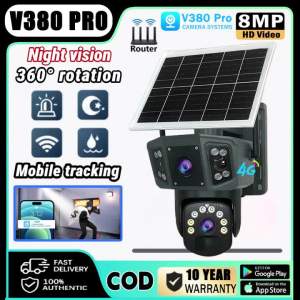
V380 Pro 4G SIM Solar CCTV Camera Outdoor Waterproof No WIFI Needed Surveillance Color Night Vision Two-Way Voice IP Security Cameras
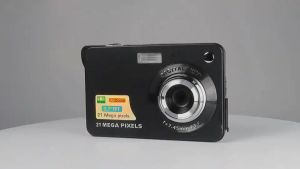
4K Digital Video Camera 48MP 8X Digital Zoom Compact Camera with 32GB Card 2.7 Inch LCD Screen Autofocus Video Camera Small Point and Shoot Camera for Kids Teens Beginner Boys Girls Adults Seniors
![[In Stock] Original SQ16 HD 1080P HD Mini Hidden Dice Spy Camera Dash Cam IR Night Vision DVR Small Camera Spy Camera Hidden](https://img.lazcdn.com/g/p/46b48842a7cca0dd7770a03f85cf483b.jpg_300x300q80.jpg)
[In Stock] Original SQ16 HD 1080P HD Mini Hidden Dice Spy Camera Dash Cam IR Night Vision DVR Small Camera Spy Camera Hidden
V380+ Security Camera Wireless 1080P HD IP Camera CCTV (White)
V380 Pro Outdoor waterproof CCTV Camera BUY 1 TAKE 1 8MP Dual Lens Dual Screens two-way audio and speaker Infrared night vision auto tracking APP Control remote Monitor COD
EZVIZ C6N Black 1080P Pan/Tilt AI Home Security Wi-Fi Camera | Camera Connect to Cellphone | Two Way Audio CCTV Camera
⭐⭐⭐New 4K UHD Helmet Mounted Night Vision Binoculars 36MP Head Mounted Tactical 400M Hunting Infrared Digital NVG Goggles NV8161
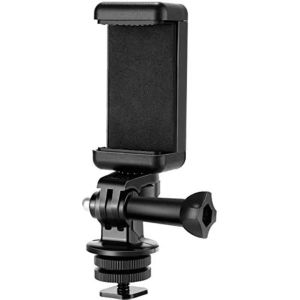
1 Pcs 1/4 Inch Flash Hot Shoe Screw Adapter & Tripod Mount Phone Clip Holder
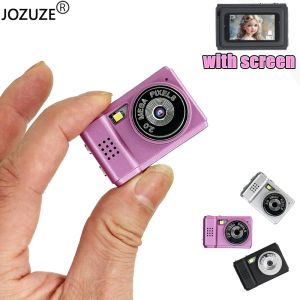
JOZUZE S5 Retro Mini Camera With Screen CMOS Indoor Home Outdoor HD 1080p Sports Portable Very Small Mini Camera Video Recorder
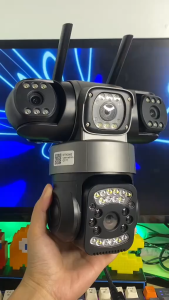
V380 PRO × YOOSEE Cctv Camera 6MP 3 Lens 3 Screens Outdoor Waterproof IP66 Connect Cellphone CCTV With Audio And Speaker Wireless Wifi Connect 360 Home IP Security Cameras HD 1080P Night Vision With Alarm Sensor Smart Camera CCTV
A9 Cctv Camera Connect Cellphone 1080p Ultra Hd No Need Internet No Need Wifi With Night Vision With 360°Panoramic Infrared Security Camera Motion Detection Hd Cctv Camera